
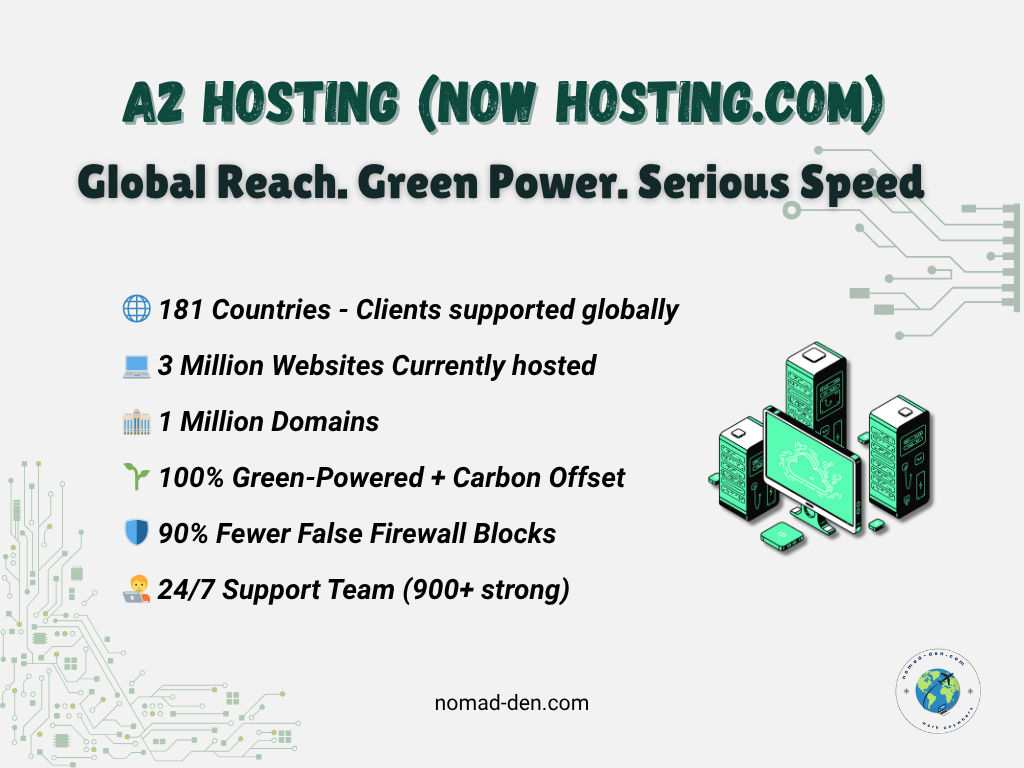
When building an online business, web hosting speed—specifically how long your site load time is—can make or break conversions. The length of time it takes your page to load could be the difference between making a sale or not, or losing out on repeat business. We’re all busy and a few seconds could make all the difference.
Online business is a rapidly growing industry. Even brick and mortar stores that were around before the internet, have adapted to include internet exposure to expand their reach and increase their traffic, and acknowledged a decrease in page load times is an increase in conversions.
Hosting.com stands out as a solution specifically designed to combat slow load times. Its combination of Turbo Servers, LiteSpeed Web Server technology, and SSD storage makes it ideal for businesses that rely on fast page load times to enhance user experience and boost SEO rankings.
Why Website Speed Matters
- Search Visibility & SEO: As one of the top “fastest web hosting services,” Hosting.com improves TTFB and site load time, giving your pages an edge in ranking.
- Search Visibility: Hosting impacts TTFB and how quickly your page fully loads—slow metrics = lower rankings.
- User Experience: Visitors expect instant access—sluggish sites frustrate users, reduce time-on-site, and damage brand perception, especially on mobile.
- Bounce Rate: Sites taking more than 3 seconds to load lose over half of visitors; even a few extra seconds dramatically increase bounce rates.
- Conversion Rates: Brands that load faster earn more conversions, better loyalty, and repeat customers. A 1-second improvement can raise mobile conversions by up to 27%.
Check out our Glossary to learn what ‘TTFB‘ means, and other technical terms listed in this post.
The Features of Hosting.com That Enhance Speed
- Turbo Servers: Provide up to 20x faster page load times by reducing server resource usage and optimizing website delivery.
- SSD Storage: Uses SSD (Solid State Drive) storage instead of traditional HDD, offering much faster read/write speeds.
- LiteSpeed Web Server: Integrates LiteSpeed technology, known for its advanced caching capabilities and optimized performance.
- Content Delivery Network (CDN) Integration: Hosting.com lets you tap into a powerful content delivery system—reducing latency and improving speed worldwide.


How Hosting.com Compares to Other Providers
When choosing a hosting provider, speed isn’t the only factor — but it’s often the most overlooked. Below is a side-by-side comparison of Hosting.com with six of the top web hosting providers. These metrics highlight what matters most: speed, uptime, SSL and CDN support, and affordability. Each provider has strengths, but not all are optimized for fast, reliable performance at scale.
| Criteria | Hosting.com | Siteground | Bluehost | GoDaddy |
| Avg. Load Speed | 1.9s | 2.3s | 3.0s | 3.8s |
| Cached Speed | 0.94s | 1.1s | 1.4s | 2.5s |
| Uptime % | 99.9% | 99.99% | 99.98% | 99.90% |
| Free CDN | ✅ | ✅ | ✅ | ✅ |
| Free SSL | ✅ | ✅ | ✅ | ✅ |
| Pricing (starts at) | $1.99/mo. | $2.99/mo. | $2.95/mo. | $2.99/mo. |
| Criteria | Hosting.com | HostGator | GreenGeeks | FastComet |
| Avg. Load Speed | 1.9s | 3.1s | 2.0s | 1.8s |
| Cached Speed | 0.94s | 1.6s | 0.9s | 0.89s |
| Uptime % | 99.9% | 99.90% | 99.98% | 99.97% |
| Free CDN | ✅ | ✅ | ✅ | ✅ |
| Free SSL | ✅ | ✅ | ✅ | ✅ |
| Pricing (starts at) | $1.99/mo. | $2.75/mo. | $2.95/mo. | $2.19/mo. |
A2 Hosting rebranding as Hosting.com is a move towards their mission of becoming “the world’s most trusted hosting company” and offering reliable web hosting solutions for businesses and individuals.. In a competitive market of top hosting providers, Hosting.com stands out as a fastest hosting provider that delivers where it counts most. It’s proof that you can get a solid foundation for your online presence with affordable hosting plans that suit all budgets.
Comparison to Industry Standards:
For web hosting providers offering Turbo Servers or comparable performance features, prices typically range between $5.00 and $10.00/month. While there are cheaper options on the market, these often sacrifice performance and support quality. Hosting.com strikes a balance between premium performance and reasonable pricing.
Responsive Support When You Need It
One of the key factors that sets Hosting.com apart from its competitors is its 24/7/365 Guru Crew Support. Whether you’re a seasoned website owner or just starting out, Hosting.com provides global a expert support team that is always available to assist you with any questions or issues you might encounter.
Their support team is one of the fastest in the industry — averaging just 48 seconds for live chat replies and 21 seconds for phone support. With over 64,000 tickets handled in a single month, they’ve kept resolution times under 2 hours for most issues. Their team even reduced phone abandonment to nearly zero — a big deal for users who rely on real-time answers. Their live chat, phone, and email support options ensure that you can reach them in the way that works best for you.
Bonus: Spanish-language support is launching soon via their Cali, Colombia office, offering live chat and ticket help around the clock.

How to Set Up A2 Hosting for Optimal Performance
Setting up A2 Hosting to maximize your website’s speed and performance is straightforward. Follow these steps to get the best results:
Step-by-Step Guide on Choosing the Right A2 Hosting Plan:
Step 1: Determine Your Website’s Needs
Consider the size of your website and expected traffic. For smaller websites or blogs, the Shared Hosting Plan is cost-effective. However, if you anticipate high traffic or run a resource-heavy website, consider Turbo Boost or Turbo Max plans for optimal speed and performance.
Step 2: Choose the Turbo Servers
Opt for the Turbo Servers feature for up to 20x faster page load times. This is especially important for e-commerce websites, blogs with large image files, or sites that expect to scale.
Step 3: Add SSD Storage
SSD storage comes standard with most plans, but if you’re unsure, confirm that your hosting plan includes SSD. This ensures that your data is stored and accessed faster than traditional HDD storage.


Quick Setup Tips for Turbo Servers and CDN Integration:
- Activate Turbo Caching: After signing up for Turbo Servers, enable Turbo Caching through your control panel. This stores the full HTML output of your site, reducing processing time and speeding up future requests.
- Enable CDN (Content Delivery Network): Activate A2 Hosting’s Cloudflare CDN integration, available in your hosting dashboard. A CDN stores your website content on servers around the globe, reducing load times for users regardless of their location.
- Optimize Your SSL Certificate: Ensure you enable SSL (HTTPS), which also improves SEO and secures data transfer between your site and users. This can be easily set up via your control panel.
Best Practices for Maintaining Optimal Website Speed:
- Regular Updates: Keep your WordPress, plugins, and themes updated to avoid vulnerabilities and inefficiencies. Old software can slow down your site.
- Minimize Plugins: Use only essential plugins to reduce the load on your server. Too many plugins can slow down your site and increase load times.
- Leverage Browser Caching: Ensure browser caching is enabled to store static files locally on a visitor’s device, improving load times for repeat visitors.
- Compress Images: Use an image optimization tool or plugin to compress your images without losing quality, which reduces the time it takes for your pages to load.
- Use a Lightweight Theme: If you’re using WordPress, choose a lightweight, optimized theme to ensure your site loads quickly.
Get premium speed and support from the web’s fastest hosting provider — starting at just $1.99/month.
Final Thoughts: Why Website Speed Matters
Website speed isn’t just a technical detail. It directly affects user experience, SEO performance, and conversions. A fast site keeps visitors engaged, while slow load times push them away.
Platforms like Hosting.com make it easier to maintain a fast, reliable website with optimized servers, modern infrastructure, and responsive support.
If you want a hosting provider built for performance, A2 Hosting is worth considering. Faster load times can make a measurable difference in how your website performs and grows.
Some links in this post may be affiliate links. I may earn a commission at no extra cost to you. Learn more here.
Continue Reading Related Posts
- Build Your Online Presence: Choose the Best Domain & Hosting – Learn how to select the right domain and hosting service to set a strong foundation for your business.
- Systeme for Your System: The Budget Business Builder – Explore a cost-effective all-in-one platform to build your business after securing your hosting.
- Top 5 Tools Every Online Business Owner Needs – Discover essential tools (beyond hosting) to run your online business efficiently.
- How to Validate a Business Idea Before Wasting Months Building ItWhen you come up with an idea for an online business, you’re anxious to make it happen, to make it reality. The inspiration could have come from anywhere, like something online, on TV, or just a recent experience that stuck with you. You start by choosing a name, and a domain to go with it.… Read more: How to Validate a Business Idea Before Wasting Months Building It
- Digital Marketing Analytics for Beginners: Stop Guessing, Start TrackingWhen I first launched Nomad Den, I was publishing posts, building out a network of pages, and adding affiliate links. Through that, I genuinely had no idea if any of it was working. I did know that traffic was little to nothing, and would be for a while, and I had no system for knowing… Read more: Digital Marketing Analytics for Beginners: Stop Guessing, Start Tracking
- Lead Magnets That Convert in 2026 (And What to Build First)Building an email list sounds straightforward until you actually try it. The real challenges aren’t technical — they’re getting the right people to sign up in the first place, and eventually building a list that generates income. A lead magnet is supposed to solve the first problem. Most don’t. That explains why it’s called a… Read more: Lead Magnets That Convert in 2026 (And What to Build First)