
Some links in this post may be affiliate links. I may earn a commission at no extra cost to you.
Email marketing is still highly relevant and is one of the best digital marketing investments you can make, whether for a brick and mortar store or an online business. The ROI (return on investment) can be as high as 36:1, meaning businesses can see up to $36 for every $1 spent. The metrics vary depending on many factors, but are achievable.
You don’t need to be an expert to succeed with email marketing. However, to use this strategy effectively, you need to understand the key terms you’ll encounter every day. In this post, we clearly define 15 essential email marketing terms to help you get started with confidence.
Why Understanding the Language Matters
You can’t use what you don’t understand, and email marketing has its own vocabulary. You’ll see these terms in dashboards, tutorials, and training materials, and platforms and courses reference them constantly. Learning them upfront removes confusion and makes everything else easier to learn.
Once you understand the language, email marketing becomes far less intimidating. Instead of guessing what metrics, settings, or features mean, you’ll be able to navigate platforms, campaigns, and strategies with more clarity and confidence.
The 15 Essential Email Marketing Terms
Each term below is defined with a focus on clarity rather than jargon. You don’t need to memorize them, just use this list as a reference as you learn and practice email marketing.
Email Service Provider (ESP)
An email service provider (ESP) is the platform you use to create, send, and manage marketing emails.
This is not the same as your personal email client (like Gmail or Apple Mail).
ESPs are built for campaigns, lists, automation, and tracking performance.
GetResponse is the ESP we recommend for getting started. It combines list management, autoresponders, and performance tracking in one platform. If you’d like to see how it stacks up against other options, here’s our comparison of the top email marketing platforms.
Autoresponder
An autoresponder is an automated email (or email sequence) that sends based on a specific trigger, such as someone signing up for a list or downloading a resource. These time-saving tools are foundational for understanding email sequences, funnels, and automation.
Double Opt-in
Double opt-in requires a subscriber to confirm their email address after signing up. This extra step improves list quality, protects deliverability, and helps ensure legal compliance with email regulations.
Call-to-Action (CTA)
A call-to-action (CTA) tells the reader what to do next, such as clicking a link, replying to an email, or making a purchase. CTAs are used across email marketing, landing pages, and content marketing to guide users forward.
Click-Through Rate (CTR)
Click-through rate (CTR) measures how often subscribers click a link within your email. It helps you understand how compelling your message and call-to-action are, and tracking CTR over time can reveal whether your subject lines, content, or offers need adjusting.
Conversion Rate
Conversion rate measures how many people completed a desired action after receiving an email, such as signing up or buying something. It connects email activity directly to real business outcomes.
Deliverability
Deliverability refers to whether your emails actually reach a recipient’s inbox instead of spam or promotions folders. It’s influenced by list quality, sending behavior, and email content, and it’s where many beginners get confused early on.
Hard Bounce
A hard bounce occurs when an email cannot be delivered due to a permanent issue, such as an invalid or non-existent email address. Hard bounces should be removed from your list to maintain good list hygiene.
Soft Bounce
A soft bounce happens when an email cannot be delivered right away, often because an inbox is full or there’s a temporary server issue. Unlike hard bounces, soft bounces may resolve on their own.
CAN-SPAM Act
The CAN-SPAM Act is a U.S. law that sets rules for commercial emails, including requirements for consent, identification, and unsubscribe options. Understanding it helps you stay compliant without resorting to fear-based tactics.
The FTC offers official guidance on CAN-SPAM compliance.
Personalization
Personalization involves tailoring emails based on subscriber data, such as name, location, or behavior. Even simple personalization can improve engagement and make emails feel more relevant.
Email Campaign
An email campaign is a planned set of emails sent with a specific goal, such as promoting an offer or sharing updates. The term is often used to describe a single email, but it more accurately refers to a coordinated series working toward a shared goal.
Engagement Rate
Engagement rate looks at how subscribers interact with your emails, often combining opens, clicks, and other actions. It helps explain why open rates and click rates matter together.
Landing Page
A landing page is a focused web page designed to convert visitors into subscribers or customers. In email marketing, it serves as the bridge between clicking an email and taking action and is often paired with an opt-in form.
Lead / Lead Nurturing
A lead is someone who has shown interest in your business, usually by joining your email list. That puts them a step ahead of an anonymous visitor, since they’ve given you permission to reach out directly.
Lead nurturing is the process of building trust over time through intentional email campaigns that provide helpful, relevant information before making an offer.This might look like a welcome series, educational content, or case studies that build credibility before you ask for a sale.
Frequently Asked Questions (FAQs)
Conclusion
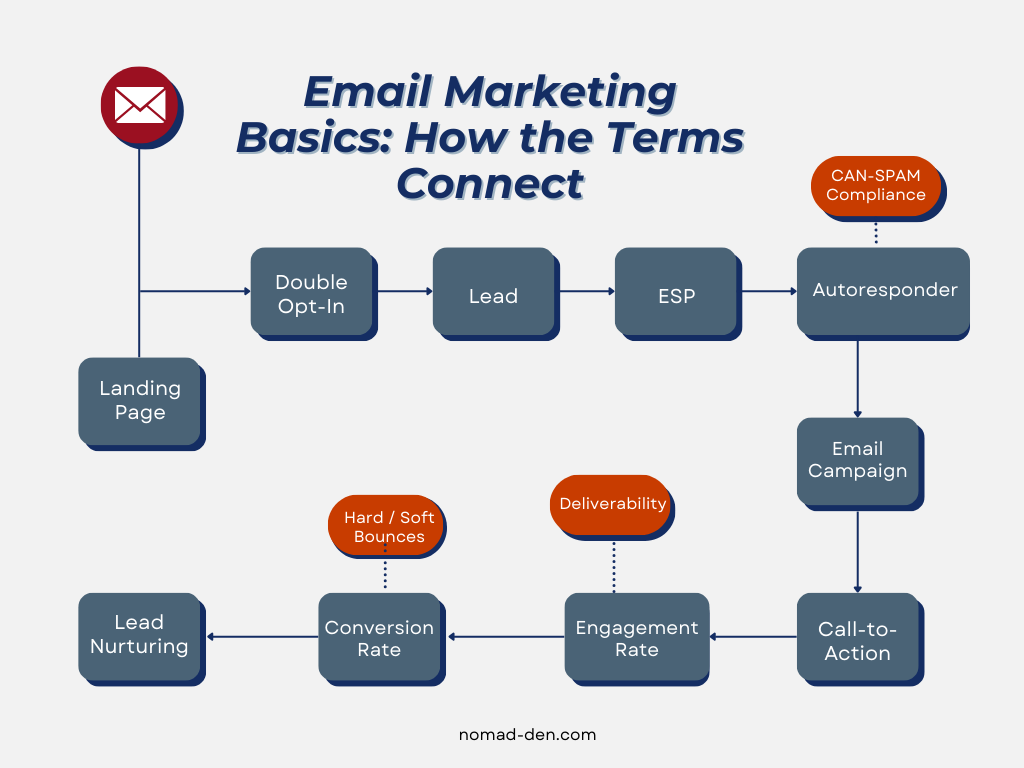
These 15 terms cover the core building blocks of email marketing: the tools you’ll use to send and manage campaigns (ESP, autoresponder), the metrics that show whether they’re working (CTR, conversion rate, engagement rate, deliverability), and the compliance basics that keep your list and reputation in good shape (double opt-in, CAN-SPAM Act).
The best way to get comfortable with this terminology is to start using it. Sign up for a few newsletters in your niche, pay attention to their subject lines, CTAs, and sending patterns, and these terms will start clicking into place faster than you’d expect.
Ready to put these terms into practice? GetResponse brings together the tools behind most of what we just covered, an ESP with built-in autoresponders, list management, and performance tracking, all in one platform.

Some links in this post may be affiliate links. I may earn a commission at no extra cost to you. Learn more here.
Continue Reading Related Posts
Digital Marketing Analytics for Beginners: Stop Guessing, Start Tracking
When I first launched Nomad Den, I was publishing posts, building out a network of…
Lead Magnets That Convert in 2026 (And What to Build First)
Building an email list sounds straightforward until you actually try it. The real challenges aren’t…

Remote Work Skills That Actually Pay (2026)
Working remotely isn’t a backup plan anymore. It’s not something people do when they can’t…
Digital Marketing Guide: Where to Start and How It Works
Digital marketing is the promotion of products or services using digital channels such as search…
Online Business Foundations: 15 Core Terms
If you’ve watched enough online business content, you’ve heard the familiar advice: “pick a niche…
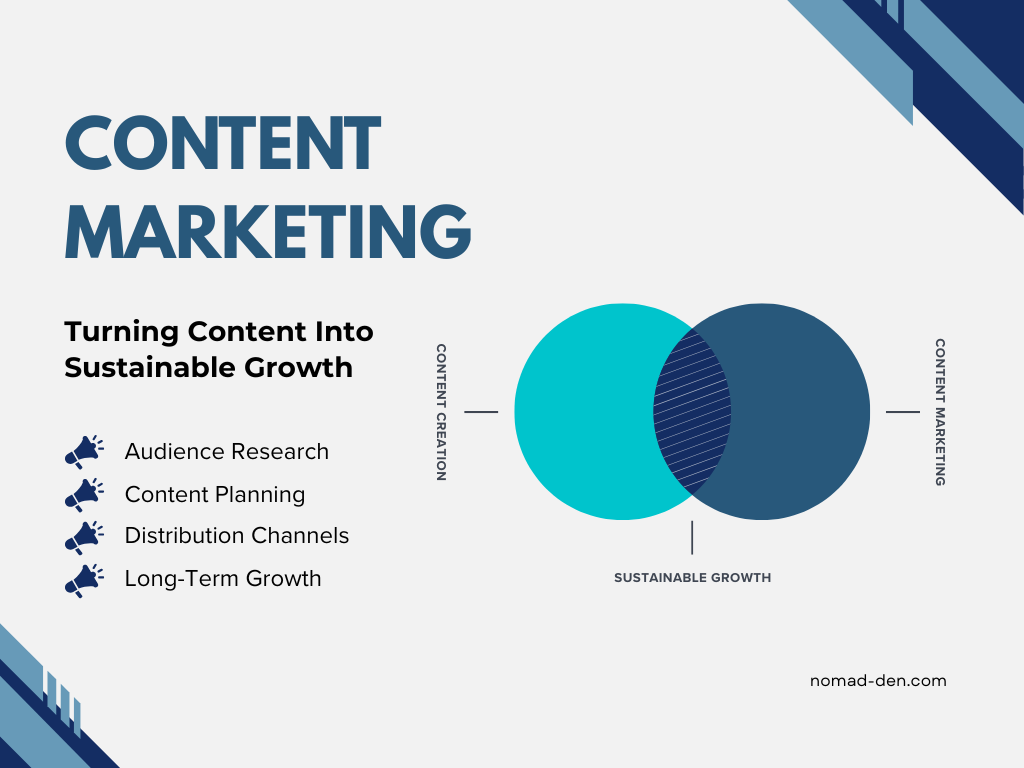
Content Marketing: Beginner’s Guide to Strategy
Most people think of marketing as ads, promotions, or sales pitches. But over time, audiences…