
Some links in this post may be affiliate links. I may earn a commission at no extra cost to you.
Table of Contents
- Password Managers: Your First Line of Defense
- How Email Authentication Protects Your Accounts
- Two-Factor Authentication (2FA): Add a Real Barrier
- VPNs and Why They Matter for Account Security
- Privacy-First Email Alternatives
- A Simple Security Setup You Can Do Today
- Common Account Security Mistakes
- Tools I Recommend
- Frequently Asked Email & Account Security Questions
- Conclusion
- Continue Reading Related Posts
With an astounding 392.5 billion emails sent and received every day by well over 4 billion users worldwide, email remains one of the most active communication tools anywhere, and attackers know it, which is why phishing remains the most common (and most effective) method for cybercrime.
As hackers become increasingly adept at manipulating people into handing over sensitive information, email security has never been more important. Your email is more than just an effective communication tool. It’s the gateway to almost everything you do online. If someone gets into your inbox, they can reset passwords, access financial accounts, compromise business tools, or impersonate you across the web.
The good news is that staying safe doesn’t require technical knowledge or hours of setup. A few simple habits and tools can dramatically reduce your risk so you don’t become a victim.
Password Managers: Your First Line of Defense
A password manager strengthens your overall password hygiene and protects you from brute-force attack attempts. Instead of relying on weak or reused passwords, a password manager securely stores all your logins in an encrypted vault and lets you access them with a single master password. This not only protects you from common threats online, but also saves you time and eliminates the hassle of remembering dozens of unique passwords.
Recommended Password Managers
Key Features
- Strong encryption: Protects your sensitive data so it remains unreadable without your master password.
- Autofill: Automatically enters your username and password into websites and apps.
- Strong password generator: Creates complex, unique passwords for every account.
- Device syncing: Access your vault from your phone, tablet, or computer.
- Multi-factor authentication (MFA): Adds an extra layer of protection to your vault.
- Security alerts: Notifies you if one of your saved logins appears in a data breach.
- Zero-knowledge architecture: Even the password manager company cannot see your decrypted data.
Strengthen your email and account security with NordPass.
How Email Authentication Protects Your Accounts
Once your passwords are secured, the next step is protecting the accounts tied to them, especially your email. Email isn’t just a login point; it’s an integral part of your digital identity, and if attackers can send emails pretending to be you, the damage goes far beyond a hacked inbox.
This is where email authentication comes in: even though it’s more often discussed in the email marketing world, it’s actually a core part of your security stack, not just deliverability.
Why Email Authentication Matters
- Combats spoofing: It becomes much harder for attackers to send emails pretending to be you or your business
- Protects your reputation: Spoofed emails can damage trust with your customers or contacts
- Improves deliverability: Authenticated email is less likely to land in spam
- Builds credibility: People (and inbox providers) trust authenticated senders more
- Keeps sensitive data safer: It helps block phishing attempts that try to steal login details or personal information
SPF, DKIM, and DMARC: Email Acronyms Made Simple
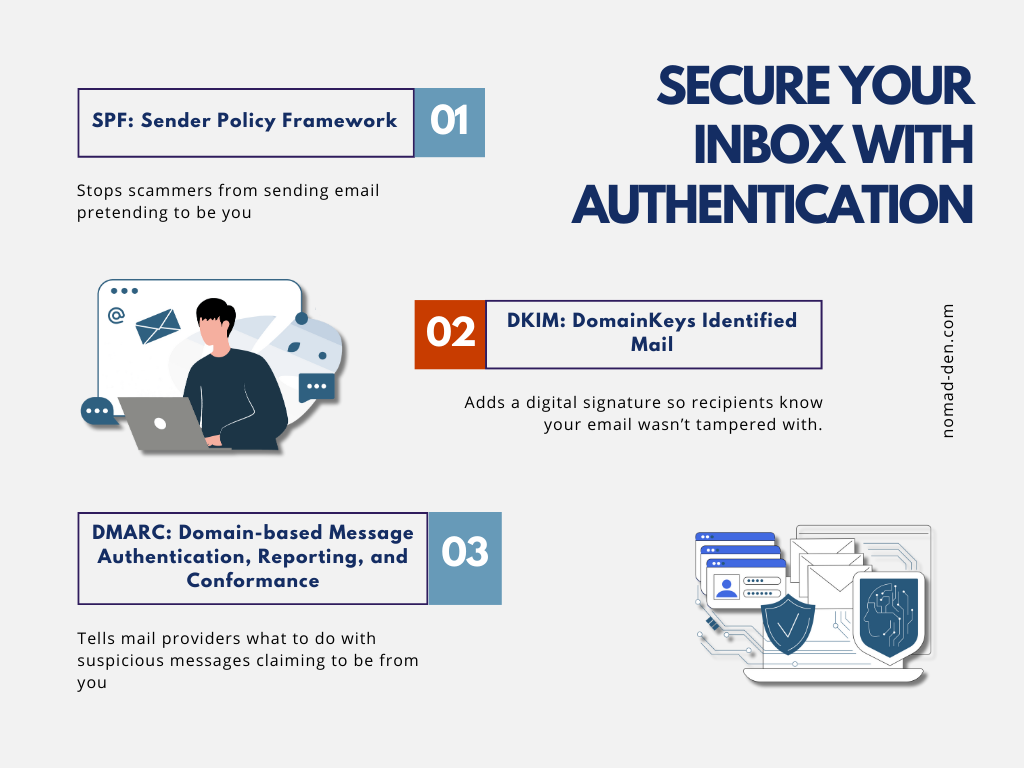
These email authentication acronyms work together to provide email spoofing protection and enforce authentication best practices:
- SPF: Says who’s allowed to send email from your domain
- DKIM: Adds a digital signature so the email can’t be altered
- DMARC: Tells inboxes what to do with messages that fail the checks
For a more complete definition on these terms, check out my Glossary.
Which Email Providers Support Authentication
Most modern email platforms (like Moosend, Kit, and GetResponse) support SPF, DKIM, and DMARC automatically. I covered these three in detail in my email marketing essentials guide.
Two-Factor Authentication (2FA): Add a Real Barrier
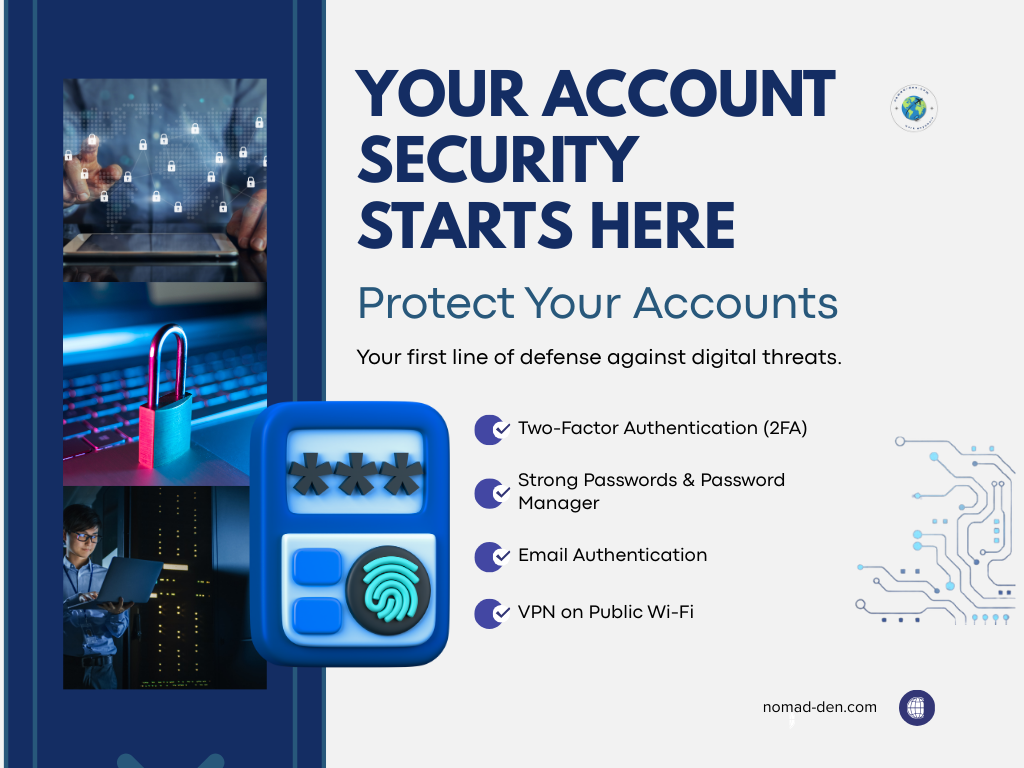
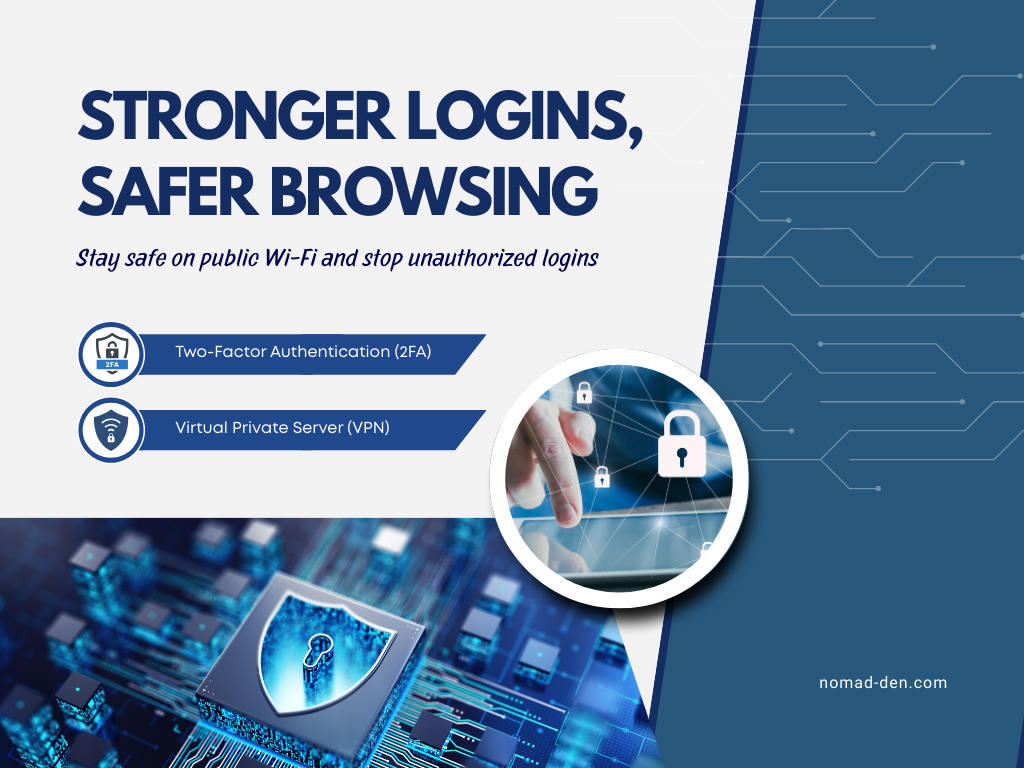
Two-factor authentication, sometimes called multi-factor authentication, is one of the easiest and most effective ways to prevent account takeover. Most platforms offer it now, and many require it. At a basic level, 2FA adds a second step to your login process, usually in one of these forms:
- A 6-digit code sent to your email or phone
- A text message verification, or
- An authenticator app like Google Authenticator or Authy
Some services also offer one-tap phone prompts or device login approvals, which make the process even simpler. 2FA is a small inconvenience that’s absolutely worth the effort, especially for your more private or sensitive accounts.
VPNs and Why They Matter for Account Security
A VPN protects your account security by encrypting your internet connection and hiding your IP address, especially when you’re on public or shared Wi-Fi. This prevents hackers, snoopers, and network owners from seeing what you’re doing online or intercepting sensitive information like login details.
When you’re signing in to accounts: email, banking, affiliate dashboards, or business tools, a VPN creates a secure, private tunnel that keeps your data from being exposed.
These are the key security benefits for your accounts:
- Protection on public Wi-Fi: Coffee shops, airports, hotels, and other public networks are easy targets for cybercriminals looking to intercept unprotected connections.
- Masking your IP address: Your IP reveals your location and can be used to track your activity or identify your device. Hiding it makes it harder for anyone to link your online activity back to you.
- Securing sensitive logins: Any time you enter passwords, financial info, or business data, that information stays protected so it can’t be intercepted.
For frequent public Wi-Fi use, a VPN adds an important layer of protection. NordVPN keeps your connection encrypted and your data private, wherever you’re logging in from.
VPNs secure your connection, but your email provider controls the privacy of everything inside your inbox. This is a different part of email security than the authentication tools we covered earlier.
Privacy-First Email Alternatives
Most people assume their email is fully secure, and in fairness, services like Gmail, Outlook, and iCloud do a solid job protecting your account. That’s one reason why they dominate the market. Google alone powers roughly 1.8 billion active inboxes worldwide.
However, “secure” and “private” aren’t the same thing. Big-tech email providers collect extensive metadata and often scan inbox content to power features and AI models. Most people accept this without realizing it, but if you handle sensitive information or simply want more control over your data, privacy-first email providers can’t scan or read your emails at all, their zero-knowledge encryption prevents even the provider from seeing your inbox. (You can see an example of big-tech data collection in Google’s Privacy Policy & Terms)
| Feature | Big-Tech Email | Privacy-First Email |
|---|---|---|
| Business model | Ads / ecosystem lock-in | Subscription-based privacy |
| Data collection | High (metadata + scanning for features) | Minimal / zero-knowledge encryption |
| Encryption | Transport encryption | End-to-end + zero-knowledge |
| Account recovery | Very easy | More secure, sometimes stricter |
| Ideal for | Convenience, integrations | Privacy, sensitive communication |
Below are three strong privacy-focused email options if you want more control over how your inbox data is handled:
- Proton Mail – End-to-end encrypted, zero-knowledge architecture, based in Switzerland
- Tuta – Fully encrypted mailbox + encrypted contacts and calendar, based in Germany
- Mailbox.org – A secure, business-friendly alternative with strong privacy protections and extra productivity tools.
For a deeper look at privacy-first alternatives across Google’s entire ecosystem: email, storage, calendar, browsers, and more, you can check out my full DeGoogle page.
A Simple Security Setup You Can Do Today
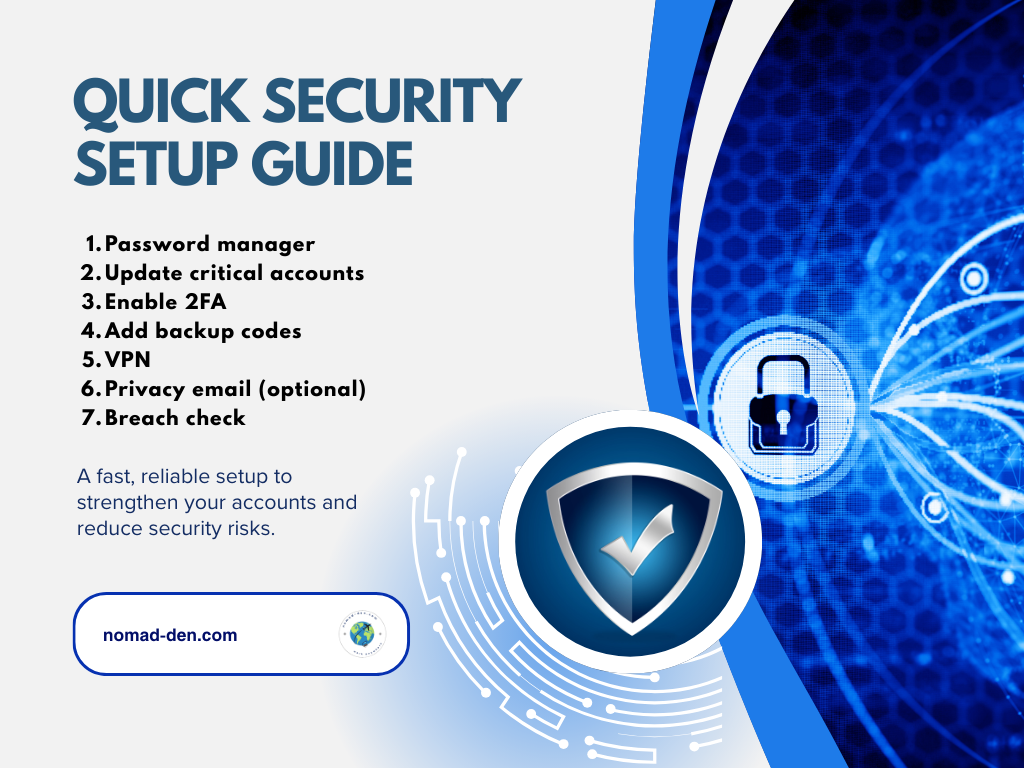
If you’re ready to tighten your account security without getting too technical, this is a simple step-by-step workflow you can set up in one sitting. These are the highest-impact changes with the least friction:
- Install a password manager
- Update your top 5 critical accounts (email, bank, domain registrar, hosting, affiliate network)
- Enable 2FA for each
- Add backup codes
- Turn on a VPN for travel/public Wi-Fi
- (Optional) Create a privacy-first email for admin access
- Run a “Have I Been Pwned” check to see if anything was leaked
- Add device-level protection to block malware and unsafe files (via Coveron)
If you’ve made it this far, your accounts are already far more secure than the average person’s. The final piece is locking down your passwords with a tool built for it. NordPass makes that first step simple.
Common Account Security Mistakes
Even with strong tools in place, small everyday habits can quietly undermine your digital security. These are some of the most common mistakes most people don’t realize they’re making, and fixing them takes little effort.
- Reusing passwords (even “just for low-risk sites”) – Because one breach = access to every account that shares that password
- No 2FA on email – Your email is the master key to your online life. Without 2FA, a single stolen password can unlock everything
- Using SMS codes – Text messages can be intercepted or SIM-swapped. App-based codes or passkeys are safer
- Using ISP-provided router password (yikes) – Default passwords are widely known and often reused across thousands of devices
- Logging in on public Wi-Fi – Public networks are easy targets for snooping and packet-capturing, especially in hotels and airports
- Storing passwords in Notes or Notepad – These aren’t encrypted. If someone accesses your device, they can open these instantly
- Using “one email for everything” – It increases your attack surface. If that one inbox is compromised, everything else follows
Now that we’ve covered what not to do, here are the core tools that make staying secure much easier, even if you’re not technical.
Tools I Recommend
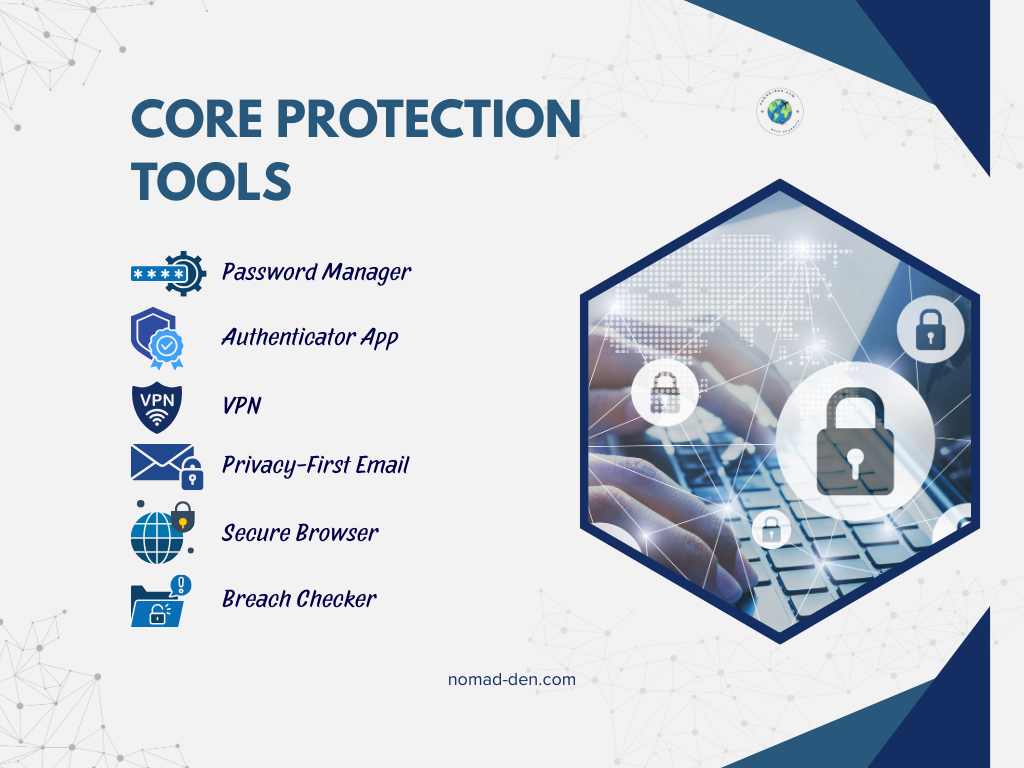
- Password Manager: Use one strong vault to replace reused passwords.
Recommended: NordPass - Authenticator App: Safer than SMS codes and stops most takeover attempts.
Recommended: Authy (or 1Password’s built-in if you prefer) - VPN: Encrypts your connection on public Wi-Fi and blocks snooping.
Recommended: NordVPN - Privacy-First Email: Reduces data collection and protects sensitive communication. Recommended: Proton Mail or Tuta
- Secure Browser: Limits tracking, blocks ads, and makes phishing harder.
Recommended: Brave - Breach Checker: Quick way to see if an old password was leaked.
Recommended: Have I Been Pwned
If you want the easiest win on this list, start with a VPN. It protects your connection everywhere, especially on hotel or public Wi-Fi, where risks like evil twin attacks are just as real as an unsecured network. If something does slip through despite your best efforts, Coveron adds a layer of identity monitoring and recovery support for exactly that scenario.
Frequently Asked Email & Account Security Questions
Conclusion
With cybercrime on the rise and email accounts being the most common gateway to your personal information, securing your email and other sensitive accounts is a no-brainer. Once you understand what to fix, most improvements are quick, free, and make an immediate difference. Don’t wait, lock down your accounts today and stay ahead of the easy attacks.
For an extra layer of protection, especially when traveling or using public Wi-Fi, a reliable VPN closes one more major security gap. NordVPN is one of the simplest ways to shield your connection and protect your data in transit. Your peace of mind is worth more than a small investment.
Some links in this post may be affiliate links. I may earn a commission at no extra cost to you. Learn more here.
Continue Reading Related Posts
Private Browsers and Search Engines Worth Switching To
Google Chrome accounts for roughly 69% of the world’s web page views, and Google handles…
When to Start Outsourcing: How to Vet Your First Virtual Assistant (or Freelancer)
Outsourcing makes sense the moment a task is both teachable and consistently the thing standing…

17 Cybersecurity Terms Every Online Business Should Know (Part 2)
Cybersecurity terms for online business owners cover the threats, compliance requirements, and protective habits that…

Affiliate Marketing Scams: How to Spot Them (and Protect Your Own)
Affiliate marketing is a legitimate, commission-based business model, not a scam, that predates the internet…
Digital Nomad Visas in 2026: Requirements, Costs, and How to Apply Safely
A digital nomad visa is a temporary residency permit that lets you legally live in…
Is NordVPN Actually Worth It? Ownership, Audits, and Pricing Explained
NordVPN is the VPN provider most affiliate marketers default to recommending, but the research behind…