Table of Contents
- Is Google Drive Encrypted? What Google Can Access
- What Makes Private Cloud Storage Private?
- End-to-End Encrypted Cloud Storage: Claims vs. Testing
- Best Google Drive Alternatives for Freelancers, Compared
- Keep Google Drive, Encrypt the Folder
- Free Google Drive Alternatives: I Tested the Free Plans
- How to Share Files With Clients Safely
- Sync Is Not a Backup
- Don’t Lose the Key: Passwords and Recovery
- Client Contracts, GDPR, and HIPAA
- FAQs
- Encrypt Client Files Before Google Can Read Them
- Continue Reading
A private Google Drive alternative encrypts your files on your own device before they upload, so the company storing them can’t read them. Google Drive doesn’t work that way on personal accounts, because Google holds the encryption keys. Google’s Gemini privacy page, updated November 17, 2026, says Gemini saves and uses information from apps you connect to it, Drive included, to provide and improve its services. If your client contracts, invoices, and project files live in Drive, that is reason enough to look at the alternatives.
Freelancers also have less room for error right now. A record 74.9 million Americans now earn income independently, and many say on Reddit that steady work is harder to find as AI takes over tasks clients used to hire out. When the next client is harder to land, losing one over a leaked file costs more.
Below, I compare six encrypted alternatives to Google Drive, show what independent researchers found when they tested the encryption claims, and share what happened when I tested the free plans on the job freelancers do most: handing files to a client.
Is Google Drive Encrypted? What Google Can Access
Google Drive is encrypted, but it isn’t end-to-end encrypted on personal accounts. Google encrypts your content in transit and at rest and keeps the keys itself. That protects your files from someone who steals a server, not from Google.
What Google Can Access in Drive
Because Google holds the keys, its systems can process your files to run Drive. Its Drive terms say Google “may review content to determine whether it is illegal or violates our Program Policies,” and files that break those policies can be restricted or removed. The same terms say Google won’t use your Drive content for marketing campaigns.
Gemini and Connected Apps
Gemini can work with your Drive files once you connect Drive to it. Google’s Gemini Apps Privacy Hub says Gemini “saves and uses info from Connected Apps,” including to provide and improve Gemini Apps. A separate checkbox in your Gemini activity settings lets your chat content, including attachments, help train Google’s generative AI models. Even with Gemini history turned off, Google says it still uses your chats to respond to you and help keep Gemini safe.
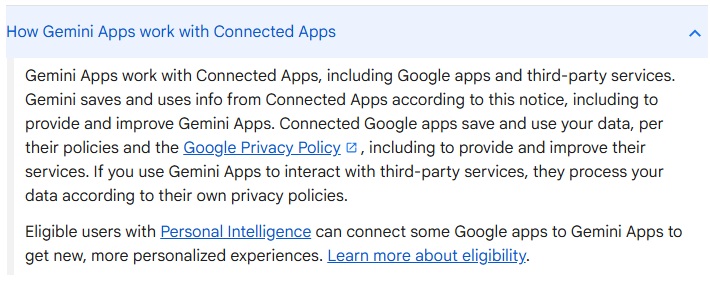
Do this instead: if you use Gemini, disconnect Google Drive in Gemini’s Connected Apps settings and leave the “Chat content including text & attachments” training box unchecked, or keep client files in a service Gemini can’t reach.
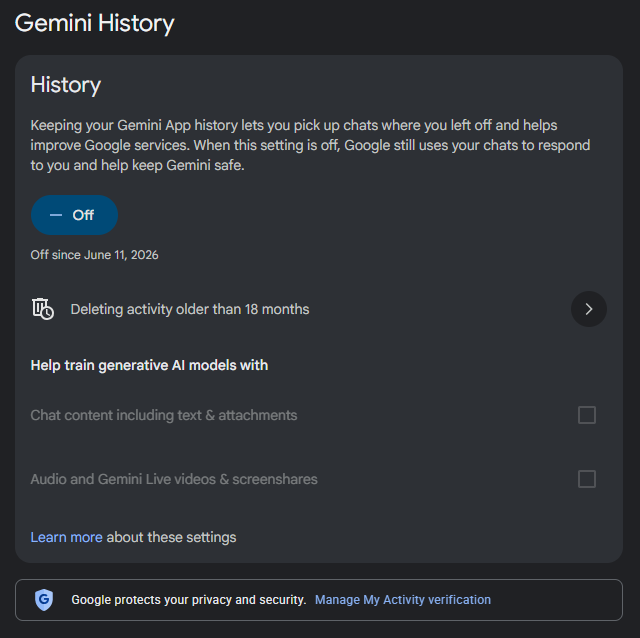
Gemini’s training settings, with both boxes left unchecked.
Client-Side Encryption Is Enterprise-Only
Workspace client-side encryption is Google’s way to lock itself out: an organization holds its own keys, but creating encrypted files requires a Frontline Plus, Enterprise Plus, Education Standard, or Education Plus license, and personal Google accounts can’t open encrypted content at all. A freelancer on a free account or a small Workspace plan can’t turn it on.
That leaves two options: move client files to an end-to-end encrypted service, or encrypt them yourself before they reach Drive. The rest of this post covers both.
What Makes Private Cloud Storage Private?
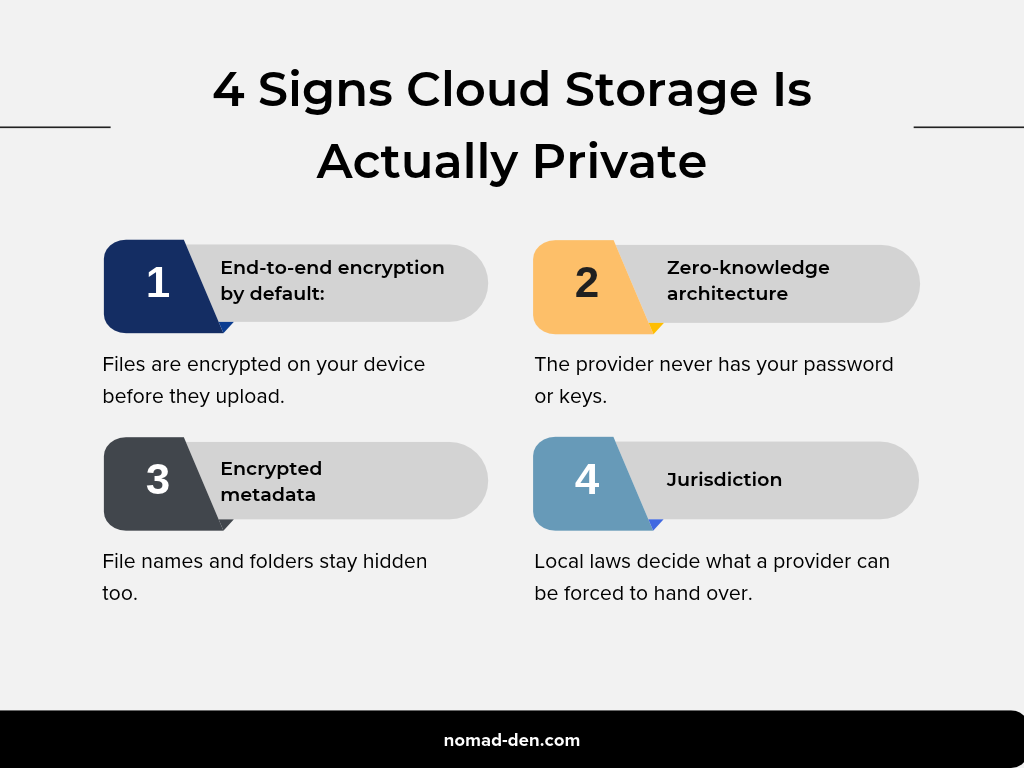
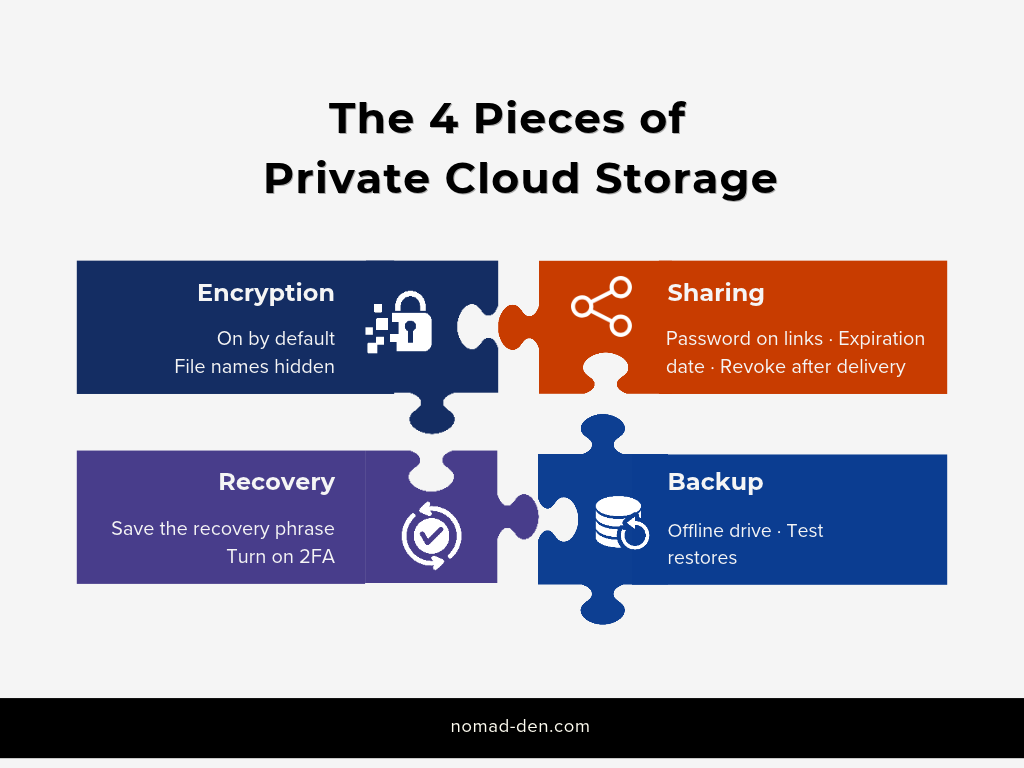
Private cloud storage is storage the provider can’t read. Businesses also use “private cloud” for servers dedicated to one company, which is a different product. Four things decide how private a consumer service really is:
- End-to-end encryption by default. Files are encrypted on your device before upload, with keys only you hold. If encryption is an add-on or a special folder, everything else is readable.
- Zero-knowledge design. The provider never has your password or keys, which is also why it usually can’t recover your files if you lose them.
- Encrypted metadata. Even when a file’s contents are encrypted, its name, folder, and size can stay visible to the provider. A file named “ClientCo_layoff_plan.pdf” gives away what it’s about without anyone opening it. Better services encrypt names and folders too, so the file stays hidden as well as unreadable.
- Jurisdiction. Where the company and its servers sit decides which laws can force it to hand over account data. Encryption limits what it can hand over.
Encryption does most of the work because laws can change. Switzerland is revising a surveillance ordinance, and Proton has said that proposal is why it is moving most of its physical infrastructure out of the country. Encrypted files stay unreadable wherever the servers end up; the law can only reach what the provider can see, such as account details and metadata.
End-to-End Encrypted Cloud Storage: Claims vs. Testing
“End-to-end encrypted” is a marketing claim, and independent testing doesn’t always back it up. In 2024, ETH Zurich researchers tested five encrypted storage services with more than 22 million users combined and found severe cryptographic flaws in four of them. Their tests assumed the provider’s server was hacked or turned against users, which is exactly the situation end-to-end encryption is supposed to handle.
Here’s what they found and how each company responded, per the researchers’ disclosure page:
| Service | What the researchers found | Company response |
|---|---|---|
| Sync.com | A compromised server could swap encryption keys, read link passwords, and plant files | No reply before publication; later told BleepingComputer it was fast-tracking fixes; no public update found |
| pCloud | Keys could be swapped or overwritten, files planted, and file chunks removed without detection | No reply before publication; no public fix found as of November 2026 |
| Icedrive | Unauthenticated encryption let files be altered or cut short | Chose not to address the issues |
| Seafile | Encryption could be downgraded to speed up password guessing | Patched the downgrade in client 9.0.6 |
| Tresorit | A server could present fake public keys during sharing; some metadata could be changed | Acknowledged the research; fared best of the five |
Earlier studies found similar problems in Nextcloud’s encryption feature and in MEGA. None of this makes encrypted storage pointless. These attacks need control of the provider’s servers, and Google Drive’s standard setup gives Google readable access by design.
Do this instead: choose a provider that publishes independent security audits (outside firms checking that its encryption works as claimed) and answers outside researchers, and treat a marketing page as a place to start from. Privacy Guides, an independent nonprofit, includes Proton Drive and Tresorit among its picks for that reason.
Best Google Drive Alternatives for Freelancers, Compared
The best Google Drive alternative for client files encrypts everything by default and lets you share with clients who don’t have an account. These six services come up most often for freelancers; here’s how they compare on the points that affect client work:
| Service | Based in | Free plan | Encrypted by default | Outside review | Paid plans from |
|---|---|---|---|---|---|
| Proton Drive | Switzerland | 2 GB (up to 5 GB) | Yes, including file names | Published audits | $29.88/yr for 200 GB |
| Tresorit | Switzerland and Hungary | 3 GB or 14-day free trial | Yes | Best result in ETH study | $5.99/mo. for 50 GB |
| Filen | Germany | 10 GiB | Yes (client-side, zero-knowledge) | No published audit found | €1.99/mo for 200 GiB |
| Internxt | Spain | 1 GB | Yes, plus post-quantum | Securitum audit (2024) | $339 for 1TB |
| pCloud | Switzerland | up to 10GB | No (paid add-on) | Flaws found in ETH study | $4.99/mo. for 500GB |
| Sync.com | Canada | 5 GB | Yes, on paid plans | Flaws found in ETH study | $9/mo. for 1 TB |
Prices shown are first-year rates for annual billing, except for Internxt’s one-time price. Plans may renew at a higher rate after the first year. Filen lists prices in euros. Prices checked November 2026 and subject to change, so confirm on each provider’s site before you buy.
Proton Drive and Tresorit have the most outside checking behind them. Filen costs less with less third-party review, Internxt suits a one-time payment, and pCloud and Sync.com each come with caveats covered below.
Proton Drive
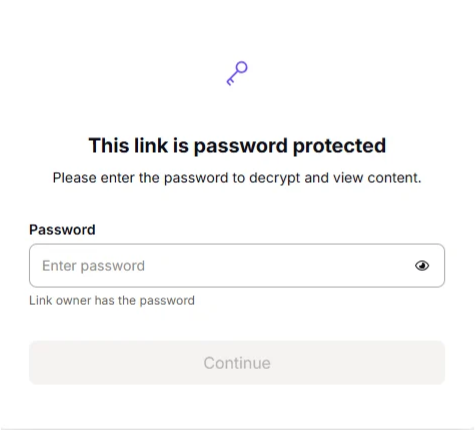
- Share links with passwords and expiration dates that you can revoke anytime, and no Proton account needed to open them
- Version history of up to 10 years on Drive Plus
- Encrypted documents and spreadsheets you can edit inside Drive, in place of Google Docs
Proton Drive is the pick for freelancers who want the most outside checking. If you’ve already switched to Proton Mail, Drive comes with the same account, and my comparison of secure email providers covers how Proton Mail compares.
Tresorit
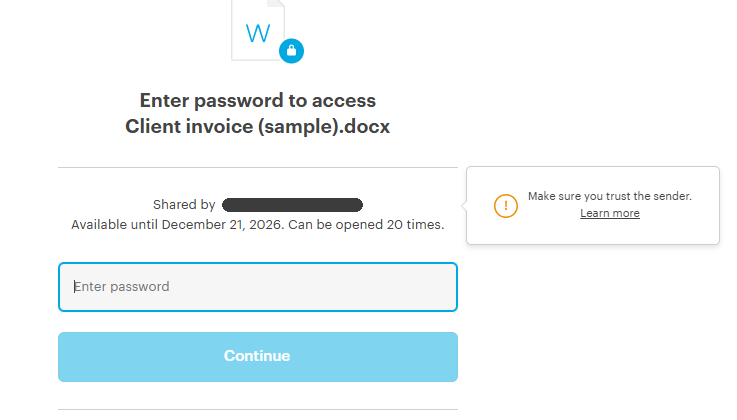
- Share links with passwords, expiration dates, and open limits; recipients don’t need an account
- Access logs and email alerts when someone opens a link, on higher plans
- Gmail and Outlook add-ons on paid plans that swap email attachments for encrypted links.
Tresorit suits freelancers who share sensitive files with business clients. It costs more per gigabyte than the others here, which hurts when money is tight, but it held up best of the five services in the ETH Zurich study.
Filen
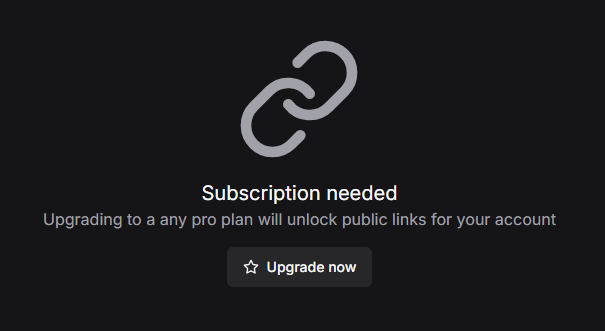
- Public share links only on paid plans; free accounts can’t create them
- Open-source apps for web, desktop, mobile, and the command line
- Web app uploads files but not whole folders, and feels less polished than Proton Drive’s
Filen is the budget pick when you need space. It is newer and less studied than Proton Drive or Tresorit, and its free plan can’t share links, so client work means paying from day one.
Internxt
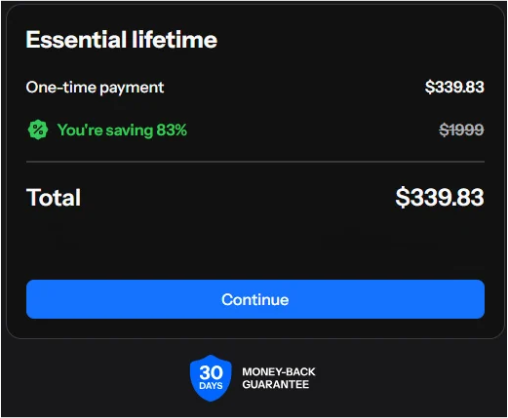
- Password-protected share links on paid plans
- Open-source apps
- Paid plans include file versioning, an antivirus, and a VPN
Internxt fits freelancers who would rather pay once. The 1 GB free plan works as a trial more than a home for client files.
pCloud
- Share link passwords and expiration dates on Premium plans, plus upload links that let clients send you files without an account
- Choice of US or EU data storage when you sign up
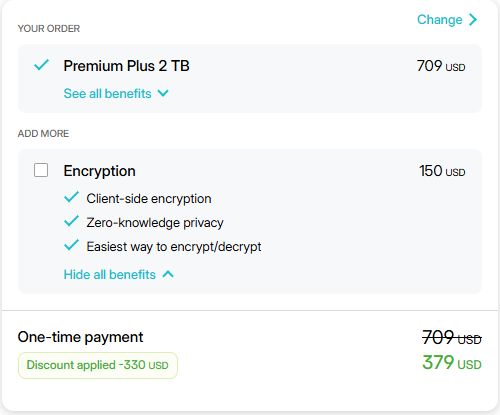
- Encryption is a paid add-on ($4.99/month or $150 lifetime) that covers only the Crypto folder; everything outside it is readable by pCloud
pCloud works best for long-term storage of files that aren’t sensitive. If you keep client files there, put them in the encrypted folder only, or use a different service for client work.
Sync.com
- Password-protected links on the free plan; expiration dates and view-only access need a paid plan
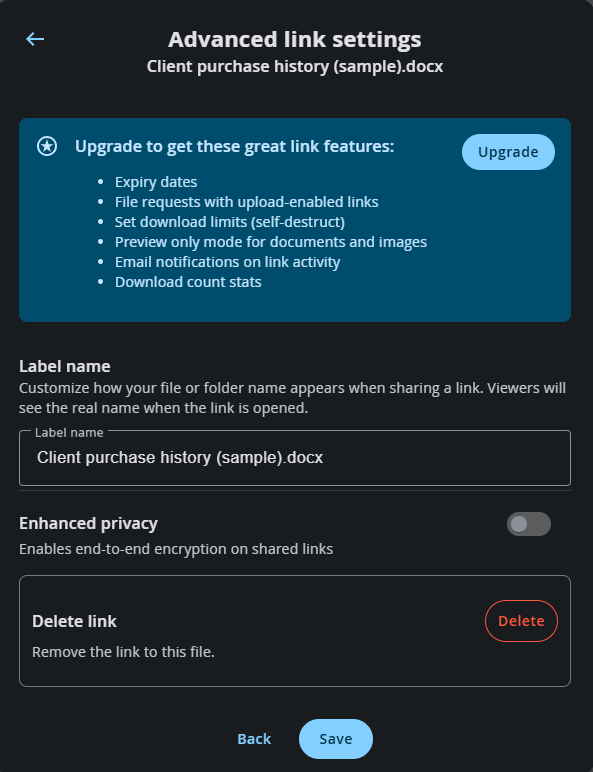
- End-to-end encrypted links only when you turn on Enhanced privacy, which is off by default
- HIPAA compliance only on the Solo 5 TB plan
Sync.com suits freelancers who need HIPAA paperwork on a solo plan. The ETH Zurich findings and its slow response weigh against it for your most sensitive client files. Its free 5 GB plan is easy to miss: sign-up leads with a 1 TB trial, and the free option sits at the bottom of the page.
Keep Google Drive, Encrypt the Folder
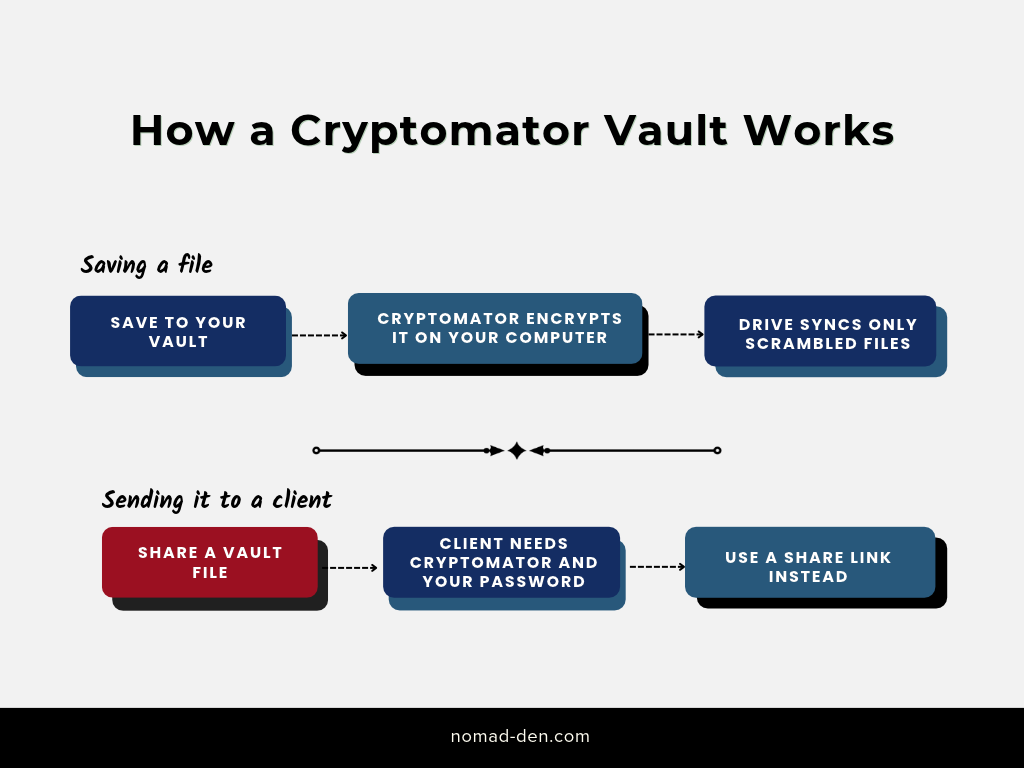
If a client requires Google Drive, you can still keep your copies of their files unreadable to Google by encrypting them before they sync. Cryptomator is a free, open-source desktop app that creates an encrypted vault inside your Drive folder, so Drive only stores scrambled files and file names. You unlock the vault with your password and work as usual. Before you set one up, this is what a vault can’t do:
- Clients can’t open vault files without Cryptomator and the password
- Drive previews and Google Docs editing don’t work on vault files
- The mobile apps open vaults for free in read-only mode; editing costs a one-time €29.99 per platform.
Use the vault for the files you keep (contracts, ID copies, invoices), and deliver finished work through a normal shared folder or an encrypted service’s share link. Save files through the unlocked vault drive Cryptomator opens, not the vault folder itself; anything you drop into that folder directly syncs to Drive unencrypted.
Free Google Drive Alternatives: I Tested the Free Plans
Every service here encrypts files; the differences show up when you hand a file to a client. I tested the free plans of all six services in November 2026, plus a Cryptomator vault inside Google Drive, using the same dummy client folder: three sample client documents, three photos, and one 75 MB file.
| Test | Proton Drive | Tresorit | Filen | Internxt | pCloud | Sync.com | Cryptomator |
|---|---|---|---|---|---|---|---|
| Client downloads without an account | Yes | Yes | No (paid plans) | Yes | Yes | Yes | No |
| Password on share links | Yes | Yes | Paid plans only | Paid plans only | Paid plans only | Yes | n/a |
| Link expiration dates | Yes | Fixed 30 days | Paid plans only | No | Paid plans only | Paid plans only | n/a |
| Revoking a link works right away | Yes | Yes | n/a on free | Only by deleting the file | Yes | Yes | n/a |
| Restore an earlier version | Yes | No (paid plans) | Yes | Paid plans only | Yes | Yes | Via Google Drive |
| Recovery option offered at sign-up | Recovery phrase and file | None; reset erases files | Master keys export | Backup key (copy only) | Email reset (files not E2EE) | Email password reset | Recovery key |
| Sign-in protection | Authenticator app, security key; no passkey | App, text, call, or email; no passkey | Authenticator app; no passkey | Authenticator app; no passkey | Authenticator app; no passkey | Authenticator app or email; no passkey | n/a |
Proton Drive was the only free plan that passed every sharing test: passwords, expiration dates, and links that stop working the moment you revoke them. Tresorit and Sync.com also password-protect links for free, but Filen, Internxt, and pCloud keep passwords behind a paid plan, and Internxt’s free links can’t be revoked without deleting the file. Recovery varied just as much: Tresorit’s free plan offers none, so a forgotten password means a reset that erases your files.
How to Share Files With Clients Safely
A share link is the weakest point in most client file setups, because anyone who has the link can usually open the file. These habits close that hole whichever service you use:
- Add a password to every client link and send the password separately, by text or phone, not in the same email.
- Set an expiration date that matches the job, such as 14 days for a delivery.
- Revoke the link once the client confirms they have the files.
- Keep one folder per client, so a link never exposes another client’s work.
- Give a VA or subcontractor access to the one folder they need, not your whole drive.
Clean links protect your clients. The next risk comes from links sent to you.
Fake “Shared File” Links
A fake file-share notice looks almost identical to a real one. Attackers send emails that look like files shared through real services such as Dropbox and OneDrive, but the link leads to a fake sign-in page or malware. Freelancers make easy targets, because scammers posing as clients know you’re expecting files.
Do this instead: open shared files only when you expected them, sign in by typing the service’s address yourself, and ask the client to resend through a link from your own storage if anything looks off.
Sync Is Not a Backup
Cloud storage that syncs is a mirror, not a backup. If ransomware encrypts the files on your laptop, or you delete a folder by mistake, the sync service copies that change to the cloud. CISA’s #StopRansomware Guide warns that automated cloud backups may not be enough for this reason and recommends offline, encrypted backups that you test regularly. A simple setup for a one-person business looks like this:
- Encrypted cloud storage for daily work and sharing
- Version history, so you can roll back a bad change (Proton’s Drive Plus keeps versions for up to 10 years)
- An encrypted external drive you plug in to back up, then unplug
- A test restore every few months, so you know the backup works
When I was appraising, before 2009, workfiles had to be kept for at least 5 years after a report, so a lost file was a compliance problem, not only an inconvenience. Antivirus helps stop ransomware before it starts. Compare antivirus options
Don’t Lose the Key: Passwords and Recovery
With end-to-end encryption, the provider can’t reset your password and give your files back, because it never had your key. In my tests, Proton Drive, Filen, Internxt, and Cryptomator offered a recovery phrase, key, or file at sign-up; Tresorit offered none, and Sync.com and pCloud rely on email resets.
The storage account itself is also a target. Stolen logins still show up in 39% of breaches, according to Verizon’s 2026 Data Breach Investigations Report. Three habits protect both sides:
- Save the recovery phrase in a password manager, not in a file on the same cloud
- Use a unique password for the storage account
- Turn on two-factor authentication or a passkey
Some links in this post may be affiliate links. I may earn a commission at no extra cost to you.
A password manager keeps the recovery phrase and the login in one encrypted place you can reach from any device.
Store your recovery phrase in NordPass
Client Contracts, GDPR, and HIPAA
A quick note before you read further: I’m not a lawyer, and this isn’t legal advice. What follows is a plain-language summary of publicly available guidance, meant to help you understand the basics, not to replace professional counsel for your specific situation. If you need advice tailored to your business, speak with a licensed attorney.
Some clients decide where their data can live before you ever choose a storage service. Check your contract or NDA for clauses on data location, encryption, or approved tools before you move client files.
If you handle personal data for clients in the EU, you are usually a processor under the GDPR, which expects a written agreement with the client (Article 28) and appropriate security measures (Article 32). End-to-end encrypted storage supports the second; only the client can settle the first.
HIPAA-Compliant Cloud Storage
If you work with health care clients and store protected health information, the storage provider counts as a business associate, and HHS requires a business associate agreement (BAA) before it can hold that data. Sync.com lists HIPAA compliance only on its Solo 5 TB plan. Tresorit signs BAAs on its Professional, Business, and Enterprise plans, not on personal or free accounts. Ask any provider for a signed BAA before you upload health records.
FAQs
Encrypt Client Files Before Google Can Read Them
Google Drive keeps your files safe from strangers, but not from Google, and Gemini’s access to connected Drive files makes that difference harder to ignore. An end-to-end encrypted Google Drive alternative closes it: Proton Drive and Tresorit have the most outside testing behind them, Filen costs less, Internxt sells lifetime plans, and Cryptomator covers clients who insist on Drive. In my tests, only Proton Drive’s free plan passed every client-sharing check.
Encryption is the start, not your whole security setup. Put a password and an expiration date on every client link, keep one backup the sync can’t reach, and keep your password and recovery phrase somewhere safe. When steady work is harder to come by, how you handle a client’s files is one part of the job you fully control.
See more privacy-first alternatives to Google
Some links in this post may be affiliate links. I may earn a commission at no extra cost to you. Learn more here.
Continue Reading
Passkeys vs. Passwords: What Actually Changed in 2026
Passkeys are safer than passwords for nearly every account, and in 2026 that stopped being…
Secure Email Providers Worth Switching To
Secure email providers keep your inbox from being scanned, profiled, or read by the company…
Saily vs. Simbye eSIM: Which Should Digital Nomads Choose?
Simbye provided its eSIM free for testing, and Saily’s affiliate team provided a free 1…
WordPress PHP Version: How to Check It After PHP2Shell
PHP2Shell is a pair of critical security flaws in PHP, the software every WordPress site…
Freelance Scams: How to Spot a Fake Client Before It Costs You
A fake-client scam is when someone poses as a paying client to take your money,…
Best Free Tools for Content Creators (and What They Really Cost)
The best free tools for content creators cover four main jobs: planning what to make,…