Some links in this post may be affiliate links. I may earn a commission at no extra cost to you.
Work productivity is the measure of how effectively you convert time and effort into meaningful output. It is not just staying busy, but making consistent progress on the things that actually matter. For remote workers and entrepreneurs, that distinction is everything.
Without the built-in structure of a traditional office, you are responsible for designing your own schedule, managing your own focus, and holding yourself accountable. That is a higher bar than most people expect, and it is exactly why the right tools and systems make such a significant difference.
7 Best Tools for Productivity and Time Management
Remote work has driven demand for productivity tools designed to help people stay focused and on task without the structure of a traditional office. These are seven of the best.
Trello
Trello is a visual project management tool that uses boards, lists, and cards to help individuals and teams organize and track tasks for a wide range of projects, from personal goals to professional workflows. They also have a dedicated Remote Work Guide to help you stay productive and on track.
Best for visual thinkers who prefer to see all their tasks at a glance.
Clockify
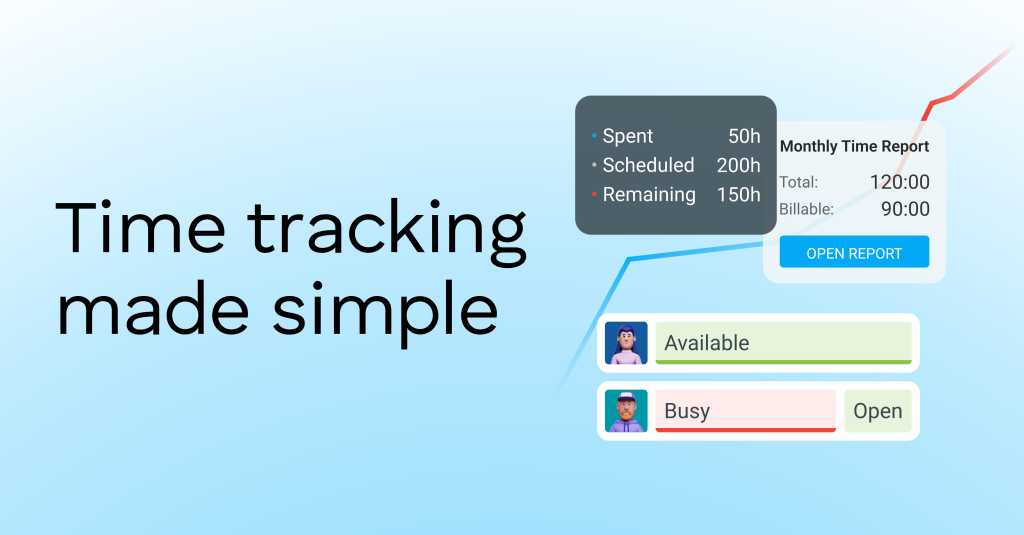
Clockify is a time-tracking and project-management app for individuals and teams. It lets you log work hours, create timesheets, manage projects, and generate reports. They offer a forever plan at no cost, making it a great option for freelancers and entrepreneurs on a budget.
A strong pick for freelancers and solo operators who need accurate billing records without paying for software. Start tracking your time with Clockify.
Todoist
Todoist is a task manager app that helps individuals and teams organize their work and personal lives. It functions as a digital to-do list (hence the name) and productivity tool, allowing users to create and manage tasks with features like due dates, priorities, subtasks, and recurring tasks. They have a free plan, with affordable upgrades.
A good fit for anyone who thinks in lists and wants a lightweight task manager that works across every device.
Notion
Notion is an all-in-one productivity and note-taking platform that combines project management, knowledge organization, and team collaboration tools. It lets users create wikis, databases, boards, and task lists, all within a single workspace. You can start Notion for free and upgrade only if you need additional features. Notion also offers in-house education where users can earn badges and certifications to deepen their skills at their own pace.
Best for users who want one workspace for everything: notes, tasks, wikis, and databases.

Slack
Slack is a business communication platform that serves as a central hub for team collaboration by organizing conversations into channels, facilitating direct messaging, and allowing file sharing. This is an excellent messaging tool for teams to communicate in remote and hybrid environments. They also have a free plan, and very affordable upgrades.
A practical choice for remote teams that need to stay aligned without relying on email.
Asana
Asana is a work management platform that helps teams organize, track, and manage projects and daily tasks. It offers tools for task assignment, timelines, collaboration, and progress tracking, suitable for both personal and professional use. Asana Academy is an in-house training resource where you can get certified on platform knowledge. They have a free personal plan and it scales easily as your business grows.
A strong fit for teams and project-heavy workflows where visibility and accountability matter most.

While Asana integrates with hundreds of popular apps, tools like Zapier expand those possibilities even further, connecting your entire digital ecosystem.
Zapier
Zapier is an integration platform that connects over 8,000 apps and services, helping them work together seamlessly. It helps eliminate repetitive tasks, like updating spreadsheets or sending follow-up emails, by creating automated workflows called “Zaps.” They have a free forever plan that includes up to 100 tasks per month.
Best for automating repetitive workflows between tools you already use, especially useful once your tech stack starts to grow.
The right tool depends on how you work. Starting with one and building from there is more effective than trying to adopt all seven at once. Beyond software, mastering productivity often comes down to how you manage your time, not just where. In the next section, we’ll look at strategies and techniques that help you stay focused, consistent, and on track.
7 Best Techniques for Work Productivity
Being productive at work is more than just sitting down and grinding for eight hours straight, it’s about how you structure and plan your day. The following productivity methods are designed to help you work with more intention. Applied consistently, even small daily improvements in how you structure your time add up faster than most people expect.
Eisenhower Matrix
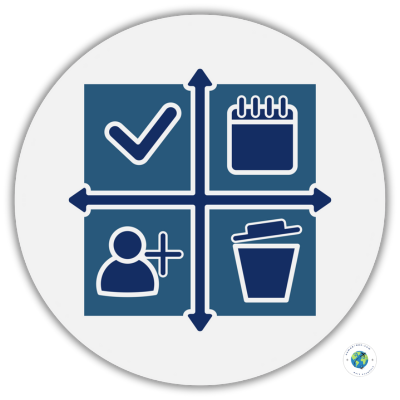
The Eisenhower Matrix is a time-management method that helps you prioritize tasks based on urgency and importance. It divides work into four quadrants:
- Urgent and Important: Do first
- Important but Not Urgent: Schedule
- Urgent but Not Important: Delegate
- Not Urgent and Not Important: Eliminate
Named after former U.S. President Dwight D. Eisenhower and popularized by Stephen Covey in The 7 Habits of Highly Effective People, this method helps you focus on what truly matters instead of reacting to what’s merely pressing.
If you find yourself constantly reacting to urgent tasks, the Eisenhower Matrix is the right place to start.
Time Block Your Day
Time blocking involves dividing your day into specific blocks of time, with each block dedicated to a single task or a group of related tasks. This method is one of the best productivity methods because it boosts focus by minimizing distractions, helping you prioritize effectively, and turning larger goals into manageable micro-goals. By giving your day structure, it encourages more intentional and efficient time management.
The Two-Minute Rule
The “two-minute rule” is just what it sounds like: if a task takes less than two minutes to complete, do it right away instead of putting it off. This simple habit prevents small tasks from piling up, clears mental clutter, and builds momentum, making it easier to tackle larger goals. Pair this with a tool like Todoist to capture those quick tasks before they slip through the cracks.
Take Regular Breaks
Taking regular breaks is essential for maintaining productivity because it improves focus, reduces stress and fatigue, and enhances creativity. It also reduces stress, fatigue, and mental burnout. By giving your mind time to rest and recharge, you return to tasks with renewed clarity, leading to higher efficiency and fewer errors. Even a five-minute break away from your screen can reset your focus for the next block of work.
Batch Similar Tasks Together
Batching similar tasks reduces the mental effort of switching between different types of work. By focusing on one category of tasks for a set period, you can boost focus, efficiency, and the quality of output. This approach also minimizes distractions and stress, creating a more predictable and less overwhelming workflow. Try grouping email, invoicing, and content creation into dedicated blocks rather than scattering them throughout the day.
Leverage Automation Goals
Leveraging automation is simply using technology to handle repetitive or manual tasks, freeing you to focus on more strategic and creative work. Automation boosts productivity by streamlining workflows, reducing errors, and cutting costs. It helps teams work faster and make better decisions.
Zapier, covered earlier in this post, is one of the most accessible entry points for automation without any coding required.
Set SMART Goals
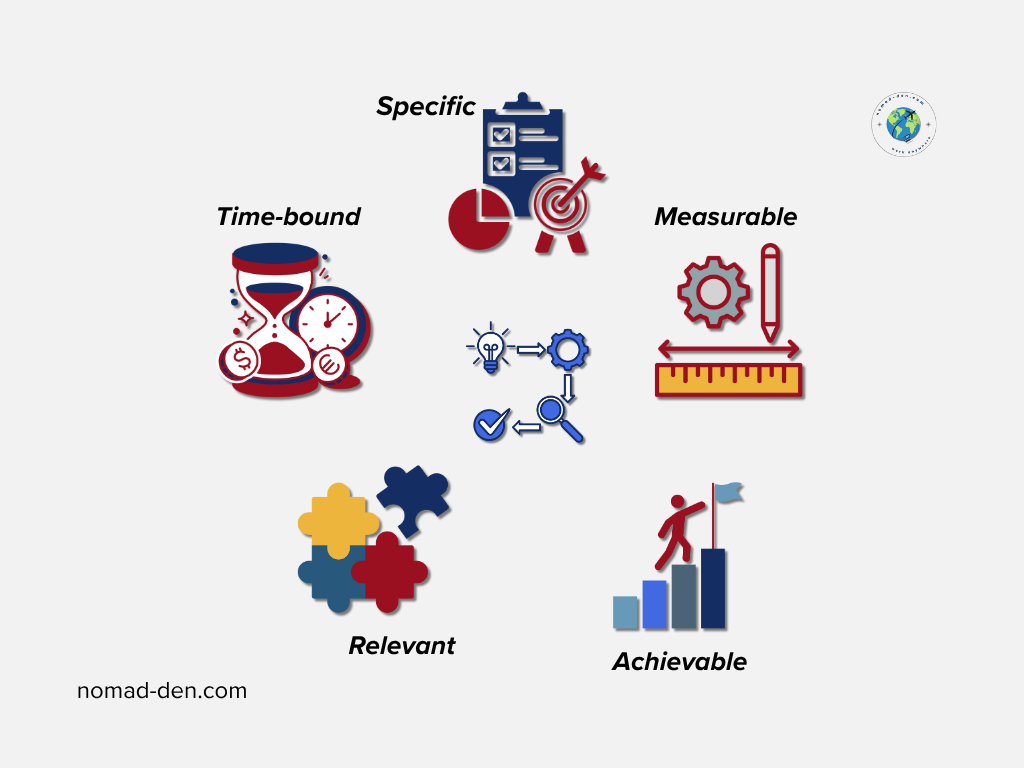
One of the most effective time management strategies is to set SMART goals. They are objectives that are Specific, Measurable, Achievable, Relevant, and Time-bound. This framework aids work productivity by providing clear direction, increasing accountability, and ensuring progress can be tracked, creating more actionable plans with defined deadlines and outcomes.
The benefits of time management extend far beyond productivity, they help reduce stress and sharpen your focus. When applied consistently, these techniques can transform how you manage your time and energy throughout your workday. In the next section, we’ll bring everything together and highlight how the right mindset complements the right tools.
Frequently Asked Questions (FAQs)
Conclusion
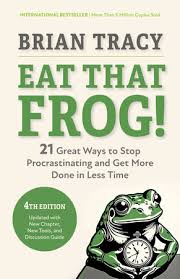
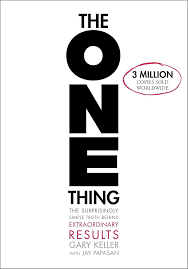
Managing your time effectively using the tools and techniques above will steadily increase your productivity, helping you get more done with less stress. By applying these methods consistently, you’ll build momentum that compounds over time. It leads to stronger habits, sharper focus, and greater results. Below are among the most recommended and top-selling books for increased productivity and mindset.
Some links in this post may be affiliate links. I may earn a commission at no extra cost to you. Learn more here.
Continue Reading Related Posts

Freelance Retainers: How to Turn One-Off Clients Into Repeat Work
A freelance retainer is an ongoing agreement where a client pays you a set amount…

Freelance Scams: How to Spot a Fake Client Before It Costs You
A fake-client scam is when someone poses as a paying client to take your money,…

How to Build a Steady Income as a Freelancer: Protect What You Earn First
Steady freelance income starts with protecting what you’ve already earned, not just chasing more of…

When to Start Outsourcing: How to Vet Your First Virtual Assistant (or Freelancer)
Outsourcing makes sense the moment a task is both teachable and consistently the thing standing…

Freelancing vs. Remote Work: What’s the Difference?
Freelancing and remote work are not the same thing, even though people use the terms…

Freelance Business Tools: Getting Paid and Staying Protected
Most freelance tool summaries and comparison posts point you toward the same handful of project…