
Some links in this post may be affiliate links. I may earn a commission at no extra cost to you.
Table of Contents
Every year, holiday shoppers chase the best deals to stretch their dollars, and Black Friday remains one of the busiest single shopping days of the year. With Americans planning to spend an average of around $890 per person on holiday items, the pressure to save is real. Meanwhile, many households feel extra strain, as housing costs and living expenses have outpaced wage growth in most regions.
Scammers know exactly what the holiday season brings: more shoppers, more urgency, and more opportunities to exploit. The risks extend well beyond checkout, too. NordVPN researchers found an 86% increase in malicious postal service websites in a single month during a recent holiday season, with 38% of users reporting they’d been targeted by a delivery scam. Scammers now use everything from fake deals to scam websites designed to mimic real retailers, making it harder to tell what’s legitimate at every step, from the moment you click “buy” to the moment a package lands on your porch.
Fortunately, cybersecurity tools have also improved, making it easier to stay safe online and at your front door if you know where to look. Let’s look at the most common holiday shopping scams, both digital and physical, and the practical ways to stop them before they stop you.
Black Friday Scams (and How They Work)
Online shopping scams spike hard during the holiday season, especially for Black Friday deals. In 2024 alone, consumers in the U.S. lost about $432 million to online shopping scams, with a median loss of roughly $130 per incident. Scammers know this is the moment when people are most distracted, and they take full advantage.
Fake Online Stores and Websites
Scammers build convincing websites that look nearly identical to real retailers. During the holidays, these fake storefronts multiply fast, often using stolen product photos, fabricated reviews, and unrealistic discounts to lure shoppers in.
Red Flags to Watch For:
- URLs with subtle misspellings or extra characters (check for typos)
- No “HTTPS” or missing padlock icon (the “s” indicates secure, encrypted transport)
- Poor-quality product images or broken site links
- No clear contact information or return policy (no customer service)
- Recently created domains (check with Who.is)
If something feels slightly “off,” trust your instinct. Scam stores are designed to look normal at a glance but fall apart under closer inspection.
Phishing Emails and Text Messages
A phishing attempt is a cyberattack method where attackers trick (“lure”) users into giving up sensitive data, and they spike around Black Friday. These scams often arrive as emails or phishing texts (fake SMS), and typically pretend to be:
- Order confirmations – confirming an order that was never made
- Shipping updates – pretending to ship a product that was never ordered
- Flash-sale alerts – “act now” or lose your opportunity… capitalizing on FOMO (fear of missing out)
- Missed deliveries – entice you to submit information for a false order
- Spoofed retailer messages – impersonating trusted brands using look-alike email addresses or URLs
No matter the tactic, the goal is the same: to lure you into clicking a malicious link and giving up sensitive information. These attacks fall under the broader category of “ish”: phishing, smishing, and quishing. All rely on urgency to make you react before thinking.
How to Protect Yourself:
Hover over links before clicking to preview the URL in a tooltip, and verify that the sender’s email address is actually legitimate. Go directly to the retailer’s website instead of using links provided in the message, and never download attachments from unexpected emails or texts, since they could install malware and give attackers access to your system and data.
If you didn’t initiate the purchase, the message is almost always fake.
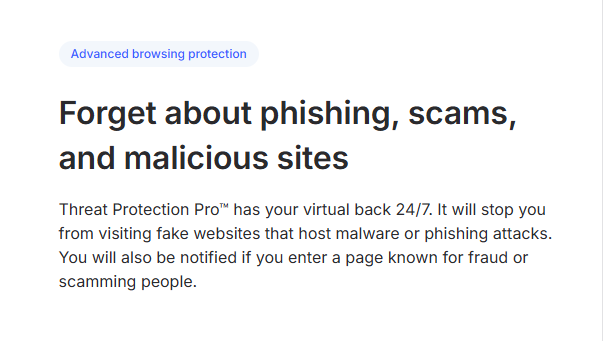
For more protection, NordVPN encrypts your traffic and helps block access to known phishing and malicious domains.

Malicious Ads and Pop-Ups
Ads that are “too-good-to-be-true” are everywhere this season: on social media, search results, and random websites. These misleading ads (often called malvertisements) can infect your device or redirect you to phishing sites without you realizing it. Scammers use them to:
- Redirect you to phishing sites – don’t take the bait
- Install malware – this is how they access your personal information
- Trick you into entering payment details
These ads often look legitimate because the scammers’ intent is to mimic real branding: using similar text, logos, colors, and layouts from trusted retailers. Their goal is to make the fake site feel familiar enough that you don’t question it before clicking or buying.
Stay safe by ignoring flashy ‘90% off today only’ banners, avoiding pop-ups that demand immediate action, and using an ad-blocker or privacy-focused browser. Legitimate retailers don’t rely on aggressive pop-ups to promote holiday deals.
Fake Apps and Cloned Retail Platforms
Scammers also release fraudulent shopping apps, especially near Black Friday, to steal credit card info or install spyware. These apps sometimes appear in unofficial app stores but can occasionally slip into trusted ones if they mimic real brands.
Avoid this by downloading apps only from official stores like Google Play, the Apple App Store, or F-Droid, checking reviews for consistency, confirming the developer name matches the real company, and avoiding any app that asks for payment information before you’ve even started browsing.
Many of these apps lead directly to fake websites or full scam websites built to steal payment information. If a retailer forces you to download an app to “unlock a deal,” (or similar phrasing) that’s a major red flag. There’s no valid reason for a retailer to require that.
Package and Delivery Scams (and How to Protect Your Porch)
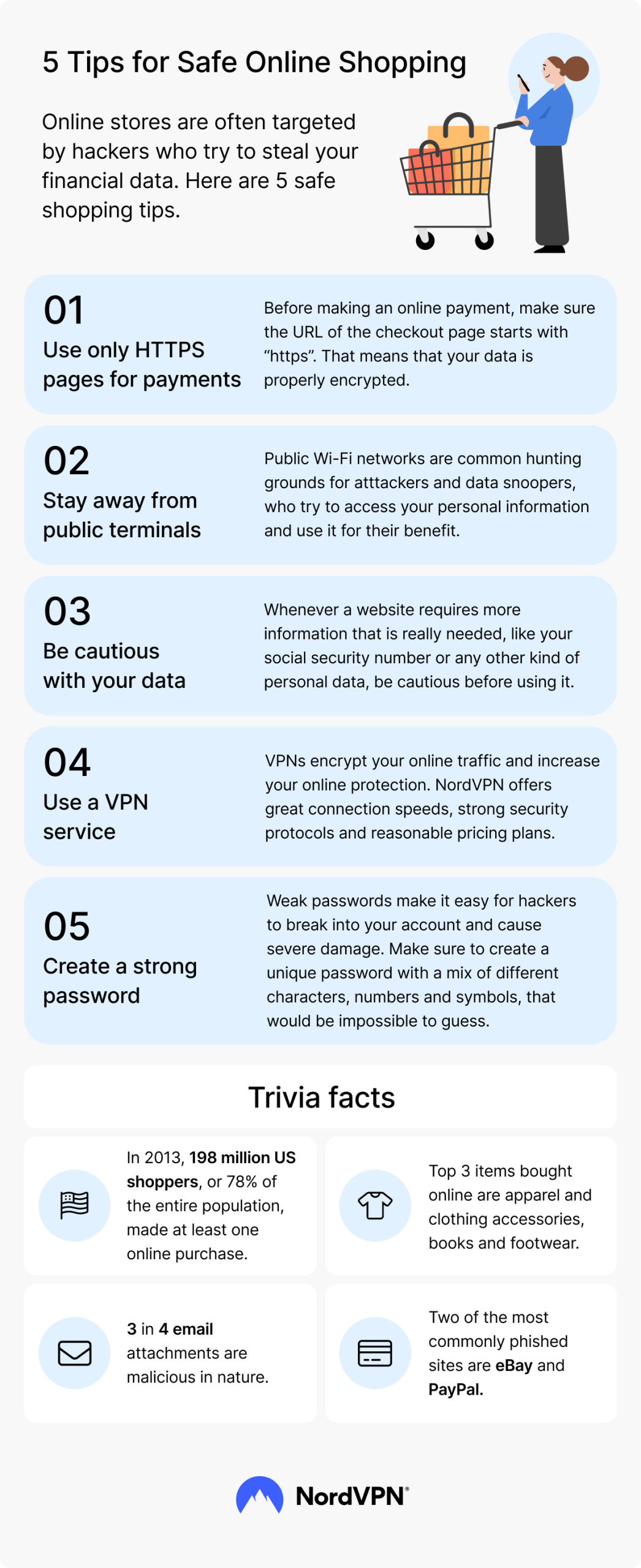
Holiday scams don’t stop at checkout. Once a package is on its way, it becomes a target too, both for digital scams that mimic the delivery process and for physical theft once it actually arrives.
Porch piracy compounds the problem. An estimated 104 million packages were stolen in the U.S. in 2025 alone, totaling roughly $15 billion in losses. Research analyzing actual theft incidents found that 98% of stolen packages were visible from the street, and most were taken within 25 feet of the curb, meaning visibility and placement matter far more than most people realize.
A related and increasingly common scheme is brushing, where scammers ship cheap, unsolicited items to your address using your name and shipping details, often pulled from a data breach, to post fake “verified buyer” reviews under your identity. If a package arrives that you never ordered, don’t scan any QR code included with it, and report it rather than assume it’s a harmless mistake.
How to protect yourself:
Avoid clicking tracking links sent by text or email. Go directly to the carrier’s official site and enter the tracking number yourself. Require a signature for higher-value deliveries when the option is available, and consider shipping to a workplace or a parcel locker during your busiest shopping weeks if porch theft is a concern in your area. A visible doorbell camera is also one of the simplest physical deterrents available, and many models now send real-time alerts the moment a package is dropped off, giving you a chance to bring it in quickly.
The Right Tools for Safe Online Shopping
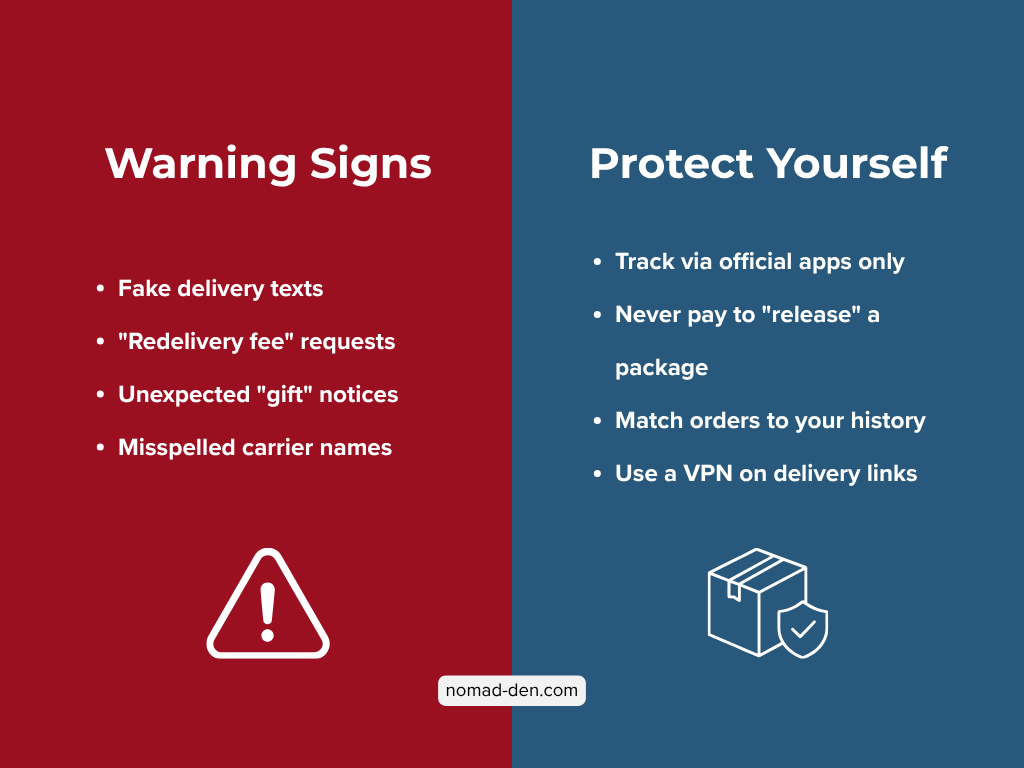
Not every scam is easy to spot. Scammers hide behind convincing websites, polished ads, and realistic phishing messages. The good news is that online shopping tools can make you much safer, and you don’t need any technical skills to use them. Before you buy, you can run a quick check with a website malware checker to see if a site is safe.
Threat Protection Tools
NordVPN’s built-in threat protection blocks malicious sites, dangerous downloads, phishing links, and fake storefronts before you ever interact with them, running automatically in the background so you don’t have to think about it while you shop.
NordVPN’s threat protection has consistently ranked among the top performers in independent testing. In its most recent evaluation, AV-Comparatives confirmed a 93% phishing detection rate with zero false alarms, and a separate test certified its ability to detect and block fraudulent online shops. That kind of independent verification matters when you’re trusting a tool to catch scams before they reach you. Get NordVPN.

If you prefer something more dedicated to malware scanning, Malwarebytes or Bitdefender are great alternatives.
Password Managers
Using the same password across multiple shopping accounts is one of the biggest risks you can take during the holiday season, and it’s not recommended at any other time either. A password manager prevents account takeovers by giving every account a strong, unique password, so a breach on one site doesn’t put the rest at risk. It also auto-fills your login info only on the legitimate website, which helps catch phishing attempts before you type anything in, and stores everything in an encrypted vault protected by a master password, so even if the manager itself were compromised, your passwords would stay unreadable.
If you want better protection than standard browser autofill, upgrading to a password manager is the natural next step. NordPass encrypts everything locally, making it one of the simplest and most secure tools you can start using today.
Secure your accounts with NordPass using strong, unique passwords for every login.
Privacy-Focused Browsers and Extensions
Your browser is the gateway to your online activity, and it’s a common entry point for scams. Many threats come through ads, pop-ups, or hidden tracking scripts. Popular browsers like Chrome and Edge collect a lot of user data for ad-targeting, which isn’t ideal for data privacy or security. Switching to a privacy-focused browser helps block many of these risks while reducing data collection.
Brave offers built-in ad and tracker blocking with strong default privacy protections right out of the box, while Firefox takes an open-source, privacy-respectful approach that pairs especially well with extensions like uBlock Origin, a lightweight ad-blocker that filters malicious ads and prevents shady redirects. Privacy Badger rounds things out by blocking hidden trackers and protecting against behavior-based tracking.
These free tools reduce your exposure to malicious ads and shady redirects without slowing you down. If you want a more complete list of privacy-first options, check out our DeGoogle page for a full lineup of Google-free alternatives.
Secure Shopping Habits That Actually Work
Good habits go a long way toward keeping your holiday shopping safe, even when a scam slips past your other defenses. A few consistent practices can close most of the gaps that fake stores, phishing messages, and malicious ads rely on:
- Double-check URLs before paying
- Shop only from verified retailers
- Use virtual wallets like Apple Pay or Google Pay for tokenized security
- Keep your device and browser updated
- Use unique passwords and enable 2FA wherever possible
- Avoid public Wi-Fi, or use a VPN if you have no choice
None of these habits require much effort individually, but used together, they remove most of the vulnerabilities scammers rely on. Most holiday fraud succeeds because of convenience and distraction, not sophistication, so consistency matters more than any single tool.
What to Do If You’ve Been Scammed
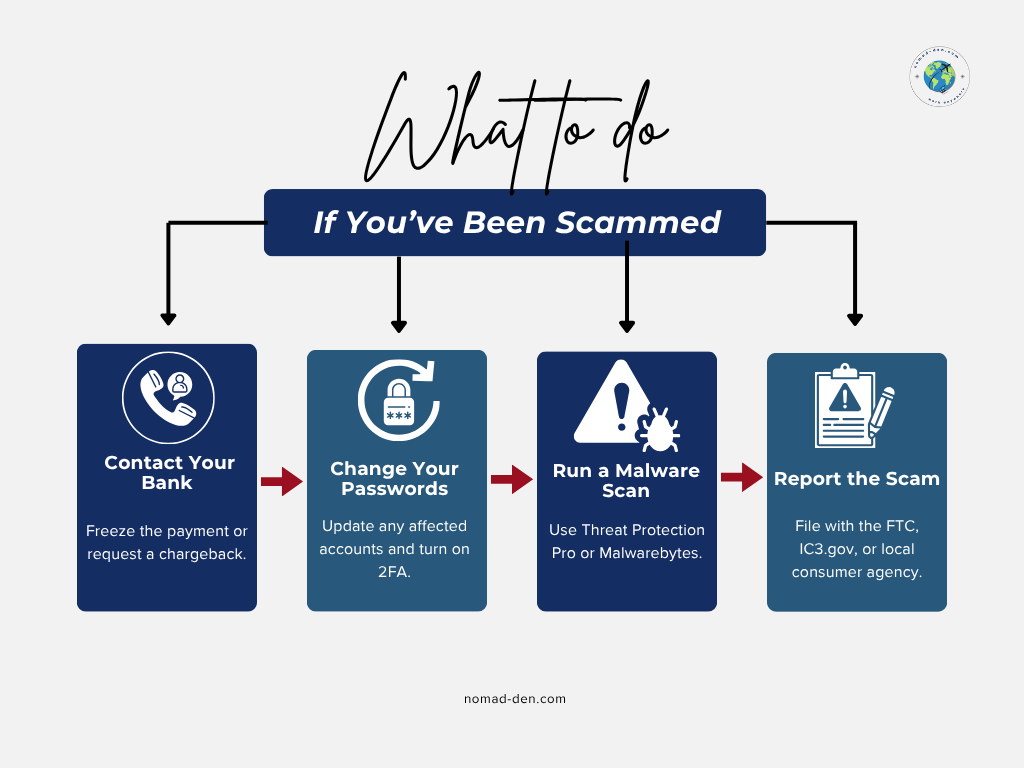
If you have already become a victim of a scam, don’t panic. There are still steps you can take to get your money back, or at least prevent it from happening again to you, or other people you may know. Take these actions to safeguard your finances and personal information before it continues:
- Contact your bank or payment provider – request a chargeback or freeze on your account. Most financial institutions are prepared for fraud cases and can act quickly to protect your funds
- Change passwords immediately and enable 2FA on any affected accounts
- Run a malware scan using your security software, like NordVPN’s built-in threat protection or Malwarebytes, for a deeper check
- Report the scam – file with the FTC, IC3.gov, or your local consumer protection agency to help with recovery and prevent others from being targeted
Scams happen to millions of people every year, and getting targeted doesn’t mean you did anything wrong. What matters most is how quickly you respond. Acting fast limits the damage, improves your odds of recovering what you lost, and leaves you better protected going forward than you were before.
Frequently Asked Questions (FAQs)
Conclusion
Staying safe online is one of the best gifts you can give yourself this holiday season. A few smart habits and the right tools can protect your money, your identity, and your peace of mind, whether you’re chasing a Black Friday deal or finishing up shopping in December. If you’re ready to strengthen your security even further, explore our DeGoogle page, try a trusted password manager, or turn on NordVPN’s built-in threat protection while you shop.
Some links in this post may be affiliate links. I may earn a commission at no extra cost to you. Learn more here.
Continue Reading Related Posts
Best Antivirus Software for Small Business Owners and Freelancers (2026)
If you run your business off a single laptop, ‘I should probably get antivirus eventually’…
Why DeGoogling Actually Matters in 2026 (And Where to Start)
DeGoogling means deliberately reducing your dependence on Google’s products and replacing them with privacy-respecting alternatives,…
Cybersecurity for Digital Nomads: The Risks Your VPN Won’t Cover
More than 40 million people are now working as digital nomads worldwide. Despite that scale,…
How to Remove Your Personal Data from the Internet (And Why It Matters)
Your personal information is being bought and sold right now, and you almost certainly didn’t…
Cybersecurity Basics: How to Protect Yourself Online
If you spend any time online, whether running a business, working remotely, or just managing…
Remote Work Scams: What You Need to Know Before You Apply
What’s actually happening in the remote work space right now is more serious than any…