
Some links in this post may be affiliate links. I may earn a commission at no extra cost to you.
Most people group Pinterest in with social media, but that comparison undersells what it actually is. Pinterest isn’t really a social platform. It’s more accurately described as a visual search engine for brand and product discovery, with pins designed to drive browsing, inspiration, and purchasing decisions rather than social interaction.
The scale of that distinction matters. According to Pinterest’s own business data, the number one reason people use the platform is to find new brands and products, and 96% of searches on Pinterest are unbranded, meaning users are actively looking for ideas rather than specific companies. Pinterest now has 631 million monthly active users worldwide, and roughly half visit with the intent to shop.
That combination of organic search intent, discovery, and long-form content visibility gives creators something most platforms don’t: a full-funnel opportunity that compounds over time. A pin published today can drive traffic, leads, and sales months or years from now, without paid promotion.
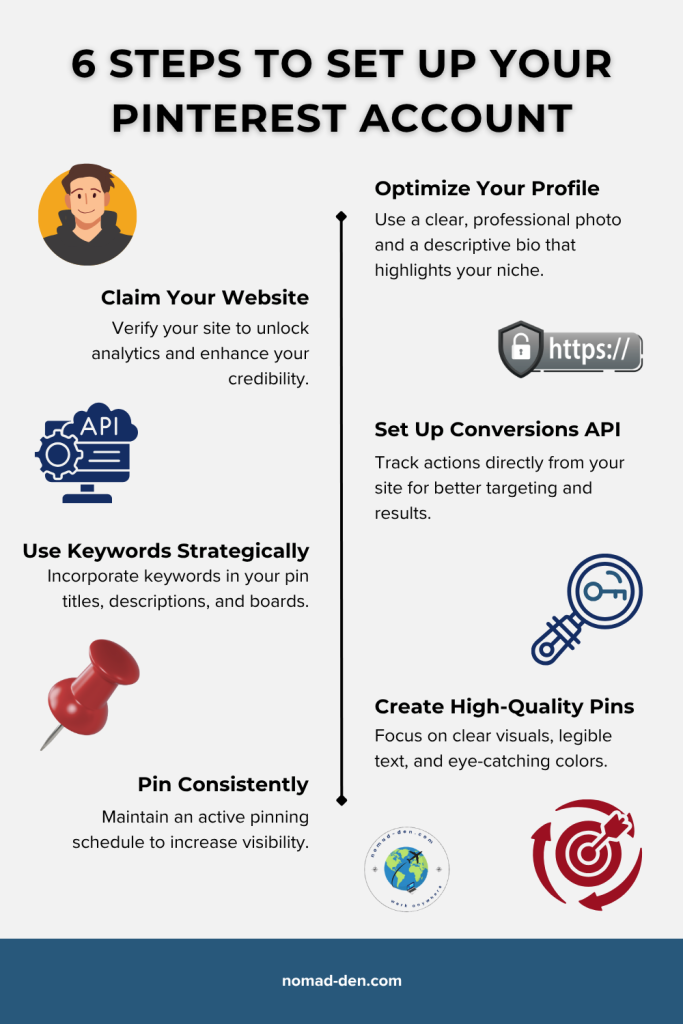
Visual summary: six key steps to set up your Pinterest account for growth and visibility. Click the image to create a free account
How to Set Up and Grow Your Pinterest Account
Unlike most “social platforms” where content disappears within hours, Pinterest is built for long-term discoverability. A pin published today can surface in search results months or even years later, which makes getting your account set up correctly from the start genuinely worth the effort. These seven steps will walk you through everything you need before your first pin goes live.
Step 1: Create a Pinterest Business Account
A Pinterest Business account is free and gives you access to analytics, ad tools, and profile features that a personal account doesn’t include. If you plan to monetize in any way, this is the only account type worth creating. It unlocks everything you’ll need as your presence grows.
Step 2: Claim Your Website
Don’t worry if you don’t already have a website. They’re actually telling you to claim your domain. Purchasing a domain is usually inexpensive, and can be done at any domain and hosting provider. With Systeme.io, you can get a free subdomain with hosting. Your features are more limited, but it will get you started.
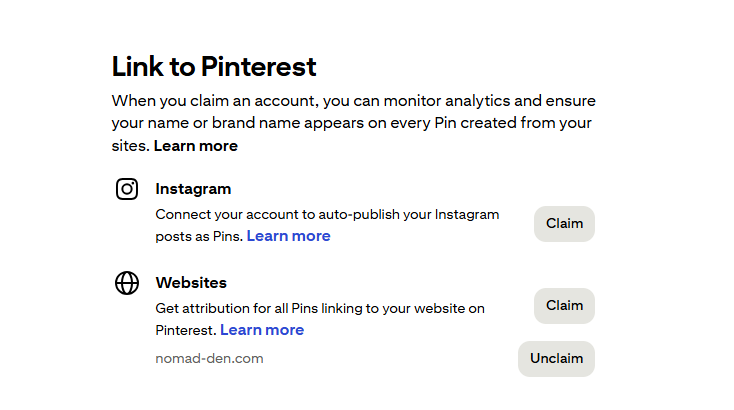
When you’re ready to move beyond a subdomain, setting up your own website and custom domain gives you more control, faster performance, and stronger long-term credibility. I recommend Hosting.com for beginners: it’s reliable, fast, and includes free SSL certificates and email hosting.
Want to compare your options before committing? Check out my full hosting breakdown; whichever provider you choose, having a verified domain is what matters most for Pinterest analytics.



Step 3: Optimize Your Profile
Your Pinterest profile is often the first thing a potential follower or customer sees, so it’s worth getting right from the start. Use a clear photo of yourself, your logo, or a professional AI-generated avatar, and write a brief bio in the About field that covers your niche and what your account is about. Think of it as your brand’s first impression before anyone clicks a single pin.
Step 4: Use Keywords Strategically
Make sure to include relevant keywords organically in your bio, board descriptions, and pin titles. Do not stuff keywords unnaturally, Pinterest’s algorithm can flag it as spam and suppress your reach.
Pinterest Trends is a free tool that helps you discover popular search terms and understand what your audience is currently interested in. Using this data to guide your titles, descriptions, and content topics can help your pins stay visible longer and perform better over time.
Alternatively, Mangools KWFinder can aid in your Pinterest SEO as well by revealing what people are actively searching for online.
Step 5: Set Up Conversions API
This is an optional tool that Pinterest will recommend to help you track data analytics for anyone who clicks on the links in your pins or bio. It is especially helpful for those with an e-commerce store or ad campaigns. Accounts that use CAPI + Pinterest tag together see ~9% better CPA and ~23.7% more conversions, on average. Learn more about Pinterest’s Conversions API.
Step 6: Create High-Quality Pins
Pinterest’s standard pin size is 1000 × 1500 px, though other formats can work depending on your content. To build trust and recognition, maintain a consistent design theme: use the same fonts, colors, and style across your pins. Consistency helps your audience recognize your brand instantly and encourages engagement.
Canva is the easiest way to build Pinterest visuals that stay on-brand, especially if you’re managing multiple content channels at once. They offer a free account to get started, though the Brand Kit — which lets you save your fonts, colors, and logos for instant reuse across every design — is available on their Pro plan. If you’re already creating content consistently, it’s worth the upgrade.
Step 7: Pin Consistently
Consistency compounds over time. It’s the single best way to build trust, brand awareness, and long-term growth. Regular pinning creates a recognizable brand image, fosters accountability, and keeps your audience engaged. Think of each pin as a small investment in your future reach, and they add up faster than you expect.
Consistency doesn’t have to be complicated. SocialPilot lets you organize, schedule, and analyze content across all your channels, helping you stay on track. Test it today with their 14-day free trial.


Following these seven steps are fundamental to your success with Pinterest. The API is optional but recommended for better analytics and conversions. Data is everything in business, and understanding what’s actually driving your results is what separates creators who grow from those who guess. Learn more about reading and applying your digital marketing analytics to get more from the data Pinterest gives you.
Ways to Make Money on Pinterest
Pinterest is uniquely well-suited for monetization because its discovery-driven model means users are already in a buying mindset when they find your content. Unlike social platforms where promotional posts can feel intrusive, Pinterest users expect to be introduced to new products, services, and ideas. Several of these methods can work in tandem depending on your niche, so don’t feel locked into just one.
Affiliate Marketing
Affiliate marketing is one of the easiest ways to make money on Pinterest without selling your own products. The best practice is to link your pins to a landing page, blog post, social media profile, or YouTube video, not directly to an affiliate link. Pinterest’s algorithm tends to deprioritize direct affiliate links, and doing so may violate their policy. See their Community Guidelines for more information.
If you’re still deciding which niche to build your Pinterest presence around, these six affiliate niches are a good place to start.
Digital Products
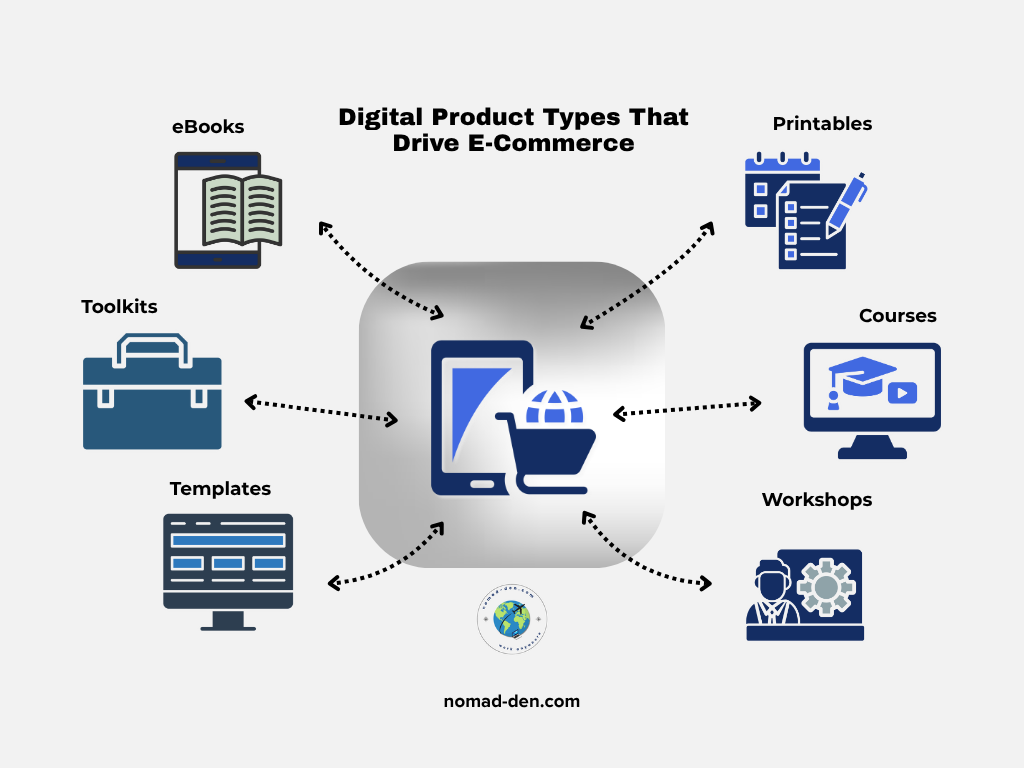
Since Pinterest is primed for e-commerce, creating and selling your own digital products is an excellent way to earn revenue. Use pins to drive visitors to your landing pages or lead magnets, and give them a reason to explore your content further. Not sure where to start? This beginner’s guide to selling digital products covers the low-cost setup process from product creation to delivery.
E-Commerce Stores
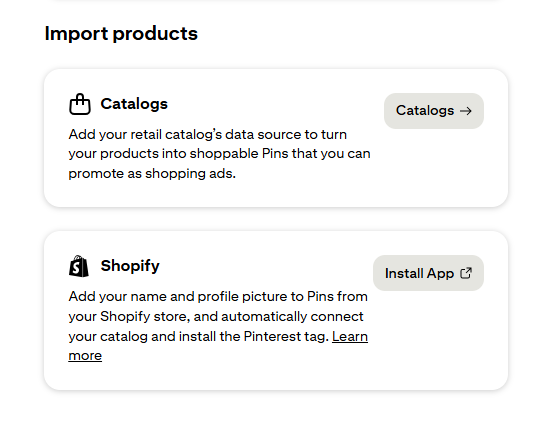
Pinterest has quietly become one of the more capable e-commerce platforms available to independent creators and small brands. Use Product Pins to display real-time pricing, availability, and links to your store, and if you’re selling through Shopify or Systeme.io, you can connect your full product catalog directly, tag products in individual pins, and create a browsable storefront without any technical setup.
Features like Shop the Look let users explore multiple products within a single image, ideal for lifestyle, fashion, and home décor brands. By connecting your store, you make it simple for users to move from inspiration to purchase in just a few clicks, which is exactly what Pinterest’s audience is already primed to do.
Traffic Monetization
Pinterest can be a steady and compounding source of traffic for your ad-enabled blog posts, YouTube channel, or email funnels. Unlike social platforms where content has a shelf life of hours, a well-optimized pin can continue driving visitors to your content weeks, months, or even years after it was published. The more engagement your pins receive, the more visibility they generate, and that visibility translates directly into revenue potential.
You can monetize that traffic through display ads or by converting visitors into subscribers with valuable lead magnets that later introduce your affiliate products or courses. A well-built lead magnet doesn’t just grow your list, it starts the relationship that eventually drives the sale. This isn’t a separate monetization method; it’s a way to amplify a strategy that’s already working.
Pinterest Ads can also accelerate your results by helping you reach a wider audience faster, but they should complement your existing strategy, not replace it. Think of Pinterest traffic as the foundation, and monetization through ads, affiliates, or funnels as the structure you build on top.
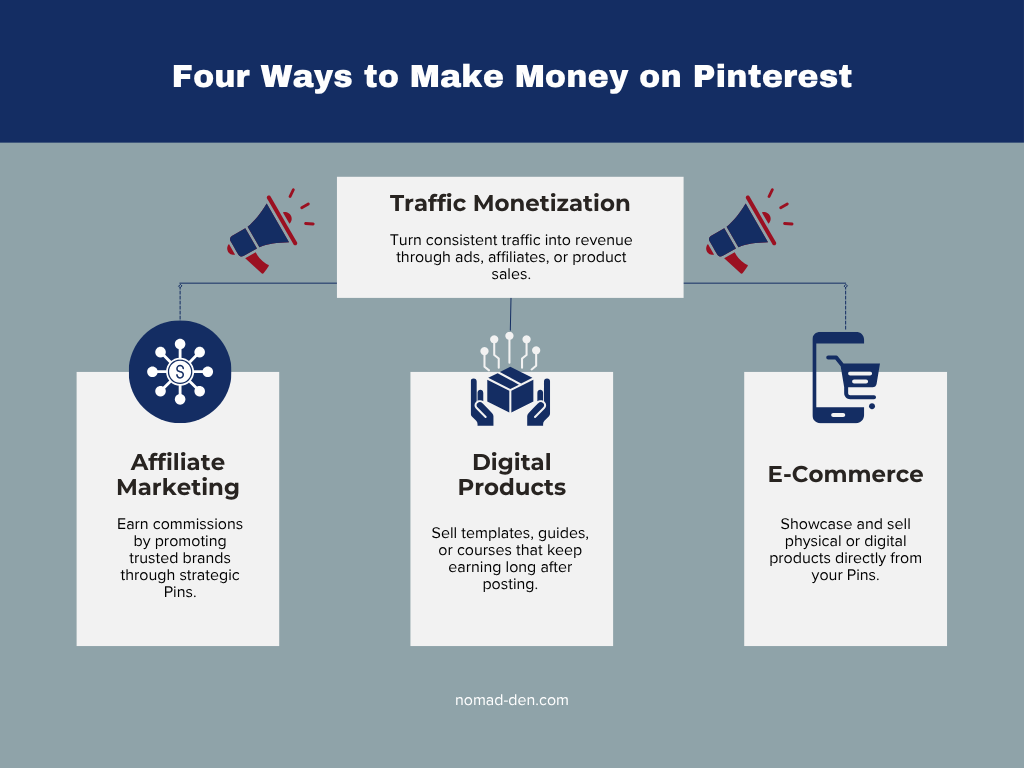
Regardless of which monetization method you choose, or any combination thereof, the seven steps to set up and grow your Pinterest account will always apply. Before we close, let’s go over a few common mistakes to avoid.
Common Mistakes to Avoid
Pinterest has real earning potential, but it also attracts a lot of noise: exaggerated results, shortcuts that violate platform policy, and advice from creators who prioritize views over accuracy. Avoiding these four mistakes will keep your account in good standing and your strategy focused on what actually works.
- Pinning outside your niche — posting content that doesn’t align with your niche confuses your audience and dilutes your account’s topical authority with Pinterest’s algorithm.
- Direct affiliate links — Pinterest may reduce your reach, and doing so may violate their Community Guidelines. Some creators on YouTube or TikTok recommend this strategy, but it’s not advisable.
- Inconsistent or low-quality visuals — pin design quality matters, and failing to refresh visuals for seasonal relevance leaves traffic on the table.
- Ignoring analytics — your Pinterest dashboard tells you exactly what’s working. Not checking it regularly means flying blind on a platform that rewards data-driven consistency.
Frequently Asked Questions About Pinterest
Conclusion
Pinterest remains one of the most underutilized platforms for building a sustainable online business. With over 631 million monthly active users worldwide and a discovery-driven model that keeps content visible long after it’s published, the opportunity here is genuinely different from anything traditional social media offers.
Most creators who struggle on Pinterest aren’t failing because the platform doesn’t work. They’re posting without a strategy, skipping the setup steps that matter, or expecting results before consistency has had time to compound. The creators who win on Pinterest treat it like a search engine, not a social feed, and that shift in mindset changes everything.
Start with a free Pinterest Business account, follow the seven steps in this guide, and build your presence at a pace that works for your schedule and budget. Your pins won’t go viral overnight, but they also won’t disappear in 24 hours, and that’s exactly the point.
Some links in this post may be affiliate links. I may earn a commission at no extra cost to you. Learn more here.
Continue Reading Related Posts

White Hat vs. Black Hat SEO (and the Gray Area In Between)
SEO tactics fall into three categories: white hat, black hat, and a shrinking grey area…
Keyword Research for Beginners: How to Find What People Are Searching For
Keyword research in 2026 isn’t about ranking on Google anymore. It’s about understanding what a…
How to Use Social Media Scheduling Tools to Grow Without Being Online 24/7
There’s a version of social media growth that gets sold constantly: post more, post everywhere,…
How to Validate a Business Idea Before Wasting Months Building It
When you come up with an idea for an online business, you’re anxious to make…
Digital Marketing Analytics for Beginners: Stop Guessing, Start Tracking
When I first launched Nomad Den, I was publishing posts, building out a network of…
Lead Magnets That Convert in 2026 (And What to Build First)
Building an email list sounds straightforward until you actually try it. The real challenges aren’t…