
Some links in this post may be affiliate links. I may earn a commission at no extra cost to you.
Table of Contents
- What Cybersecurity Means for Digital Nomads
- The Foundation You Already Have
- Public WiFi and the Evil Twin Problem
- Why Your eSIM Won’t Stop a SIM Swap
- The Two-Factor Authentication Trap While Traveling
- Juice Jacking: The Charging Station Risk No One Mentions
- AI Travel Scams and Quishing
- Border Device Searches: What to Know Before You Cross
- Protecting Your Devices, Documents, and Data on the Road
- Your eSIM as a Security Layer, Not Just a Data Plan
- Frequently Asked Questions (FAQs)
- Conclusion
- Continue Reading Related Posts
More than 40 million people are now working as digital nomads worldwide. Despite that scale, most cybersecurity advice for travelers still circles the same three tools: VPNs, password managers, and eSIMs. However, the majority of travelers say their biggest worry is getting hacked in some vague, general sense, while the threats that actually derail a trip, or a business, rarely look anything like that.
They look like a charging cable at an airport gate, a hotel WiFi network with a name you recognize, or a bank verification text that never arrives because your phone thinks you’re somewhere you’re not.
This post starts with a quick definition of what cybersecurity actually means once travel enters the picture, covers the foundation you’ve probably already built, and then spends the rest of its time on the risks that don’t show up in most “cybersecurity tips for travelers” roundups, the ones that can quietly cost you access to your accounts, your income, or your identity.
As someone actively building toward this lifestyle myself, this is the research I wanted in one place before I needed it.
What Cybersecurity Means for Digital Nomads
Cybersecurity for digital nomads covers the practices and tools that protect your devices, accounts, identity, and data while you live and work across different countries, networks, and legal systems. It overlaps with general online safety, but travel adds variables that don’t exist when you’re working from one fixed location: unfamiliar networks, foreign mobile carriers, devices that physically cross borders, and accounts that may flag a login from a new country as suspicious, or block it outright. In practice, this comes down to five areas:
- Network security – the WiFi, hotspot, or eSIM connection you’re using, and who else might be on it
- Account access – how your accounts verify it’s really you, especially when two-factor authentication depends on a phone number
- Device security – what happens if a laptop or phone is lost, stolen, or inspected
- Identity and data protection – your personal documents, passwords, and information if something goes wrong
- Scam awareness – the specific ways attackers target people who are traveling, booking, and distracted
The rest of this post is organized around these five areas, starting with the part most people already have covered.
The Foundation You Already Have
If you’ve already set up a VPN, a password manager, and an eSIM for your trips, you’re ahead of where most travelers start. According to industry survey data, 90% of digital nomads use a VPN and 68% pay for premium cybersecurity tools, so if you’ve made these investments already, you’re in good company.
A VPN encrypts your traffic at the network level, which matters most when you’re connecting through networks you don’t control. One thing most travelers don’t check: whether their VPN has a kill switch that cuts internet access if the VPN drops unexpectedly. On public WiFi, a dropped connection without a kill switch briefly exposes your traffic in plain text. Our guide to choosing a VPN covers this and what else to look for, including which countries restrict VPN use.
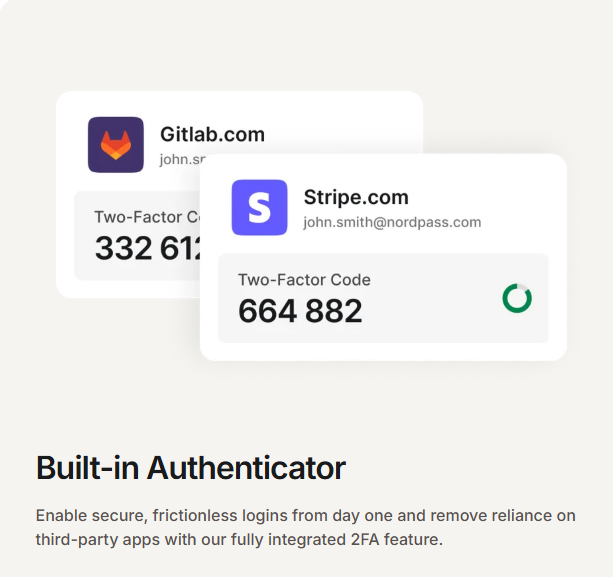
A password manager with built-in authenticator support does double duty for travelers: it stores credentials securely and generates two-factor codes without relying on your phone number, which matters for reasons we’ll cover shortly. One underused feature worth enabling before you travel is offline vault access, so your credentials are available even when you’re in-flight or somewhere with restricted connectivity. Our Best Password Managers guide covers the options in detail.
An eSIM has mostly replaced juggling physical SIM cards for international data. We’ll come back to this later in the post, because eSIMs solve some problems travelers worry about and create a common misconception about others.
Finally, if you haven’t gone through the process of removing your personal information from data broker sites, our guide to removing your personal data is worth doing before you travel rather than after. The less of your information floating around publicly, the fewer entry points attackers have for some of the scams covered later in this post.
If any of these four are missing, that’s the place to start. Everything below assumes this foundation is in place, and focuses on what it doesn’t cover.
Public WiFi and the Evil Twin Problem
Of all the risks covered in this post, public WiFi is the one that catches the most people off guard, because the threat rarely looks like a threat. It looks like a familiar network name.
An evil twin attack is when a bad actor sets up a fake WiFi hotspot that mirrors the name of a legitimate network, then positions themselves between your device and the internet to intercept everything you send and receive. In 2026, these fake networks are increasingly showing up in airports, hospitals, convention centers, and business hotels, exactly the places where people carry the most sensitive data and are most likely to need a quick connection.
What makes this particularly dangerous for nomads is how little effort it requires from the attacker, and how little attention it requires from you. Evil twin attacks require zero interaction from the victim. Your device does the work for the attacker the moment it comes within range, auto-connecting to whichever signal is strongest. If your laptop or phone is set to automatically rejoin networks it recognizes, and most devices are by default, you can be on a malicious network before you’ve even opened your bag.
Once connected, a man-in-the-middle attacker can capture every keystroke, every password, and every credit card number you enter, and the attack is completely invisible to the victim. You’re browsing normally. Nothing looks wrong.
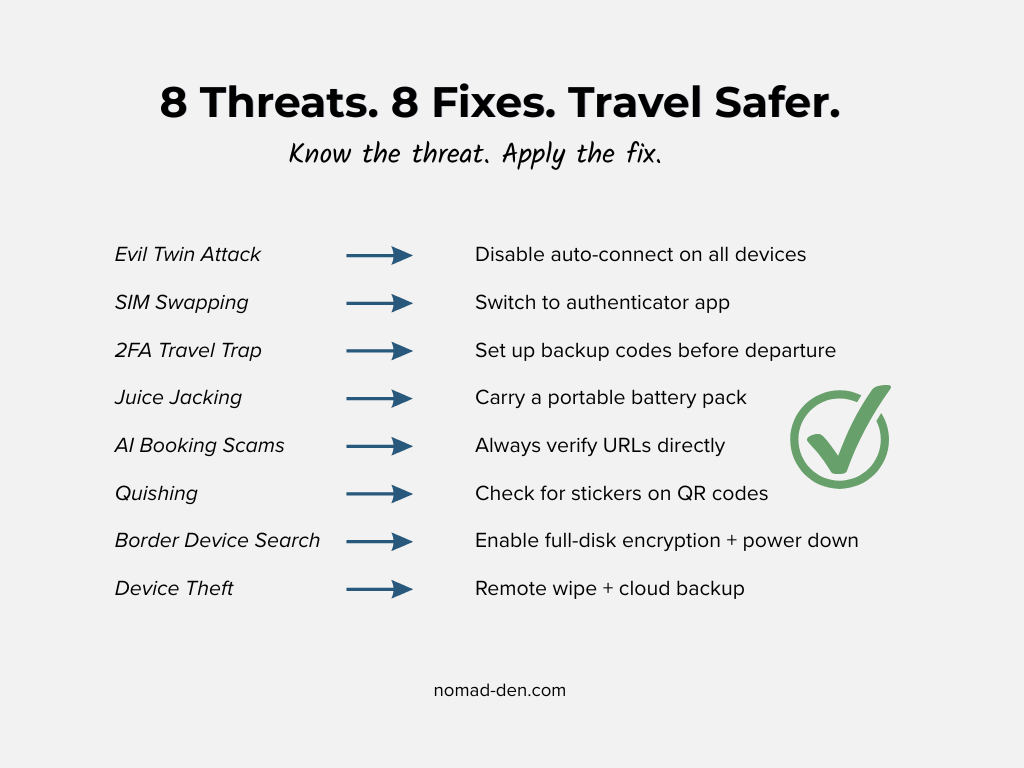
The fix is mostly a settings change, not a new tool. Disable auto-join for open and public networks on every device you travel with:
- iPhone: Settings > WiFi > tap the ⓘ next to any saved public network > toggle off Auto-Join. For broader control, set “Ask to Join Networks” to Ask or Notify rather than Automatic.
- Android: Settings > Network & Internet > Internet > WiFi Preferences > disable “Connect to open networks.” For saved networks, tap the network name > gear icon > toggle off Auto-reconnect.
- Windows: Settings > Network & Internet > WiFi > Manage known networks > select a saved network > turn off “Connect automatically when in range.”
After that, a VPN adds the encryption layer that keeps your data unreadable even if someone does intercept it. If you haven’t set one up yet, our guide to VPNs covers the options and what to look for when traveling across different countries.
Why Your eSIM Won’t Stop a SIM Swap
This section exists because a lot of eSIM marketing implies, without quite saying it, that switching to an eSIM makes SIM swapping a solved problem. It doesn’t, and understanding why matters if your phone number is tied to any account that handles money or identity.
SIM swapping is an attack where someone convinces your mobile carrier to transfer your phone number to a SIM card they control, giving them access to every text message, call, and verification code your number receives. The attack isn’t about the physical format of your SIM. It’s about whether an attacker can convince your carrier’s customer service to authorize the transfer, and a weak verification process on the carrier’s end makes both physical SIM cards and eSIM profiles equally vulnerable.
The attack typically starts well before anyone calls your carrier. Attackers begin by collecting personal information through social media profiles, data breaches, or phishing campaigns, then use that information to impersonate you convincingly when they contact customer support. This is one of the reasons removing your personal data from broker sites matters before you travel rather than after.
Travel days are a prime target window, because travelers are distracted and jet-lagged, and a sudden dropped signal is easy to dismiss as bad coverage rather than evidence that someone just hijacked your number. By the time you realize what’s happened, the attacker may already have reset passwords on accounts that use your phone number for recovery.
The actual protection is moving away from SMS-based two-factor authentication entirely. An authenticator app or hardware security key is significantly more secure than SMS codes, because even if someone gains control of your phone number, they still can’t access accounts protected by app-based or hardware-based two-factor authentication. Setting a unique PIN with your carrier for any account changes adds another barrier before a transfer can be authorized.
NordPass handles both passwords and authenticator codes in one place. Try it free before your next trip.
The Two-Factor Authentication Trap While Traveling
Even if a SIM swap never happens, SMS-based two-factor authentication creates a different problem the moment you cross a border.
Many banks, financial institutions, and loyalty programs send verification codes only to phone numbers registered in their home country, which means that an international SIM or a prepaid travel card may never receive the code at all. This is not just inconvenient. It can leave you locked out of accounts you need to access, with roaming charges on top if the message does eventually come through.
A few additional steps worth taking before departure:
- Generate and save backup codes for accounts that offer them
- Store those codes in an encrypted password manager vault, not a notes app
- Check which accounts still require SMS-only verification and flag them for manual recovery planning
- Consider a dual-SIM setup if your device supports it, keeping your home SIM active for SMS-only while using a travel eSIM for data
The common thread across all four is removing the dependency on your home phone number before you need it. A few minutes of setup before departure eliminates one of the most avoidable sources of travel disruption there is.
Juice Jacking: The Charging Station Risk No One Mentions
Most cybersecurity roundups for travelers skip this one entirely, which is exactly why it’s worth covering here.
Juice jacking is a cyberattack that exploits the fact that USB connections transfer both power and data over the same physical connector. Unlike a standard electrical outlet that only transfers electricity, a USB port can simultaneously charge a device and communicate with it as a data connection. If a public charging station has been tampered with, plugging in can give an attacker access to a phone’s data or allow them to install malware, all while the device appears to be charging normally.
The modified charging port can push spyware, keyloggers, or trojans into the target device’s operating system, running silently in the background long after the user unplugs and boards their flight. Modern iOS and Android devices have introduced USB restricted modes that limit data transfer when a device is locked, but tampered hardware or malicious cables can still bypass software-level protections, and not all devices enforce this consistently. The risk scales with the value of data on the device, making corporate executives, journalists, and anyone managing client accounts or business finances a more attractive target than a casual tourist.
The fix is simple and cheap. A portable battery pack eliminates the need to plug into public USB ports entirely. If you do need to charge from a public station, a data-blocking USB adapter, sometimes called a USB condom, allows power to flow while physically preventing data transfer. Security professionals summarize the approach with a “PLUG” checklist: Power with your own gear, Lock your device, Use power-only cables, and Go with a battery pack.
One underrated device setting also helps: when an iPhone or Android is powered off rather than just locked, it does not process incoming data connections the same way. If you’re in an airport and your battery is low, powering off your device before plugging in adds a meaningful layer of protection, particularly on iPhone.
AI Travel Scams and Quishing
The scams targeting travelers in 2026 look significantly different from the ones covered in our Remote Work Scams guide, because the travel context creates specific vulnerabilities that attackers have learned to exploit, and because AI has made deceptive content faster and cheaper to produce at scale.
The FTC reported that consumer fraud losses jumped 25% to $12.5 billion in 2024, even as the total number of reports held relatively flat. This is a pattern consistent with AI making individual scams more effective rather than just more numerous. For travelers, that shift is showing up in fake hotel and airline websites, realistic booking confirmations, and phone impersonations that are increasingly difficult to distinguish from the real thing.
The most damaging scam pattern targeting travelers in 2026 combines stolen booking data with AI-generated impersonation. Attackers use real booking details from previous data breaches to craft convincing messages, then deploy AI-generated phone calls claiming a flight has been canceled and offering to “rebook” the traveler if they provide a confirmation code and card details. Because the caller already knows your name, airline, and route, the call feels legitimate.
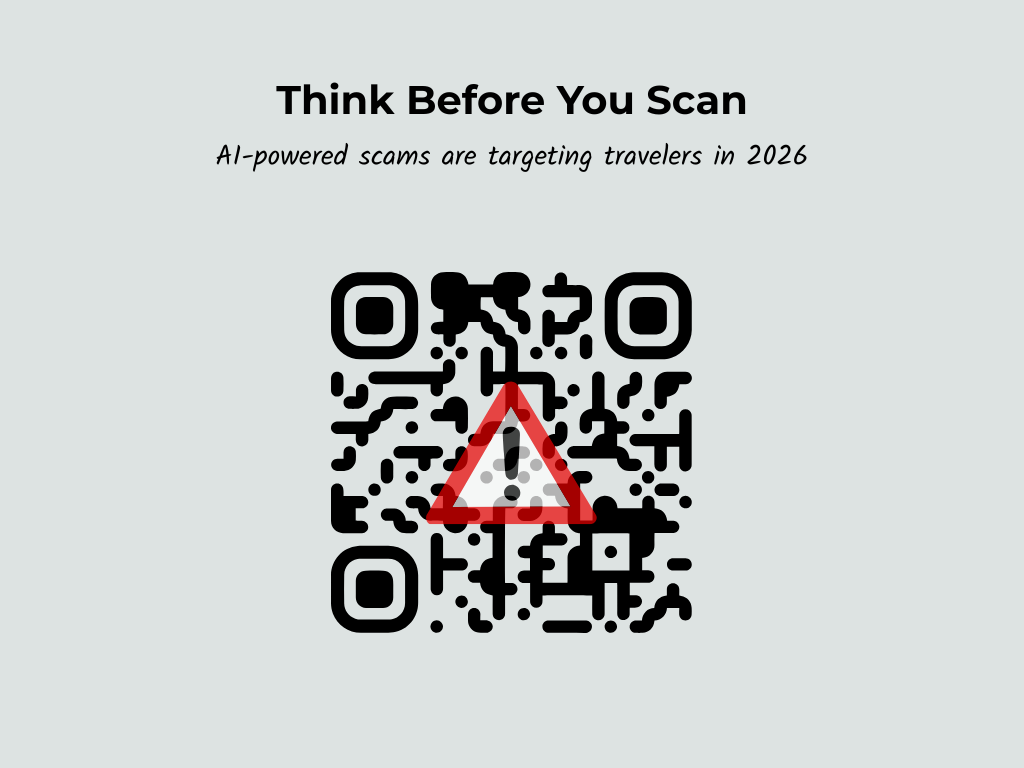
There’s also a growing physical-world variant worth knowing about before you arrive anywhere with heavy tourist infrastructure. “Quishing,” a portmanteau of QR code and phishing, involves a scammer placing a sticker with a fake QR code over a real one at a restaurant, monument, or payment point. Scanning it redirects to a fraudulent payment portal that captures card information or installs malware on the device. Practical defenses against both:
- Always verify a booking URL manually through the airline or hotel’s official site rather than clicking from an email or text
- Check the full URL before entering any payment or credential information, not just the first word
- On QR codes in tourist areas, look for stickers placed over existing codes, or gaps between the code and the surface around it
- Treat any unsolicited contact claiming urgency about a booking as suspicious, regardless of how much accurate detail it contains
When in doubt, go directly to the source: look up the airline or hotel’s official number independently and call it, rather than using any number provided in the suspicious message. Scammers rely on urgency and familiarity to bypass your better judgment. Slowing down is the defense.
Border Device Searches: What to Know Before You Cross
Please note: The information below is provided for general awareness only and does not constitute legal advice. Border search laws vary by country and situation. If you have specific concerns about your legal rights during a border crossing, consult a qualified attorney before you travel.
This is one of the least-discussed digital nomad risks, possibly because it feels abstract until it isn’t. Understanding what’s possible, and preparing for it in advance, takes the uncertainty out of an already high-stress situation.
In the United States, Customs and Border Protection has the authority to search electronic devices including phones, laptops, tablets, and cameras for any traveler entering the country, including US citizens. These searches are limited to information already stored on the device at the time of inspection, and CBP officers may not use a device to access remote or cloud-based information during a border search.
That last detail is the key insight for anyone who works with sensitive client data or manages business accounts. Disconnecting from cloud storage and deleting local copies of data before a border crossing, then re-syncing afterward, means there’s nothing on the device for an inspection to find. Cloud-first workflows aren’t just good for collaboration, they’re the most practical way to reduce what’s physically present on a device at the border.
Steps worth taking before any international crossing:
- Enable full-disk encryption on every device, with a strong passphrase rather than a short PIN
- Sign out of accounts and disable automatic logins before you reach the border
- Remove apps that store financial or client data locally if you won’t need them during transit
- Power down devices completely before reaching a checkpoint, since a device that is fully off is significantly harder to access than one that is merely locked
- If a device is retained and later returned, restart it from an external drive and scan for any changes or added software before reconnecting to your accounts
Border policies aren’t the only legal variable to plan around. The countries you’re entering may also restrict or block VPN use entirely.
VPN Laws and Restrictions by Country
A VPN is essential for travel, but not every country makes it easy to use one. China, Russia, Turkey, Egypt, the UAE, Saudi Arabia, and Qatar all impose restrictions ranging from network-level blocking to conditional legality with real penalties, and the landscape shifts regularly.
The most important rule before visiting any restricted country: disable your VPN and remove VPN apps before crossing the border. Having an active VPN configuration visible during a device inspection can raise suspicion regardless of whether you’ve used it.
For a country-by-country overview of VPN restrictions and what to expect before you travel, see our guide to VPN laws and restrictions.
The US is not unique in having these powers. Many countries conduct device searches at borders, and some have broader authority or less formal procedures than the US. Researching entry requirements for your specific destinations, particularly if you’re carrying business or client data, is worth doing the same way you’d research visa requirements.
Protecting Your Devices, Documents, and Data on the Road
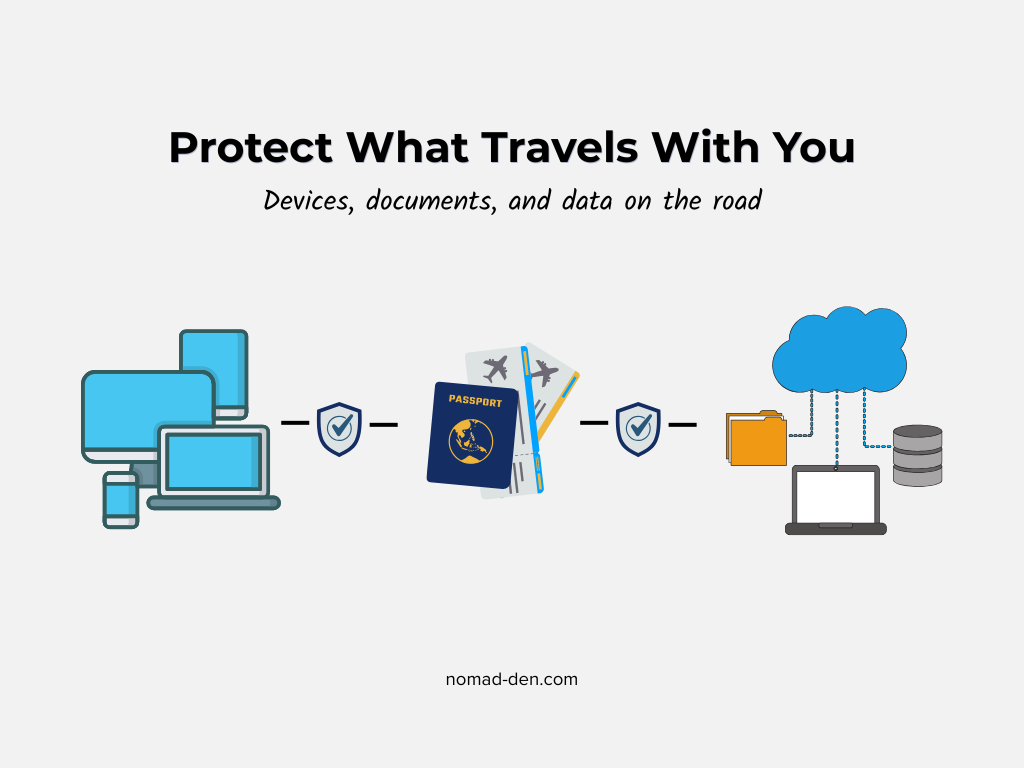
Everything covered so far assumes your devices are with you and under your control. This section covers what happens when they’re not, and how to make sure losing a device doesn’t mean losing access to your business or your identity.
Full-disk encryption is the single most important step for protecting data on a stolen device. When a device is encrypted, a thief who gains physical access cannot read the data on it without the login password, regardless of how they attempt to extract it. On Mac this is enabled through FileVault. On Windows it’s available through BitLocker or Device Encryption in the Settings menu. Both should be enabled on every device you travel with, paired with a strong passphrase rather than a short numeric PIN.
Beyond encryption, remote-wipe capability adds a second layer. Tools like Find My Device on iOS and Android allow a nomad to locate a lost device, lock it remotely, or erase it entirely if recovery isn’t possible. Setting this up before departure takes about five minutes and has prevented genuinely catastrophic data losses for travelers who’ve needed it.
Cloud backups should run to at least two providers simultaneously. If your only backup is on a physical drive in the same bag as your laptop, a single theft removes both. Cloud storage solves this by design, and for a nomad who may be in transit when something goes wrong, being able to restore a working environment from any device is the difference between a one-day disruption and a week-long crisis.
For identity documents specifically, NordPass now offers an encrypted document vault that goes well beyond password storage. NordPass document storage lets users upload scanned copies of passports, IDs, driver’s licenses, and other sensitive files, all encrypted using the XChaCha20 algorithm, making them accessible from any signed-in device. The feature also includes built-in expiration reminders for passports and licenses, which is genuinely useful for anyone traveling for extended periods and easy to forget about until it becomes urgent. Having an encrypted digital copy of your passport accessible from your phone is not just a convenience if the original is lost or stolen while abroad, it can be the document that gets you to an embassy.
Finally, if a breach or theft does expose your personal information, that’s where identity monitoring and recovery support comes in. Coveron covers you on the response side if something slips through, offering monitoring and support for the recovery process when it matters most.
If your information ends up somewhere it shouldn’t, you’ll want to know before the damage is done. Get protected with Coveron.
Your eSIM as a Security Layer, Not Just a Data Plan
Most people pick an eSIM for the obvious reasons: no physical SIM to swap, instant activation before you land, predictable data costs without roaming surprises. Those are all real advantages. But if you’re using Saily specifically, there’s a security stack built into the app that most eSIM providers simply don’t offer.
Saily is one of the few eSIM data providers to bundle enhanced security features directly into the app, with a built-in ad blocker and web protection layer based on NordVPN’s Threat Protection technology, providing safer mobile browsing while abroad. Given that Saily is built by the same team behind NordVPN, this isn’t a marketing add-on so much as an extension of an existing security infrastructure into a new product category. The three features that matter most for nomads:
Web protection acts as a filter against known malicious websites, blocking access to sites that host scams, malware, or phishing attempts before your device ever loads them. On public WiFi, where the risks covered earlier in this post are most acute, this adds a meaningful layer of protection at the network level rather than the app level.
The ad blocker is DNS-based, which means it doesn’t just remove visible ads. It blocks the underlying requests, reducing the data those ads consume and cutting off a common delivery vector for malicious content hidden in pop-ups and auto-play media. For anyone on a metered data plan, that’s a practical bonus alongside the security benefit.
Virtual location lets you browse from over 200 global locations, masking your actual travel location from the sites and services you visit. The most useful application for nomads isn’t accessing streaming content (though it handles that too). It’s maintaining normal access to home-country banking apps and financial services that flag logins from unexpected countries as suspicious, without having to spin up a full VPN connection every time. Note that some banking apps detect proxy or VPN-like connections and may still flag or restrict access. If that’s a concern, testing with your specific bank before you travel is worth the five minutes.
Full transparency:: Saily’s virtual location feature acts like a lightweight VPN, but it is not a full VPN replacement. For maximum security, encryption, and privacy, especially on public WiFi, using NordVPN alongside your Saily data connection is still the recommended approach. The good news is that both products are designed to work together, and if you’re already running NordVPN, Saily’s security features add redundancy rather than overlap.
You can get started with Saily here and explore NordVPN’s plans here.
Frequently Asked Questions (FAQs)
Conclusion
Cybersecurity for digital nomads is not a checklist you complete once before a trip. It is a set of habits, tools, and a baseline awareness of the specific ways that travel creates new attack surfaces, and some of them are genuinely not obvious until someone explains them.
The foundation matters: a VPN, a password manager, an eSIM with built-in security features, and clean personal data are the starting point, not the finish line. What separates a nomad who travels with real confidence from one who travels with vague anxiety is understanding the risks the foundation does not cover. Evil twin networks. SIM swap attacks that start with a phone call to your carrier. A bank that locks you out of your own account because it didn’t recognize a foreign IP. A QR code on a restaurant table that was replaced by a sticker this morning.
None of these require sophisticated technical knowledge to defend against. They require knowing they exist.
As someone building toward this lifestyle myself, this is the research I wanted to have done before I needed it. If it saved you some time and a potential headache somewhere between here and wherever you’re headed next, it did its job.
Have a question about travel cybersecurity that wasn’t covered here? Drop it in the comments below.
Some links in this post may be affiliate links. I may earn a commission at no extra cost to you. Learn more here.
Continue Reading Related Posts
Digital Nomad Visas in 2026: Requirements, Costs, and How to Apply Safely
A digital nomad visa is a temporary residency permit that lets you legally live in…
Is NordVPN Actually Worth It? Ownership, Audits, and Pricing Explained
NordVPN is the VPN provider most affiliate marketers default to recommending, but the research behind…
What Is a VPN? How It Works, What It Protects, and What It Doesn’t
A VPN, or virtual private network, is a service that encrypts your internet connection and…
What Is Identity Theft and How Do You Recover From It?
Identity theft happens when someone steals your personal information, such as your Social Security number,…

Best Antivirus Software for Small Business Owners and Freelancers (2026)
If you run your business off a single laptop, ‘I should probably get antivirus eventually’…
Why DeGoogling Actually Matters in 2026 (And Where to Start)
DeGoogling means deliberately reducing your dependence on Google’s products and replacing them with privacy-respecting alternatives,…