
Some links in this post may be affiliate links. I may earn a commission at no extra cost to you.
Table of Contents
- What Changed: Google’s AI Now Connects the Dots
- What Google Collects, Straight from the Source
- Ad Targeting: What’s Actually True Today
- The Part Nobody Talks About: The Antitrust Case
- Why This Matters Beyond Personal Privacy
- DeGoogling Doesn’t Erase What’s Already Out There
- Where to Actually Start
- The Honest Tradeoffs
- Is DeGoogling Worth It in 2026? The Short Answer
- Frequently Asked Questions
- Taking Back Control, One Step at a Time
- Continue Reading Related Posts
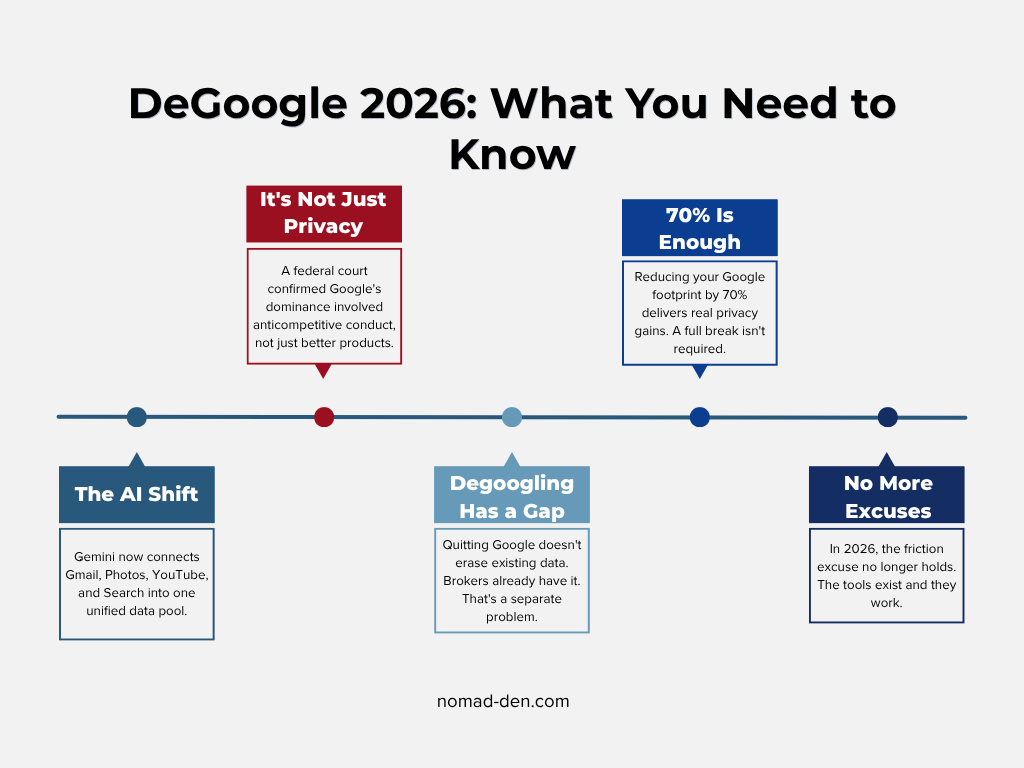
DeGoogling means deliberately reducing your dependence on Google’s products and replacing them with privacy-respecting alternatives, and in 2026 that decision carries more weight than it used to. For years, the case against Google centered on ad targeting: search history, email metadata, and browsing habits feeding a profile used to sell ads. That concern hasn’t gone away, but Google’s Gemini Personal Intelligence feature, which began rolling out in January 2026, changed the underlying math. Once connected, Gemini can pull from your Gmail, Photos, YouTube history, and Search activity together to answer a single question, the way an assistant who’d read your whole life would, rather than treating each app as its own separate silo.
That’s a different kind of exposure than a banner ad. It’s also why this guide exists separately from our Beyond Google: Privacy-First Alternatives resource page. That page is the toolbox: browsers, email providers, cloud storage, and more, organized by category. This post is the why and the where-to-start, for anyone wondering whether degoogling in 2026 is still worth the effort, or whether it’s gotten harder, easier, or simply more necessary.
We’ll walk through what actually changed, what hasn’t, where the legal landscape stands for anyone running a business on Google’s tools, and the honest tradeoffs nobody likes to mention. No scare tactics. Just what’s true right now, and what to do about it.
What Changed: Google’s AI Now Connects the Dots
Personal Intelligence works like this: instead of asking Gemini a question and getting an answer based only on general knowledge, you can ask something like “what are my travel plans this week,” and Gemini will pull your flight confirmation from Gmail, cross-reference it with a screenshot you saved in Photos, and assemble a timeline, without you digging through either app yourself.
That’s genuinely useful. It’s also a meaningful shift in what “your Google account” represents. Previously, each Google product mostly stayed in its lane: Gmail handled email, Photos handled photos, Search handled search. Personal Intelligence treats them as one connected pool Gemini can draw from when it decides it’s relevant to your question. Rather than treating each app as a separate silo, it surfaces relevant information from across your Google account in a single conversational interface, and it can do this across services you use every day without you having to think about it. Whether you find that genuinely useful or genuinely unsettling depends on your personal risk tolerance, but it’s worth understanding accurately before you decide.
Currently rolling out to Google AI Pro and AI Ultra subscribers in the U.S., with broader availability planned, but the direction of travel is clear regardless of your current tier.
What About Security Risks?
In late 2025, security researchers disclosed a flaw nicknamed GeminiJack in Gemini Enterprise (Google’s business-tier product, not the consumer Gemini app), where hidden instructions embedded in a shared document, email, or calendar invite could trick the AI into quietly pulling and leaking sensitive Workspace data, with no click required from the victim. Google worked with researchers to patch it. We’re including it here not as an open threat, but as an illustration of what researchers are now calling indirect prompt injection, and as the researchers themselves noted, that broader attack category against AI systems with access to sensitive data requires continued attention regardless of any individual fix.
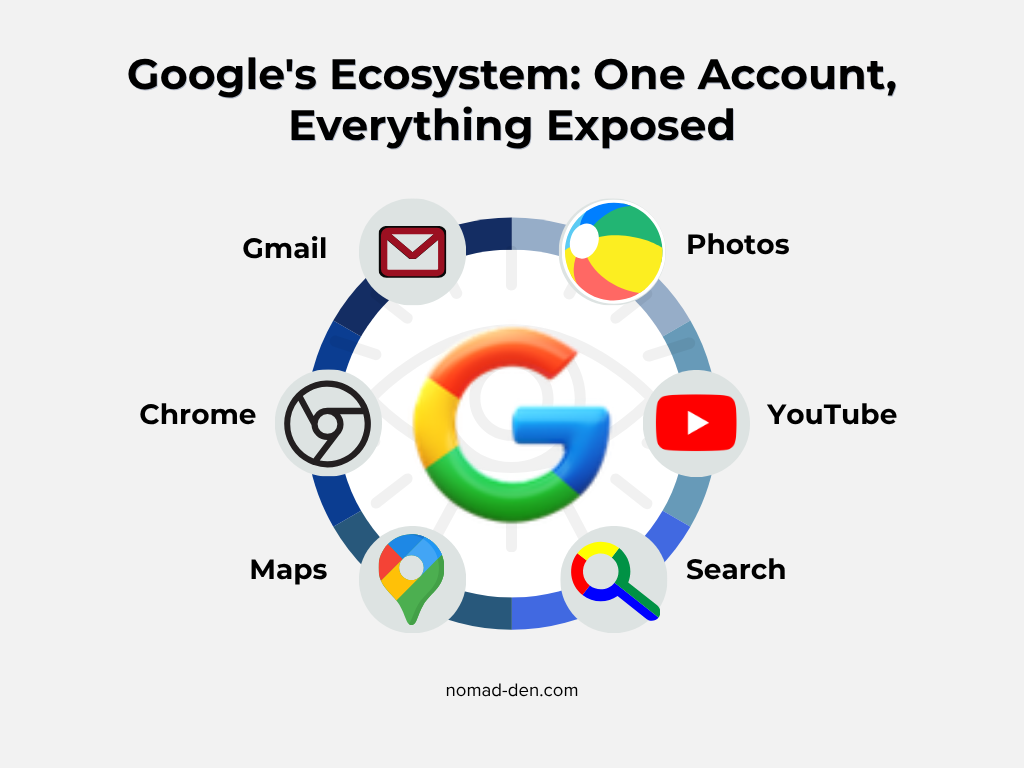
App icons are representative and remain the property of Google LLC. Nomad Den is not affiliated with or endorsed by Google.
What Google Collects, Straight from the Source
Before getting into why this matters, it’s worth grounding the conversation in what Google’s own documentation actually says, since a lot of the privacy discourse online is either outdated or exaggerated.
When you use Google services, Google automatically collects and stores in server logs details of how you used its service, including your search queries, IP address, device event information such as crashes and system activity, hardware settings, browser type, browser language, and the date and time of your request. That’s standard for virtually any online service. What makes Google’s collection distinct is its breadth across products and the duration of retention across them.
On location specifically: Google collects location information when you use its services using various technologies including IP address, GPS, and other sensors that may provide information on nearby devices, Wi-Fi access points, and cell towers. This happens passively in the background as part of normal use, not only when you actively open Maps.
Google also states clearly that it never uses content you create and store in apps like Drive, Gmail, and Photos for advertising purposes, and does not use sensitive information like health, race, religion, or sexual orientation to tailor ads. This is important to note because a significant portion of the “Google reads your email” concern circulating online applies to practices Google ended in 2017. The current picture is more nuanced, and understanding it accurately matters if you’re going to make an informed decision about whether and how to reduce your Google footprint.
What hasn’t changed is the scale of behavioral data collection: every search query, every YouTube watch, every Maps lookup, every app interaction on Android, all of it building a behavioral profile used for ad targeting across Google’s network and the more than two million non-Google websites that run Google’s ad products. That’s the mechanism still fully operational, and it’s substantial, not because any single piece is alarming in isolation, but because of how much territory it covers across a day, a year, and a decade of use.
Ad Targeting: What’s Actually True Today
It’s worth separating myth from current policy here, since a lot of older content gets this wrong. Google states plainly that it will not scan or read your Gmail messages to show you ads, and does not sell your personal information, including your Gmail and Google Account information. Ad targeting today runs on behavioral signals instead, things like your searches, YouTube views, and Maps queries across Google’s services while you’re signed in.
That doesn’t mean Gmail content goes untouched. Google’s automated systems still process email content for spam filtering, virus detection, smart replies, and AI-powered summarization, just not to build your ad profile. It’s a meaningful distinction: less “Google reads your email to sell you stuff,” more “Google’s systems process your email to run its features, including the newer AI ones.” For most people, that’s still a tradeoff worth knowing about, even if it’s not the version of the story still circulating from 2017.
The Part Nobody Talks About: The Antitrust Case
There’s a reason to care about Google’s structural position beyond your own account settings, and it’s been playing out in federal court since 2020.
In August 2024, U.S. District Judge Amit Mehta ruled that Google held monopoly power in the markets for general search services and text advertising, and had unlawfully used that power to keep competitors out of those markets. The court found that Google’s distribution contracts, exclusive agreements with browser developers, mobile device manufacturers, and wireless carriers, allowed it to foreclose significant shares of the search and search advertising markets.
The remedies came in September 2025. Key provisions included a ban on exclusive default search contracts for six years, covering Google Search, Chrome, Google Assistant, and Gemini app placements on devices manufactured by Apple, Samsung, and other partners. The DOJ had pushed for Chrome divestiture; the court declined that but imposed behavioral restrictions and a data-sharing mandate. As of mid-2026, Google is appealing, having filed an emergency motion in April 2026 seeking to pause the data-sharing mandate while the appeal proceeds, arguing that compelled sharing of search index and user-interaction data would cause irreparable harm.
Why does this matter for the degoogle conversation? Because it confirms something that had previously been framed as a privacy advocate’s opinion: Google’s dominance wasn’t purely earned through product quality. It was actively maintained through exclusive contracts that made it nearly impossible for alternatives to reach users by default. If you’ve ever wondered why you didn’t naturally encounter alternatives to Google Search earlier, a federal judge has now provided a clear answer.

Why This Matters Beyond Personal Privacy
If You Run a Business on Google’s Tools
This isn’t only a personal-privacy conversation. If you use Google Analytics, the legal ground has been shifting underneath site owners for years, and it’s still moving. Multiple European data protection authorities ruled Google Analytics non-compliant with GDPR between 2022 and 2025, primarily over how it transferred data to U.S. servers. The EU-US Data Privacy Framework, adopted in 2023, gave GA4 a conditional legal pathway, but it depends on proper consent configuration, and legal challenges to the framework are still active. For a full breakdown of how GDPR applies here, see our glossary entry.
For anyone building an online business around an international audience, this isn’t a hypothetical risk; it’s a known liability that privacy-first analytics tools sidestep entirely. That’s not an ideological argument; it’s a practical risk management one. There’s also a less-discussed dependency risk beyond privacy law: concentration risk. A significant portion of content-driven sites rely on Google Search for traffic, analytics, workspace, and email simultaneously. Degoogling, applied to your business rather than just your personal accounts, is about reducing those single points of failure, and building an email list you control regardless of algorithm changes, and not having your entire operational stack living inside one ecosystem that can change its terms at any time.
This isn’t legal advice, and the right move depends on your audience and jurisdiction, but if you have any EU traffic, it’s worth understanding rather than assuming GA4 is automatically fine.
If You Work or Travel as a Digital Nomad
A single Google account tied to your banking 2FA, travel documents, and photo backups is a single point of failure, and that risk compounds when you’re connecting from hotel wifi, working in unfamiliar networks, or crossing borders where device searches are a real possibility. We covered this in depth in Cybersecurity for Digital Nomads, and the account-hygiene fundamentals from our Email & Account Security post pair directly with everything in this section.
Most digital nomads run their entire operational stack through a single Google account: email with clients and affiliates, Drive with contracts and content drafts, Photos with travel documentation, and banking 2FA tied to the same Gmail address. That’s a single point of failure with a very large blast radius. If the account is compromised through a phishing attack, a SIM swap targeting that Gmail address, or a session hijack over an unsecured network, the damage isn’t contained to one product. We covered the 2FA travel trap specifically in Cybersecurity for Digital Nomads, the short version being that consolidating everything into one ecosystem creates a single target, and spreading critical functions across independent tools reduces the leverage any single breach gives an attacker.
DeGoogling Doesn’t Erase What’s Already Out There
Here’s the gap most “degoogle” guides skip entirely: leaving Google today doesn’t undo years of data that’s already been collected, scraped, or sold to data brokers while you were using it. Your digital footprint doesn’t reset to zero the moment you switch browsers.
If you haven’t already, this is the natural next step after, or honestly, before, you start swapping tools: How to Remove Your Personal Data from the Internet walks through actually getting your information off data broker sites, which is a separate problem from which apps you use going forward. Incogni handles this specific gap well: continuous removal requests sent on your behalf, rather than a one-time manual cleanup. Degoogling fixes the forward problem. Incogni handles what’s already out there. See how Incogni works →


Where to Actually Start
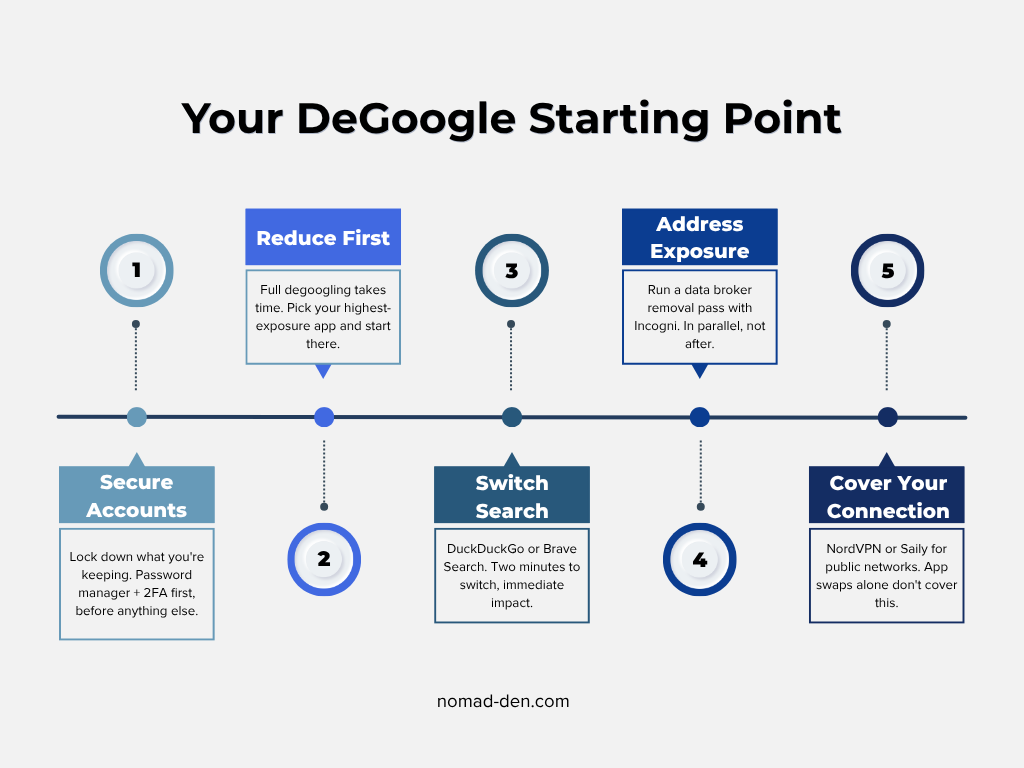
This isn’t a full tool-by-tool breakdown. That’s exactly what our Beyond Google: Privacy-First Alternatives resource page is for, organized by category with specific recommendations. What’s useful here is a sequence, since trying to replace everything at once is how most degoogle attempts stall out.
Step 1: Secure What You’re Not Ready to Leave Yet
If you’re not walking away from Gmail or Drive this week, start by locking down what you’re still using. A password manager like NordPass and proper two-factor authentication close the most common gaps regardless of which ecosystem you’re in.
Step 2: Reduce, Don’t Eliminate
Full degoogling is a long process, not a weekend project. Pick the single highest-exposure piece, often search or browser, and start there. The resource page breaks down specific alternatives by category once you’re ready for that step.
Step 3: Start With the Lowest Friction Switch
Search engine replacement has the lowest friction of any degoogle step. DuckDuckGo, Brave Search, and Startpage are all functional replacements for most queries, and switching takes under two minutes in any browser. It’s not a complete privacy solution on its own, but it immediately reduces the query log Google builds from your daily use. The Beyond Google resource page breaks down the full comparison by category when you’re ready to go further.
Step 4: Address What’s Already Exposed
Run a data broker removal pass with Incogni in parallel with, not after, your tool migration. They’re solving different problems.
Step 5: Cover Your Connection
If you travel or work from public networks regularly, pairing this with Saily or NordVPN closes the network-level gap that app swaps alone don’t address.
The Honest Tradeoffs
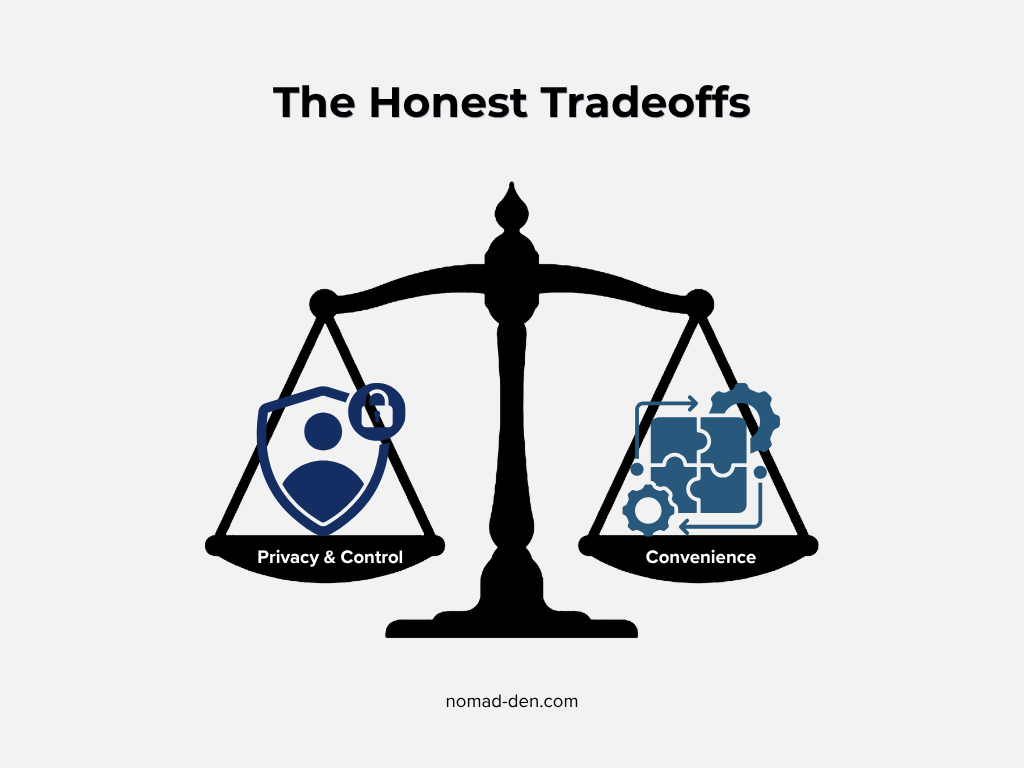
No guide that tells you degoogling is frictionless is being straight with you. Some real costs: alternative apps are often less polished, ecosystem integrations (Google’s calendar-to-Gmail-to-Meet handoff, for instance) don’t have a clean equivalent everywhere, and there’s a genuine learning curve. Some people degoogle 90% of the way and keep one or two Google products deliberately, and that’s a legitimate outcome, not a failure. The goal isn’t ideological purity. It’s making an informed choice about what you’re trading for what.
There’s also a social coordination problem worth naming. If your clients, collaborators, or team are on Google Meet and Google Calendar, migrating your end unilaterally doesn’t solve the problem, you still receive Meet links and Calendar invites. Most people find themselves navigating both at once, which is exactly why a full break is rarely realistic. Reducing your Google footprint by 70% with a different browser, search engine, independent email for critical accounts, and data broker removal running in the background delivers a meaningful privacy improvement without requiring you to fight every integration you depend on.
Is DeGoogling Worth It in 2026? The Short Answer
The conditions that made this question easy to dismiss (“alternatives aren’t good enough,” “it’s too complicated,” “it doesn’t really matter”) are each weaker than they were two years ago. In 2026, the alternatives are good enough that switching costs very little in convenience for the most common services. A federal court has confirmed that Google’s dominance involved anticompetitive conduct, not just superior products. And Personal Intelligence means the scope of what your Google account represents as a unified data pool is materially larger than it was in 2024.
None of that requires deleting everything tomorrow. It does make it worth taking an afternoon to understand what’s actually in your account, what’s accessible to whom, and which pieces you’re comfortable keeping connected. The Beyond Google: Privacy-First Alternatives page has the tools when you’re ready to start.
Frequently Asked Questions
Taking Back Control, One Step at a Time
Degoogling has never really been about Google specifically, it’s about how much of your digital life sits inside a single system you don’t control, and what that means for your privacy, your security, and your independence. The conditions for taking that seriously are stronger in 2026 than they’ve been before: a federal court has confirmed anti-competitive conduct, an AI reasoning layer now connects your data across products, and the alternatives have matured to where the convenience gap is genuinely narrow.
You don’t need to make a dramatic break. Start with one switch, run a data removal pass in parallel with [Incogni], and build from there at whatever pace works. The tools exist, the case for using them is solid, and the Beyond Google: Privacy-First Alternatives page has everything organized by category when you’re ready to take the next step.
Some links in this post may be affiliate links. I may earn a commission at no extra cost to you. Learn more here.
Continue Reading Related Posts

Private Browsers and Search Engines Worth Switching To
Google Chrome accounts for roughly 69% of the world’s web page views, and Google handles…

When to Start Outsourcing: How to Vet Your First Virtual Assistant (or Freelancer)
Outsourcing makes sense the moment a task is both teachable and consistently the thing standing…

17 Cybersecurity Terms Every Online Business Should Know (Part 2)
Cybersecurity terms for online business owners cover the threats, compliance requirements, and protective habits that…

Affiliate Marketing Scams: How to Spot Them (and Protect Your Own)
Affiliate marketing is a legitimate, commission-based business model, not a scam, that predates the internet…
Digital Nomad Visas in 2026: Requirements, Costs, and How to Apply Safely
A digital nomad visa is a temporary residency permit that lets you legally live in…

Is NordVPN Actually Worth It? Ownership, Audits, and Pricing Explained
NordVPN is the VPN provider most affiliate marketers default to recommending, but the research behind…