
Some links in this post may be affiliate links. I may earn a commission at no extra cost to you.
Table of Contents
- The 2026 SEO Shift (What Changed)
- The Beginner SEO Stack (Simple 3-Layer System)
- Privacy-First Analytics (Where It Actually Matters)
- Specialty Tools (Use When Needed, Not Day One)
- Search Beyond Google (AI + Social Platforms)
- The Exact Beginner SEO Stack (Simple, Practical Setups)
- What Beginners Get Wrong About SEO Tools
- Frequently Asked Questions
- Final Thoughts: Build Systems, Not Just Tools
- Continue Reading
As long as people are searching for information online, SEO (search engine optimization) will remain relevant. What has changed is how people search, and how to optimize your content to match what they are searching for.
Modern SEO is often referred to as “Search Everywhere Optimization,” as more users move beyond traditional search engines to platforms like social media, AI tools, and forums. If you’re still relying only on traditional search methods, you’re likely missing a significant portion of available traffic.
In this post, I’ll break down the complete SEO tool stack you actually need as a beginner—so you can focus on what matters and start building traffic more effectively.
The 2026 SEO Shift (What Changed)
One of the biggest shifts in modern internet searches is the rise of AI-powered results. Search engines now generate summaries directly on the results page, often answering user queries before they click a link. This has changed how people interact with search: many users rely on these summaries or select featured sources, while others bypass traditional results altogether.
On Google specifically, search results have evolved into a mix of formats beyond a ranked list of websites. Alongside traditional pages, users now see Reddit discussions, YouTube videos, and other types of content on the first page of search results. This reflects a broader shift in behavior. People are no longer relying on a single source, but instead pulling information from multiple platforms across the web.
For beginners, this means SEO is no longer just about ranking a blog post. It’s about understanding where your audience is searching, and creating content that can surface across those platforms. To simplify this shift, it helps to understand a few modern terms:
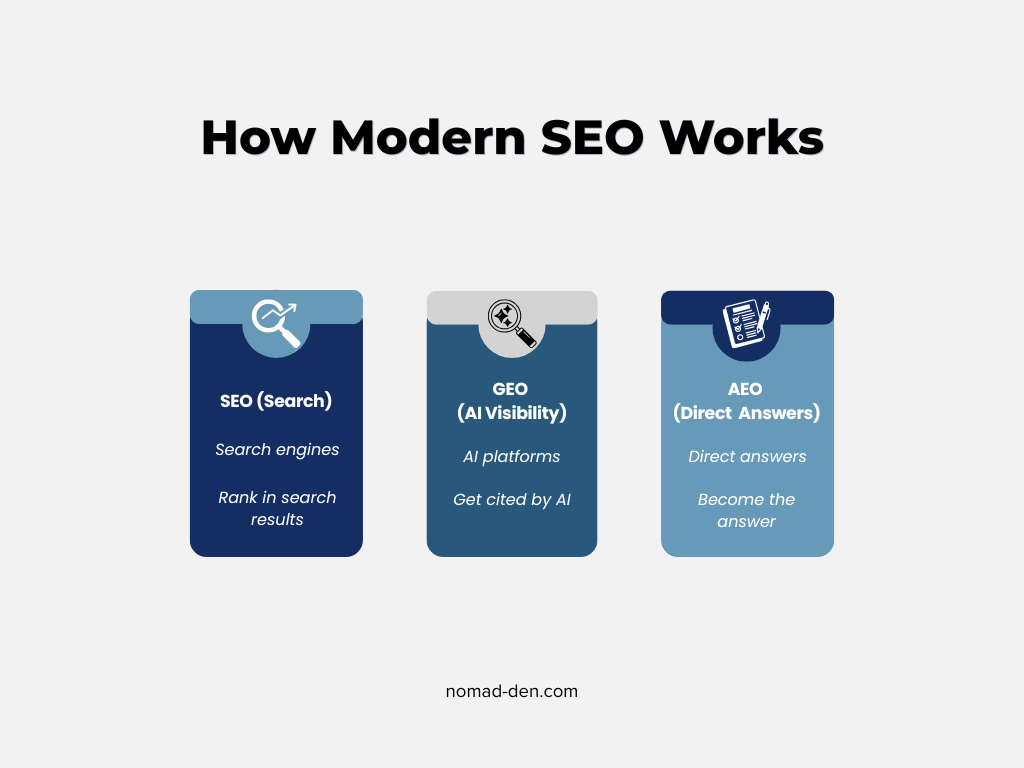
- SEO — Traditional search engine optimization
- GEO — Generative Engine Optimization: Optimizing your content to be found, understood, and cited by AI tools like ChatGPT, Gemini, and Perplexity.
- AEO — Answer Engine Optimization: Structuring your content to clearly and directly answer questions.
In simple terms: GEO helps your content get selected by AI systems, while AEO helps your content get used as the answer. For most beginners, this means one practical shift — write clear, direct answers to specific questions, not just keyword-optimized paragraphs.
If your content actually answers what someone is asking, it’s already moving in the right direction for both. If you’re not familiar with these concepts yet, it may help to review the key SEO terms here.
The Beginner SEO Stack (Simple 3-Layer System)
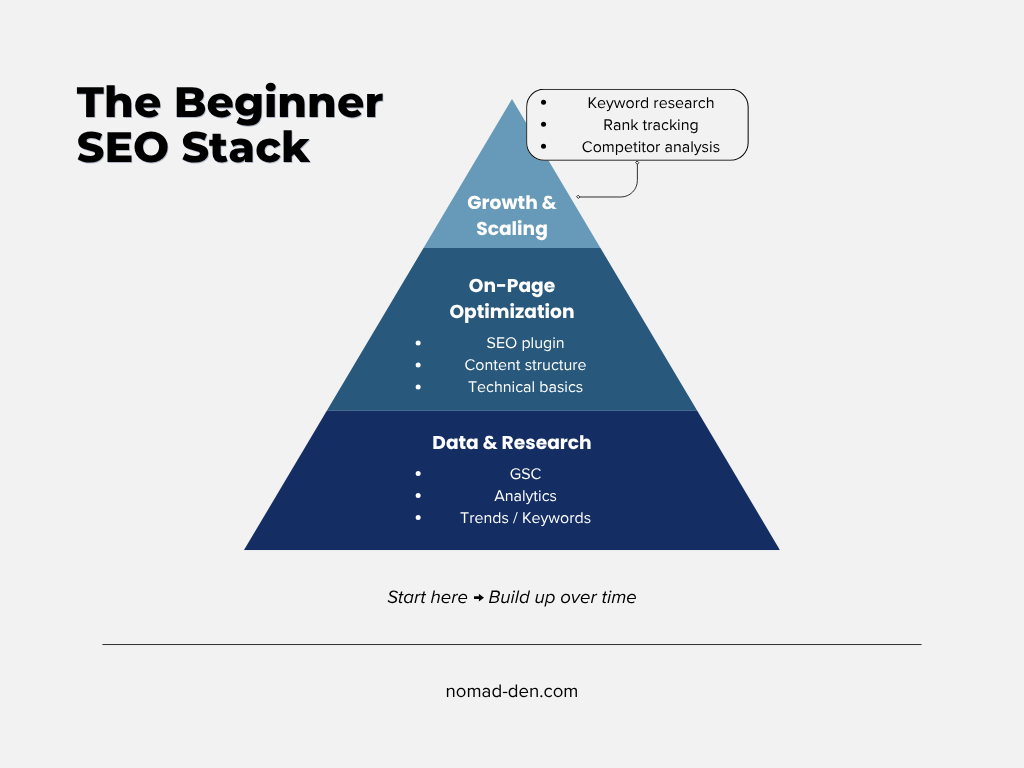
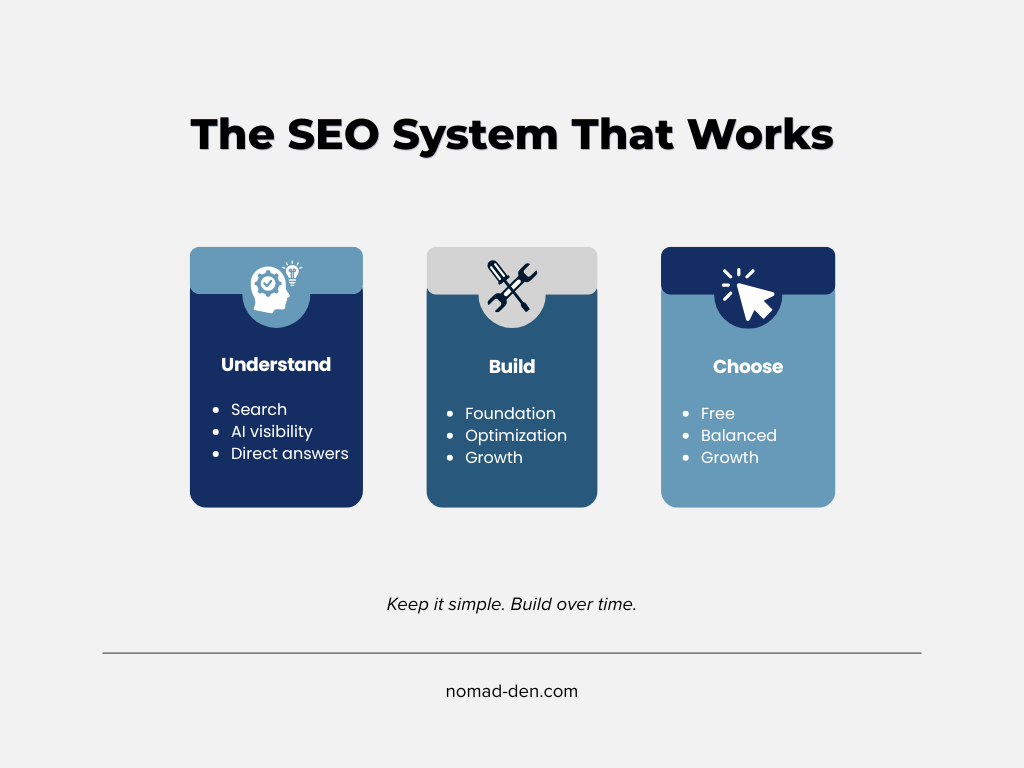
You don’t need dozens of SEO tools to get started. You need a simple system that can produce the most effective results for your situation. This 3-layer stack covers everything a beginner actually needs—data, optimization, and growth—without unnecessary complexity or cost.
Start here, learn how each piece works, and build from there.
Layer 1: Foundation (Free — Where to Start)
These tools are not strictly required, but they represent the most practical starting point for beginners. They give you the data needed to understand what’s working, what isn’t, and where to focus next—without unnecessary complexity. Many of these tools remain useful long after the beginner stage, making them a reliable foundation as your site grows.
- Google Search Console — Shows how your site performs in search (clicks, rankings, indexing). You need it to understand what’s working and what isn’t.
- Google Analytics 4 — Tracks visitor behavior after they land on your site. Helps you see what content keeps people engaged.
- Google Trends — Reveals what people are searching for over time. Helps you spot rising topics before they peak.
- Google Keyword Planner — Provides keyword ideas and search demand. Useful for choosing topics people are already looking for.
Layer 2: On-Page Optimization
These are the most commonly recommended SEO plugins for WordPress. You only need one of them. Each helps you optimize your content and structure your pages for better visibility in search.
- Rank Math — Optimizes posts with built-in suggestions, schema support, and integrations. Widely considered the strongest free option for maximizing visibility.
- All in One SEO (AIOSEO) — Guides on-page optimization with scoring and setup tools. Good balance of usability and control. This is the plugin I use. Known drawbacks include feature overload, aggressive upsells, and heavier performance compared to Rank Math.
- Yoast SEO — The most established option, with strong readability analysis and guided optimization. Best suited for beginners who want a more structured, step-by-step approach.
Key takeaway: Choose the one that fits your workflow and move forward—switching later is possible, but not necessary to get started.
Layer 3: Research + Growth (Where You Start Scaling)
Once your foundation is in place and your content is optimized, the next step is growth. These tools help you find better keywords, analyze competition, and track your progress over time.
- Mangools — Beginner-friendly suite focused on keyword research and SERP analysis. KWFinder is widely praised for its ease of use and clarity. I’ve personally used KWFinder and found it especially useful for identifying keyword opportunities you can actually rank for. Limitation: lighter on site audits and advanced content tools.
- Ubersuggest — Low-cost, easy-to-use platform for keyword ideas and basic SEO insights. Good starting point, though data depth and accuracy are more limited compared to other tools.
- SE Ranking — More feature-complete platform with keyword tracking, site audits, and competitor analysis. Strong value option for those who want broader functionality without premium pricing.
These tools overlap in functionality, so you don’t need more than one. Some, including Mangools, now offer AI visibility tracking—helping you see how your content appears in AI-generated results. The goal isn’t to collect tools, but to understand what’s working and build from there
If you’re ready to start finding keywords you can actually rank for, try KWFinder and see what your audience is searching for.
Privacy-First Analytics (Where It Actually Matters)
Most SEO tools don’t track your users directly, so privacy isn’t a major concern there. Where it does matter is analytics—how you track and understand visitor behavior on your site.
- Plausible Analytics — Lightweight, cookie-free analytics with simple reporting. Easy alternative to GA4.
- Matomo — More advanced, self-hosted option with full data ownership and deeper insights. This is the one I currently use for more control over data and tracking.
You can respect user privacy without giving up meaningful SEO data. Pairing Google Search Console with a privacy-focused analytics tool gives you a clean, reliable view of both search performance and on-site behavior.
Specialty Tools (Use When Needed, Not Day One)
These tools are not required to get started, but can be useful as your site grows and your needs become more specific. Think of them as “Phase 2” tools—helpful, but not essential early on.
Technical SEO
- Screaming Frog SEO Spider — Crawls your website to identify technical issues like broken links, missing metadata, and indexing problems. Most beginners won’t need this on day one, but once your site has 20+ pages, a crawl can surface problems you’d never catch manually.
Content Optimization
- Surfer SEO — Analyzes top-ranking pages and provides content guidelines to help you optimize for better rankings. I haven’t personally used it as part of my regular workflow, but it’s one of the most consistently recommended tools for content scoring — worth knowing about as you scale.
- Frase — Helps generate content briefs and outlines based on search results. More brief-focused than optimization-focused, which makes it a better fit for planning than polishing.
Content Idea Generation
- AnswerThePublic — Visualizes questions and search phrases people use around a topic. Useful for finding content angles. The free version limits daily searches, so use it intentionally.
These tools can improve efficiency and depth, but they’re not necessary to start seeing results. Focus on building your foundation first, then layer these in as needed.
Search Beyond Google (AI + Social Platforms)
As search continues to evolve, your content is no longer confined to traditional rankings. It can now appear across AI-generated results and social platforms—where sources like Reddit, YouTube, and short-form video content are increasingly surfacing in search, something a strong content marketing strategy helps support.
AI Tracking Tools
Otterly.ai
Tracks how your content and brand appear in AI-generated results across platforms like ChatGPT and Google’s AI Overviews.
If you’re building content with GEO or AEO in mind, this tool shows you whether it’s actually working.
You don’t need additional tools to start here—just an understanding of where your content can appear. As your site grows, you can explore tracking tools to measure that visibility more closely.
The Exact Beginner SEO Stack (Simple, Practical Setups)
If you’re just getting started, you don’t need to overthink your setup. These simple combinations cover everything you need to start building traffic—without unnecessary tools or costs.
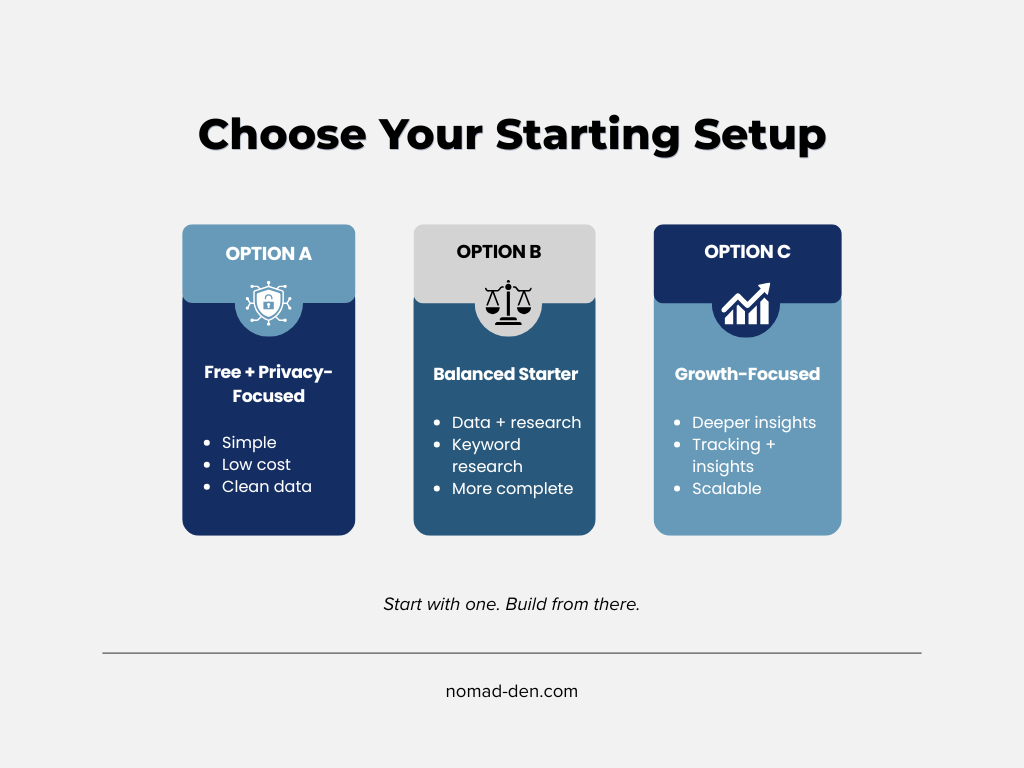
Option A (Free + Privacy-Focused)
- Google Search Console + Plausible Analytics + Rank Math
A simple, privacy-friendly setup with everything needed to track and optimize your content.
Option B (Balanced Starter)
- Google Search Console + Google Analytics 4 + AIOSEO + Mangools
A well-rounded setup for those who want broader data and don’t have privacy concerns around analytics. If privacy matters to your brand or audience, swap GA4 for Plausible.
Option C (Growth-Focused)
- Google Search Console + Rank Math + SE Ranking
A stronger setup for those ready to go deeper into tracking and analysis.
Pick one of these options that best fits your goals, and get started. The goal is to keep things simple, avoid unnecessary costs, and focus on consistent execution.
What Beginners Get Wrong About SEO Tools
Many beginners assume that better tools lead to better results. In reality, most of the early mistakes come down to how tools are used—not which ones are chosen.
Buying tools too early, using too many at once, or chasing features instead of focusing on execution can slow progress more than it helps. One of the most common issues is ignoring the data you already have—especially from tools like Google Search Console.
Tools don’t grow traffic. Consistent content and understanding your data do.
Frequently Asked Questions
Final Thoughts: Build Systems, Not Just Tools
SEO doesn’t require a complex stack of tools to be effective. What matters most is having a clear system—one that helps you understand your data, create useful content, and improve over time.
It’s easy to get caught up in features, comparisons, and new tools, but none of that replaces consistent execution. The setups outlined in this guide are designed to keep things simple while still giving you everything you need to grow.
Focus on building your foundation first. Add tools later, as your needs become clearer.
Some links in this post may be affiliate links. I may earn a commission at no extra cost to you. Learn more here.
Continue Reading
No post found!