
Some links in this post may be affiliate links. I may earn a commission at no extra cost to you.
Table of Contents
- Start Here: Domain and Hosting Setup
- Website Optimization & Speed
- Secure Your Website & Data
- Reach Out to Support When Necessary
- Email & CRM Setup
- CRM (Customer Relationship Management)
- API Integrations & Automations
- Troubleshooting & Maintenance
- Frequently Asked Questions (FAQs)
- Conclusion
- Continue Reading Related Posts
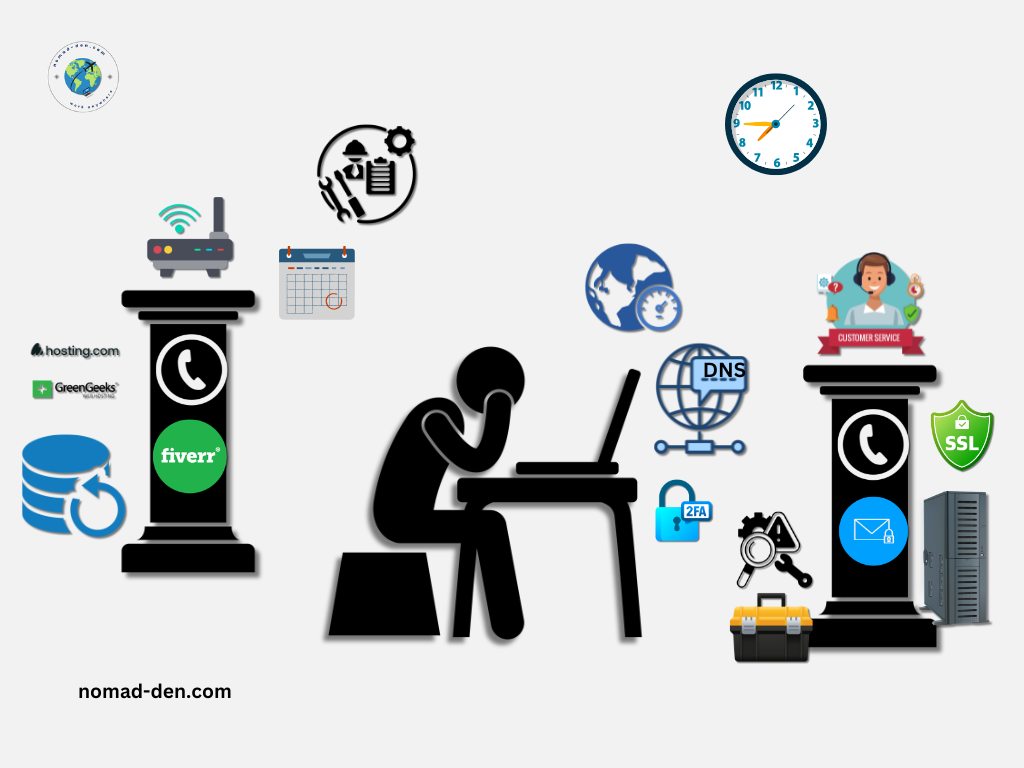
The core technical tasks every online business owner runs into, including DNS setup, SSL certificates, DKIM email authentication, API integrations, and website speed optimization, don’t require advanced technical knowledge to manage. What matters is knowing what each one does, how to approach it, and when to hand it off to someone else.
This guide breaks down each of these hurdles clearly: what they are, how to handle them, and when outsourcing is the smarter move.
Start Here: Domain and Hosting Setup
Purchasing a domain and web hosting is the first real step in building your online presence. The process itself is straightforward, but DNS configuration, SSL installation, and performance settings can vary quite a bit depending on which provider you choose.
Start with a Reliable Hosting Provider
- Why it matters: A solid hosting provider often minimizes the number of technical issues you’ll face. Reliable customer support and easy-to-use DNS management tools are essential for resolving problems quickly.
- How to Approach: When you run into issues, make sure you’re familiar with your hosting provider’s support options. Keep guides and tutorials on hand for tasks like DNS management or SSL certificate setup.
If you’re unsure which hosting provider is right for you, compare your options in this hosting guide before diving into setup.
Once you’ve secured a reliable host, you’ll want to understand a few key concepts that affect how your website runs behind the scenes.
Familiarize Yourself with Key Concepts
- DNS (Domain Name System): DNS translates your domain name into the IP address where your website lives. If your site isn’t loading, a misconfiguration here is usually the first thing to check. DNS records are long alphanumeric codes, so always copy them rather than typing them out.
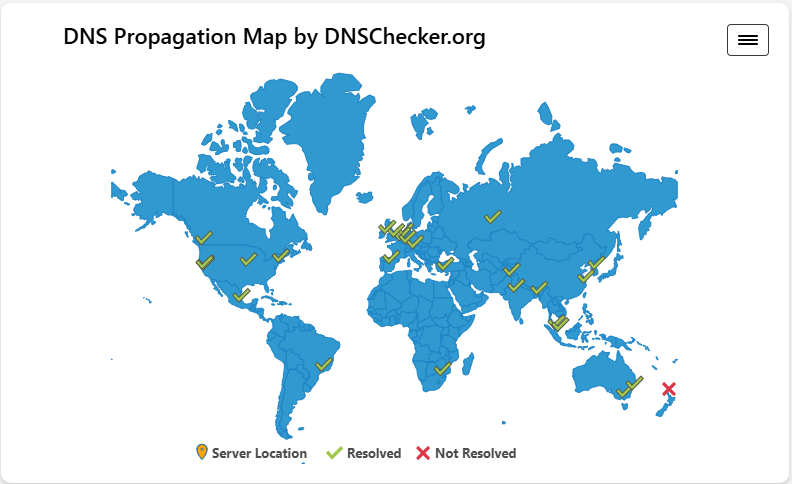
- DNSChecker.org: If you’ve seen errors like “DNS not responding”, learn how to check propagation or use a tool like DNSChecker.org. It is a free tool that verifies whether your changes have been applied globally, ensuring your website’s accessibility.
- HTTPS (Hypertext Transfer Protocol Secure): The secure version of HTTP. It ensures that data transferred between your site and visitors is encrypted. Search engines also favor HTTPS-enabled sites, making it a ranking factor in SEO.
For full definitions of these and other terms, explore the Glossary.
Website Optimization & Speed
A slow website directly impacts both user experience and SEO rankings. Even a one-second delay can increase bounce rates and reduce conversions. Google’s own research shows that the probability of a visitor leaving jumps 32% as load time goes from one second to three. Here are the key areas to address:
- Image Compression: Large, uncompressed images can significantly slow down your website. Use image compression tools to reduce file sizes without compromising quality. WordPress users can handle this directly with a plugin; our WordPress setup guide covers the essentials.
- Minify CSS & JavaScript: Reducing the size of your CSS and JavaScript files by removing unnecessary characters (like spaces and line breaks) can improve load speed.
- Use a CDN (Content Delivery Network): A CDN distributes your website’s content across multiple servers worldwide, reducing latency and improving load times for visitors no matter where they are. This helps deliver a faster, more consistent browsing experience.
By focusing on these key optimization techniques, you’ll ensure your website provides a fast, seamless experience for users while improving your SEO performance. For more complex optimizations, bringing in a professional on Fiverr is often faster and cheaper than hours of troubleshooting on your own.
Want faster load times and better performance? Read my Hosting.com speed and performance review to see how it compares against other top hosting providers in speed, uptime, and value.



Secure Your Website & Data
Even if your website isn’t live yet, getting security fundamentals in place early protects your data, your domain, and your visitors. Here’s what every online business owner needs to understand and set up.
- SSL Certificates: These encrypt data between your website and its visitors so no one can “listen in” or steal sensitive info (like passwords). Most hosts give you free SSL and easy install.
- DDoS Protection: Prevents attackers from flooding your site with junk traffic that can take it offline. Many hosting providers include this automatically.
- Hotlink Protection: Stops other sites from “stealing” your files (like images or videos) and embedding them on their own site, which can slow yours down.
- WHOIS Privacy: Keeps your personal details (name, email, phone) hidden from public domain records so spammers and scammers can’t find you.
- VPN Protection: Using a VPN (Virtual Private Network) when logging in from coffee shops, airports, or public Wi-Fi adds a safety layer by keeping your connection private.
For VPN protection while managing your business remotely, NordVPN is my go-to. Strong encryption, fast speeds, and coverage for up to 10 devices make it a reliable choice for anyone working online.

Reach Out to Support When Necessary
- Contacting Support: When looking to invest in web hosting, make sure to choose a company with a strong service reputation to help you handle any technical tasks or hiccups you may have along the way. Hosting with a dedicated support team is a requirement to keep your business up and running smoothly.
Delegating to Experts on Fiverr
Running an online business means wearing many hats, but trying to do everything yourself can slow progress. For solopreneurs or growing teams, knowing how to outsource specific tech tasks frees up time for strategy. Whether it’s a small technical fix or an ongoing project, outsourcing helps you move forward with efficiency and confidence, without stretching your budget.

Email & CRM Setup
Email marketing and a CRM keep your audience connected and your customer relationships organized — two systems worth setting up early, even if you start simple. For a full breakdown of tools, strategy, and examples, read our guide: Email Marketing Essentials.
DKIM & Email Authentication
Google and Yahoo now require proper email authentication to ensure messages reach their intended recipients. DKIM (DomainKeys Identified Mail) verifies that your emails are sent from a trusted source, protecting your domain’s reputation and keeping your messages out of spam folders.
For account-level protection beyond DKIM, Email & Account Security covers login credentials, 2FA, and more.
Set up DKIM authentication with GetResponse to protect your domain reputation and keep your emails out of spam. Explore the full suite of AI-powered email tools below.


CRM (Customer Relationship Management)
For online business owners who need email marketing and CRM in one place, Systeme.io is the most practical option, particularly when you’re just getting started. It handles email campaigns, funnels, CRM, and course creation without requiring separate tools or integrations.
Best of all, Systeme.io offers a free plan with access to all tools and no time limit. You can also explore my guide on how to build a business with Systeme.io for practical tips on getting the most from the platform.


API Integrations & Automations
APIs (Application Programming Interfaces) and automation tools connect different software so they “talk” to each other and take repetitive tasks off your plate. With the right setup, APIs can handle things like connecting customer data, automating email marketing, or linking your CRM with payment systems. The payoff is smoother workflows, but the setup can sometimes feel tricky.
Common Technical Challenges:
- API Setup: Getting an API to work usually means plugging in special codes (like DNS records) and exact details. If anything is off, the connection fails.
- Automation Workflows: Syncing data across tools (like a CRM and email platform) can be frustrating. A small misstep can cause mismatched info or stop automations altogether.
- Exposed API Keys: An API key left in a public code repository, a screenshot, or a loosely secured integration can hand someone the same access you have, without ever touching your password.
How to Address These Challenges:
- Lean on Documentation: Most tools provide setup guides with step-by-step instructions. Following these can save hours of trial and error.
- Ask for Help if Needed: If you get stuck, reach out to their support system or community forums. Chances are someone else has hit the same roadblock before.
- Rotate and Limit Key Access: Treat API keys like passwords, store them somewhere private, never paste them into public docs or repos, and revoke access for any integration you’re no longer using.
Beyond your platform’s support resources, you can also lean on expert freelancers to handle tricky integrations, freeing up time for the work that actually moves your business forward.

When APIs and automations are set up correctly, they become a powerful engine for your business. Don’t shy away from outsourcing if it helps keep everything running smoothly.
Troubleshooting & Maintenance
Even after your systems are set up, regular maintenance and troubleshooting are key to keeping your online business running smoothly. Technical issues can crop up unexpectedly, whether it’s a sudden drop in website speed or an email campaign not functioning properly. Staying proactive saves time and prevents most issues before they start. Here are three habits worth building:
- Regular Backups: Ensure your website and customer data are regularly backed up. This protects your business from data loss and allows you to restore your site quickly if needed.
- Monitor Website Performance: Keep an eye on your website’s performance using tools like Google Analytics or speed testing services. This helps you spot any slowdowns or performance issues early on.
- Security Updates: Regularly update your plugins, themes, and any software you’re using. Outdated software can introduce security vulnerabilities.
When technical issues arise, having a reliable hosting provider with strong customer support can make all the difference. Hosting.com (formerly known as A2 Hosting) offers 24/7/365 live support with an average chat response time of under a minute, backed by a 99.9% uptime commitment and rated 5/5 stars by over 67,000 customers. With that kind of reliability behind you, complex technical issues don’t have to stop you cold.
Read my full Hosting.com review for a breakdown of features and performance before exploring their plans below.


Frequently Asked Questions (FAQs)
Conclusion
Every online business runs into technical hurdles. The difference between feeling stuck and moving forward is how you respond to them. By leaning on reliable hosting, taking time to understand the essentials, and outsourcing when needed, you can handle tech challenges without losing momentum.
The more you build this mindset, the more confidence you’ll have tackling whatever comes next, whether it’s launching new tools, expanding your audience, or scaling your business. Technical roadblocks aren’t the end of the journey; they’re part of running any online business.
Some links in this post may be affiliate links. I may earn a commission at no extra cost to you. Learn more here.
Continue Reading Related Posts

Email & Account Security: Guard Your Data Online
With an astounding 392.5 billion emails sent and received every day by well over 4…

WordPress for Beginners: Setting Up Your Website
WordPress is a free, open-source content management system (CMS) that powers more of the internet…
Digital vs. Physical Products: Which E-Commerce Path Is Right for You?
E-commerce lets you sell products and generate income online without a physical storefront, set hours,…
Top 5 Tools Every Online Business Owner Needs
Most online businesses are built on five foundational tool categories: a domain and hosting, a…
Hosting.com Review: Why Website Speed Matters
Web hosting speed, specifically how quickly your site responds and fully loads, directly affects conversions,…
7 Best Hosting Providers Compared for 2026
A domain is your website’s address, and web hosting is the service that stores your…