
Some links in this post may be affiliate links. I may earn a commission at no extra cost to you.
Table of Contents
- What Is a Social Media Scheduling Tool?
- Why Schedulers Matter More Than Ever in 2026
- What These Tools Actually Do For You
- Advantages and Disadvantages of Social Media Schedulers
- Comparing the Top Social Media Schedulers
- Beyond Scheduling: Who Handles Replies?
- How to Choose the Right Scheduler for You
- Frequently Asked Questions (FAQs)
- Conclusion
- Continue Reading Related Posts
There’s a version of social media growth that gets sold constantly: post more, post everywhere, post now. Some other common advice includes: post consistently, trust the process, and “just show up.” To be fair, some of that is true and solid advice, but it doesn’t get into the weeds of how that is really achieved. Just showing up and posting every day is not a strategy. For most people building something on the side, or building it while traveling, that advice is a fast track to burning out before the audience ever shows up. A recent industry study found that 62% of full-time creators report burnout symptoms, and 71% say their workload has grown significantly over the past two years.
The solution isn’t willpower. It’s a system. Creating a schedule that you can reliably stick to consistently over time helps you avoid the burnout that so many creators fall prey to. That’s where social media scheduling tools come in. Used well, they let you batch a week or a month of content in one sitting, then step away, whether that means focusing on other parts of your business, spending a day fully offline, or working from an airport with unreliable Wi-Fi.
This post breaks down what these tools actually do, why they matter more now than they did even a couple of years ago, and how five of the leading options compare so you can pick one that fits where you’re starting from.
What Is a Social Media Scheduling Tool?
A social media scheduling tool lets you write, design, and queue up posts in advance, then automatically publishes them across your connected platforms at set times, so you don’t have to be logged in and posting manually every day. Most also include a content calendar, basic analytics, and increasingly, help from AI with captions or optimal send times. They’re built for one core problem: consistency requires showing up regularly, but your time doesn’t scale the same way your content needs to.
Why Schedulers Matter More Than Ever in 2026
A few years ago, a scheduler was a convenience. Today it’s closer to content marketing infrastructure, for two reasons.
The first is how people actually search now. Neil Patel refers to this shift as Search Everywhere Optimization, the idea that ranking on Google is no longer enough because people are searching, discovering, and deciding across other platforms beyond it, just as often as they’re typing into a search bar. Google now represents a shrinking share of total daily searches once you count every platform where people look things up. Practically, that means a single piece of content isn’t a complete strategy anymore. It needs a presence in more than one place to actually get found, and a scheduler is what makes that presence sustainable instead of a second full-time job.
The second reason is how the algorithms themselves behave. Platforms don’t just reward consistency, they actively penalize its absence. A Buffer study of over 100,000 users tracked posting behavior over 26 weeks and found that creators who posted in 20 or more of those weeks saw roughly 450% more engagement per post than creators who posted in four weeks or fewer. Even showing up in half the weeks still produced a 340% lift over sporadic posting. Here’s why: when you go quiet for a stretch, the algorithm doesn’t just pause, it starts to “forget” the audience cluster it had built around your content, and your reach resets closer to zero the next time you post. Consistency isn’t a nice-to-have signal. It’s closer to a requirement for staying visible at all.
Put those two forces together and the picture is clear: you’re expected to be present across more places, more consistently, than ever before, using the same 24 hours you had before any of this changed. A scheduler doesn’t just save time, it’s the tool that makes it possible to meet that bar without living inside your phone.
What These Tools Actually Do For You
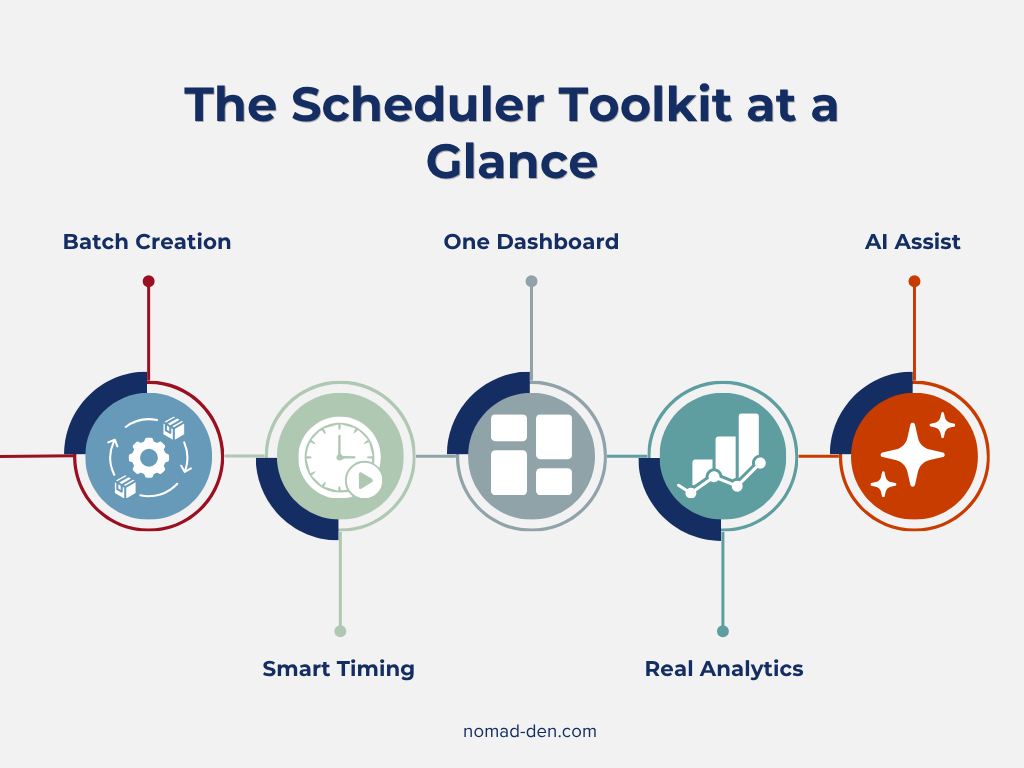
Strip away the marketing language and every scheduler on the market handles some combination of the same core jobs:
- Batch content creation. Write and design a week’s or month’s worth of posts in one sitting instead of daily.
- Automatic publishing at set times, including optimal-time suggestions based on when your specific audience is active.
- One dashboard for multiple platforms, so you’re not logging into five separate apps.
- Basic to advanced analytics, tracking what’s actually working so you can adjust.
- AI-assisted captions or content ideas on most modern platforms, though the depth varies a lot by tool and price tier.
None of that replaces the actual creative work. What it replaces is the daily grind of manually pushing that work out the door.

Advantages and Disadvantages of Social Media Schedulers
The advantages are straightforward: reclaimed hours every week, consistency even during travel days or busy stretches, and a bird’s-eye view of your content calendar instead of guessing what you posted last Tuesday. For a solo creator or small business owner, that time savings is often the entire reason to pay for one of these tools at all.
The disadvantages matter just as much, and most roundups skip them. A scheduler cannot fix weak content, and it will publish a mediocre post exactly as reliably as a great one. Engagement still requires a human: replying to comments, answering DMs, and showing up in the conversation your post started (more on tools that help with that later). Some platforms also complicate the “set it and forget it” promise. Instagram, for example, still requires a Business account for full automation on several tools, and certain post types (carousels with multiple images, for one) sometimes need a manual push notification instead of a true auto-publish. None of that makes schedulers a bad investment, it just means they handle distribution, not strategy or relationships.
Comparing the Top Social Media Schedulers
Pricing and platform support below reflect publicly available vendor data as of mid-2026 and are subject to change. Confirm current details on each provider’s site before subscribing.
| Tool | Starting Price | Platforms Supported | Standout Feature | Best For |
|---|---|---|---|---|
| SocialPilot | $25.50/mo (annual) | Facebook, Instagram, LinkedIn, X, TikTok, YouTube, Pinterest, Threads, Bluesky, Google Business Profile | AI captions included even on the entry tier, bulk CSV scheduling | Beginners planning to scale toward multiple accounts or clients |
| Buffer | Free, or $5/channel/mo | Facebook, Instagram, TikTok, X, LinkedIn, Pinterest, YouTube Shorts, Threads, Bluesky, Mastodon, Google Business | A genuinely usable free plan | Testing the waters with 1 to 3 profiles |
| Tailwind | Free, or $17.99/mo (annual) | Pinterest, Instagram, Facebook only | Native Pinterest scheduling and Tailwind Communities | Visual-first creators, especially Pinterest-heavy strategies |
| Hootsuite | $99/mo | Facebook, Instagram, X, LinkedIn, TikTok, YouTube (full-length and Shorts), Threads, WhatsApp, Pinterest | Full-length YouTube video scheduling, not just Shorts | Teams with budget and a heavy YouTube presence |
| Later | $25/mo | Instagram, TikTok, Facebook, X, Pinterest, LinkedIn, YouTube Shorts | Visual content calendar with feed preview | Instagram and TikTok-first visual planners |
SocialPilot
This is the tool we’d point most beginners toward, and the reasoning is simple: it covers the widest platform list on this table, including YouTube, at a starting price roughly a third of Hootsuite’s. The Essentials plan includes 500 AI credits for captions and hashtag help, which most competitors reserve for higher tiers, and bulk CSV scheduling means you can queue up a month of content in one upload once you’re ready to scale past manual entry. One caveat: at just one or two profiles, a free plan elsewhere may cost less, SocialPilot’s value case gets stronger as you add accounts. If you’re planning to grow past a couple of platforms, though, start your free trial with SocialPilot and build the habit before you need the extra room.
Buffer
Buffer has the best starter plan if you’re not ready to pay for anything yet. The free plan supports three channels with a genuinely useful feature set, including an AI Assistant, though YouTube support is limited to Shorts only. Its biggest strength is simplicity, if you want something you can learn in ten minutes without a learning curve, this is it.
Tailwind
Tailwind is built intentionally for use with Pinterest, and it shows. If your strategy leans heavily visual (see our Pinterest guide for more on that approach), Tailwind’s Communities feature and Pinterest-specific analytics outperform general-purpose tools. Its narrow platform list (Pinterest, Instagram, and Facebook only) is the tradeoff.
Hootsuite
Hootsuite is the most established name in the category, and the only tool here that schedules full-length YouTube videos alongside Shorts. That YouTube depth is genuinely valuable if video is central to your strategy, but the $99/month entry price is hard to justify for someone just getting started.
Later
Later is a strong Instagram and TikTok-focused alternative to Tailwind, with a drag-and-drop visual calendar that shows exactly how your feed will look before anything goes live. It also schedules YouTube Shorts, something Tailwind doesn’t touch at all, making it the better pick if your visual strategy spans more than one platform.
Beyond Scheduling: Who Handles Replies?
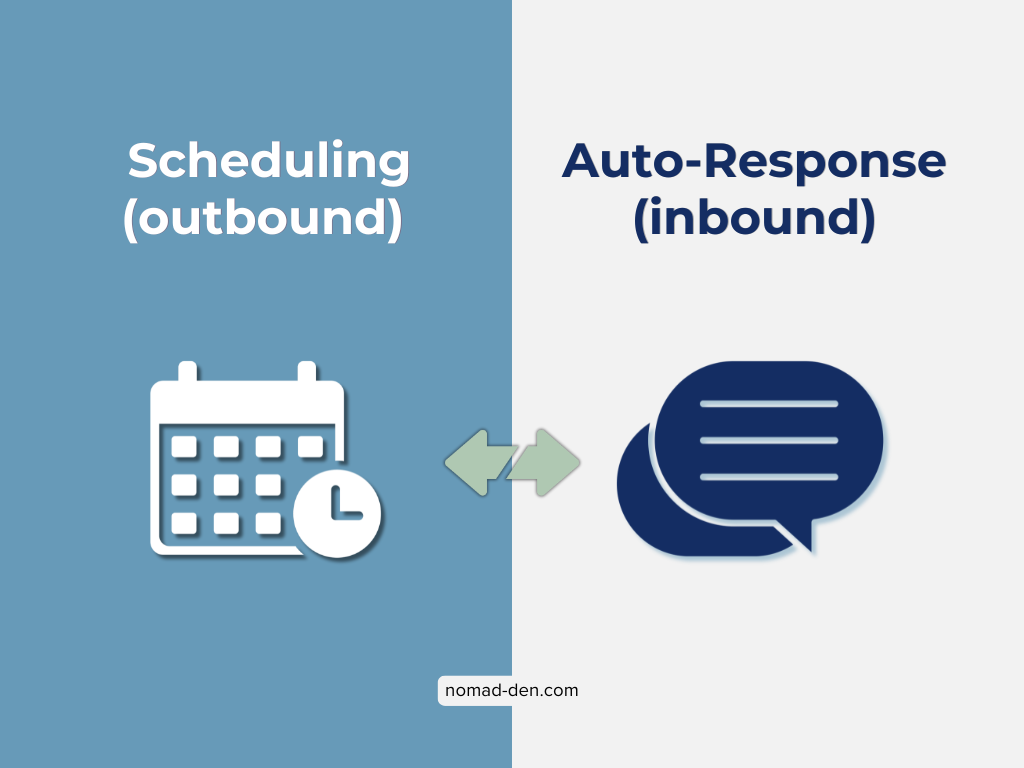
Everything covered so far handles getting content out. However, it doesn’t handle what happens when people respond to it. That’s a different category of tool, DM and comment automation, and it’s worth understanding the distinction before you assume one tool does both.
A scheduler queues up your original posts. An auto-responder like ManyChat handles what happens after someone comments or DMs you, automatically replying, sending a link, or starting a conversation flow. You may not need one from the beginning, but if a post gains traction, the comments and DMs can pile up fast, and an auto-responder is what keeps you from losing track of people who were genuinely interested.
These three are included because the two tool types are frequently confused for one another, and understanding the distinction matters before you build a workflow around either.
Pricing below reflects publicly available vendor data as of mid-2026 and is subject to change. Confirm current details on each provider’s site before subscribing.
| Tool | Starting Price | Pricing Model | Platforms | Best For |
|---|---|---|---|---|
| ManyChat | Free (25 contacts), or $14/mo (250 contacts) | Per-contact, scales up to $139/mo at 25,000 contacts | Instagram, Facebook Messenger, WhatsApp, SMS, TikTok, Email | Multi-platform brands that need everything in one dashboard |
| Chatfuel | Around $14.99/mo | Feature-based, not per-contact, scaling toward $69/mo on higher tiers | Instagram, Facebook Messenger, WhatsApp, Telegram | Predictable costs as your list grows |
| LinkDM | Free (1,000 DMs/mo), or $19/mo | Flat rate, Instagram-only | Instagram-only creators who want the most generous free tier |
ManyChat
ManyChat is the most recognized name in this space, and for good reason: it covers more platforms than anything else here. The tradeoff is its pricing model. ManyChat restructured to per-contact tiers in March 2026, and its free plan now caps at just 25 contacts, down significantly from what longtime users may remember. A single viral comment thread can push you into a higher tier fast, which is worth knowing before you build a workflow around the free plan specifically.
Chatfuel
Chatfuel solves that exact problem with feature-based rather than contact-based pricing, so a growing audience doesn’t automatically mean a growing bill. It’s a reasonable middle ground if you want multi-platform coverage without ManyChat’s per-contact math.
LinkDM
LinkDM is the leanest option here, built for Instagram only, but with the most generous free tier of the three (1,000 DMs a month before you’d need to pay anything). If Instagram is your only automation priority right now, this is the lowest-friction way to test the category before committing budget.
How to Choose the Right Scheduler for You
A few filters, in order of what actually matters most for a beginner:
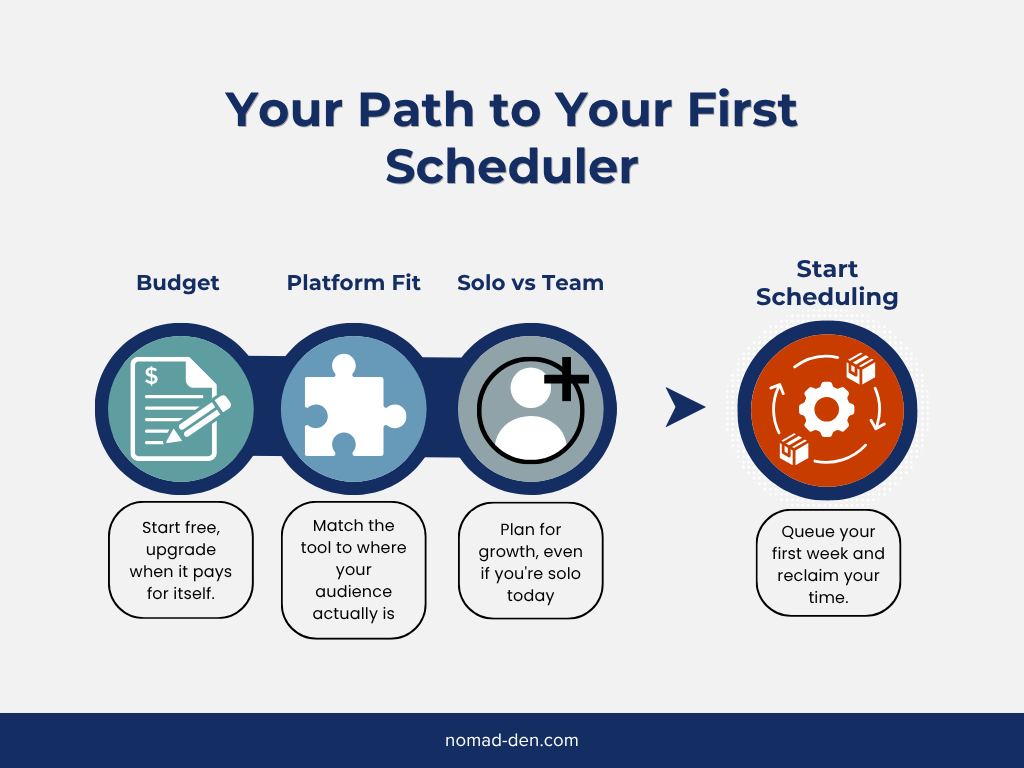
Budget first. If you’re not ready to pay for anything, start on Buffer’s free plan. If you’re ready to invest and think you’ll eventually manage more than a couple of profiles, SocialPilot’s Essentials tier is the strongest dollar-for-dollar starting point on this list.
Platform Fit
Second, where you fit depends on your content style:
- Pinterest-heavy strategy? Tailwind will outperform a general-purpose tool.
- YouTube central to your content? Hootsuite’s full-length video scheduling is worth the higher price.
- Juggling two or three platforms with no single dominant channel? SocialPilot or Buffer covers the ground more efficiently for most beginners.
Solo versus team, third. Everything on this list works fine for one person. The moment a second person needs access, whether a virtual assistant, a business partner, or a client, pricing models diverge fast (per-seat versus flat-fee versus per-channel), so it’s important to plan ahead even if you’re solo today.
If you’re building this around a mobile or travel-heavy lifestyle, the workflow that tends to work best is batching during your most stable connectivity windows: write and schedule two to four weeks of content in one sitting, then let the queue run while you’re focused on other things, including days with limited or no signal. The scheduler’s job isn’t to replace showing up, it’s to decouple showing up from being online at that exact moment.
Frequently Asked Questions (FAQs)
Conclusion
The goal here was never to convince you to post more. It’s to build a system where consistency doesn’t depend on you being glued to your phone every day. The data is clear that algorithms reward showing up regularly and quietly punish long gaps, but “regularly” doesn’t have to mean “constantly,” and it definitely doesn’t have to mean burnout.
Start with the tool that matches your budget and platform mix today, not the one built for the business you might have in a year. For most beginners covering multiple platforms on a real budget, that’s SocialPilot, start your free trial and get your first month of content queued up before you need it.

Some links in this post may be affiliate links. I may earn a commission at no extra cost to you. Learn more here.
Continue Reading Related Posts
SEO Tools for Beginners (Free + Paid): The Only Stack You Need (2026)
As long as people are searching for information online, SEO (search engine optimization) will remain…
Digital Marketing Guide: Where to Start and How It Works
Digital marketing is the promotion of products or services using digital channels such as search…
Top 5 Tools Every Online Business Owner Needs
Most online businesses are built on five foundational tool categories: a domain and hosting, a…
Build an Online Business (Free) With Systeme.io
Systeme.io is a free all-in-one marketing platform that consolidates the tools most online entrepreneurs need…
Email Marketing Essentials: Platforms, Automation, and List Hygiene
Email marketing means sending targeted messages directly to people who’ve opted in to hear from…
Mangools Review: Is It the Best SEO Tool for Beginners?
Search Engine Optimization (SEO) is the most effective organic method for connecting with your audience,…