
Table of Contents
- What Remote Work Actually Means
- High-Demand Remote Work Fields (That Actually Last)
- Which Remote Skills Will Still Matter in the Future?
- Tools You Actually Need (Without Overcomplicating It)
- Why Security Matters More in Remote Work
- How to Choose Your Remote Work Path
- Frequently Asked Questions
- Final Thoughts
- Go Deeper: Build Your Remote Work Skills
Remote work isn’t just about convenience. It’s about control over your time, your environment, and your income. But that’s also where most people get stuck.
They start searching for “remote jobs” without understanding where they actually fit. They chase tools before developing real skills. And almost nobody thinks about security until something goes wrong.
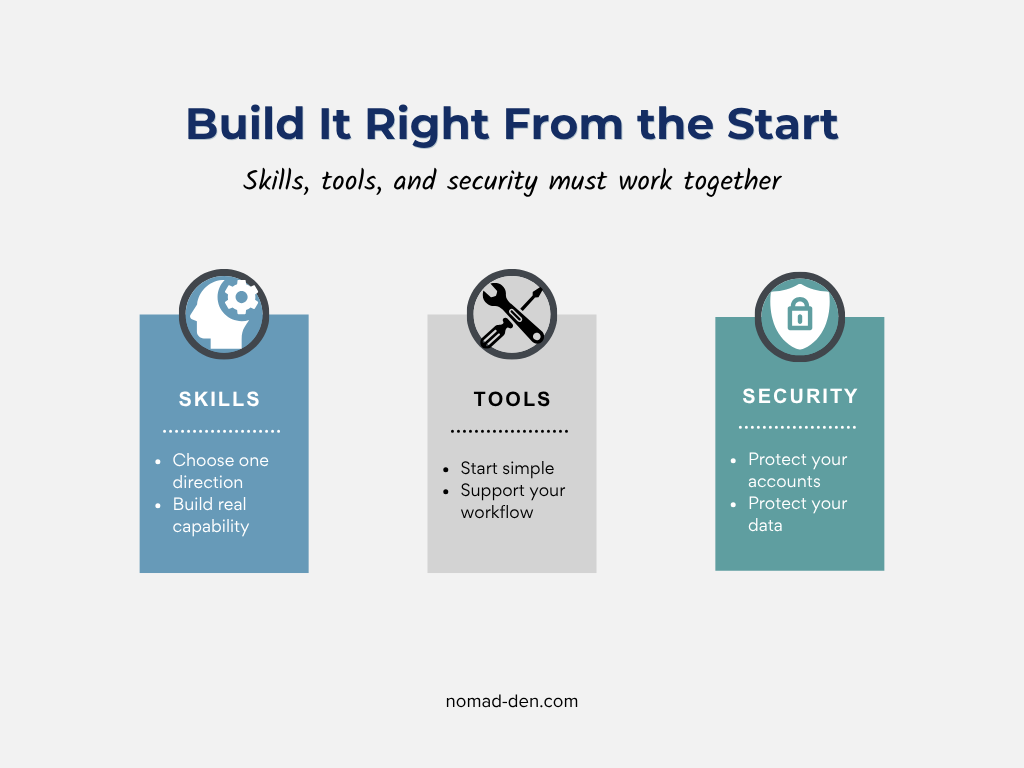
Remote work is not a job category. It is a way of working. Whether you’re freelancing, running a digital business, or working for a company from home, the fundamentals are the same. If you want to build income online that actually lasts, you need three things working together: the right skills, the right tools, and the right security practices.
This guide walks you through all three so you can start working remotely with clarity, direction, and a setup that holds up over time.
What Remote Work Actually Means
Most people define remote work too narrowly, thinking of it as working from home for a traditional employer. The reality is broader than that:
Remote work = using your skills to earn income online, from anywhere in the world
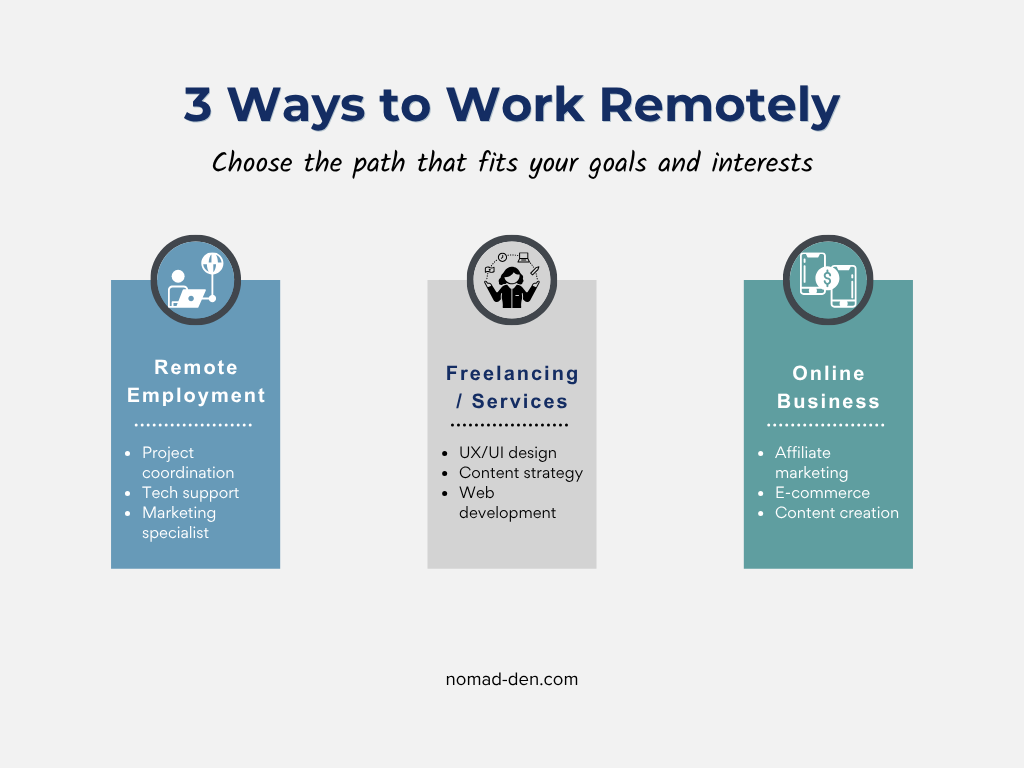
Remote work takes different forms depending on your goals, skills, and how much independence you want to build over time. At its core, though, it comes down to three main paths:
- Working for a company remotely (from home, for example); checking in through regular meetings via a communication tool like Slack
- Freelancing and services (contracted work with clients), and
- Digital business models (building scalable income)
Each path has real trade-offs in terms of income stability, flexibility, and how long it takes to get started. The key isn’t finding the “best” option, it’s choosing the one that fits where you are now and where you want to go.
High-Demand Remote Work Fields (That Actually Last)
Not all remote work is equal. Some paths are being automated quickly by AI. Others are becoming more valuable over time. Focus on fields that require thinking, creativity, and decision-making, not just repetition. The following are some of the top fields in demand, heading into the future, and are more resistant to AI replacement:
Digital Marketing & Online Business
More business is being conducted online. Those businesses require digital marketing to promote their message and reach their target audience. This is one of the most accessible and scalable paths. Examples include:
- Search engine optimization (SEO)
- Affiliate marketing
- Email marketing
- Funnel building
These skills connect directly to building your own income streams, not just working for someone else. Combined, they form the foundation of a scalable online business. Learn how digital marketing drives real success online.
Content Creation & Creative Skills
Content drives everything online. While it’s a broad term, it represents the foundation of how businesses communicate, attract attention, and build trust. Content marketing is the strategy behind distributing that content effectively. Examples include:
- Writing and blogging
- Video editing
- Graphic design
- Content strategy
If you can create or improve content, you have a skill that transfers across platforms, industries, and business models. Dive deeper into how content marketing actually works.
Technical & Analytical Skills
You don’t need to be a full developer to benefit from technical skills. A basic understanding of how websites, tools, and data work gives you more control over your workflow and results. These skills help you troubleshoot issues, optimize performance, and make more informed decisions.
- UX/UI basics
- Website setup and management
- Data interpretation
Even a basic level of technical understanding gives you a strong advantage in both efficiency and problem-solving. Learn how common tech concepts actually work.
Cybersecurity & Privacy Awareness
This is often overlooked, but it shouldn’t be. As more people work online, cybercrime continues to rise alongside it. The more accounts, tools, and platforms you use, the more exposure you create. That is why cybersecurity is no longer optional. It is part of the skill set. Getting started doesn’t require deep technical expertise, but it does mean developing awareness in a few key areas:
- Recognizing common online threats and scams
- Protecting your accounts, data, and devices
- Using privacy-focused tools like a VPN and password manager
As more of your work and income moves online, security becomes a necessary part of the skill set, not something you add later after something goes wrong. Learn about the cybersecurity basics to best protect yourself online.
The goal isn’t to master everything at once. It’s to choose a direction, build your skill set, and protect what you’re building as you go. Because in a landscape shaped by automation and AI, the skills you develop, and how you apply them, will determine how resilient your work really is.
Which Remote Skills Will Still Matter in the Future?
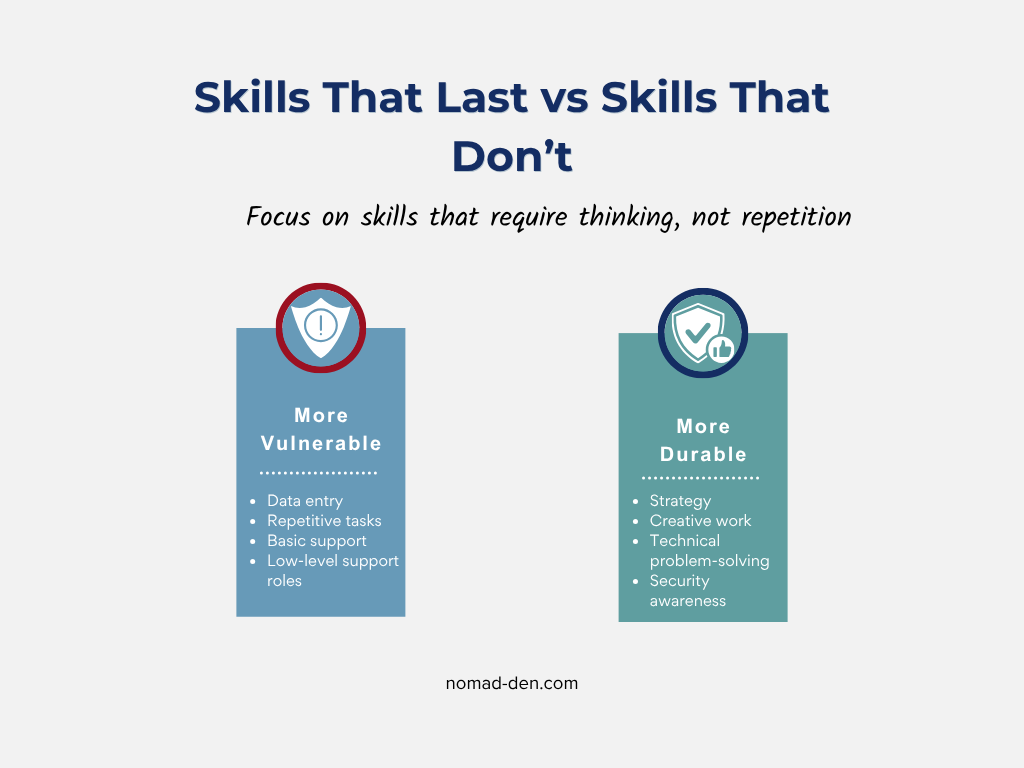
There’s a lot of noise around AI replacing jobs. Some of it is justified. If you’re concerned about where your skills fit as AI continues to evolve, you’re not alone. Here’s the reality. Some work is far more vulnerable to automation than others:
More Vulnerable to Automation
- Basic data entry
- Repetitive admin tasks
- Low-level support roles
More Resistant to Automation
- Strategy and decision-making
- Creative work and messaging
- Technical problem-solving
- Security awareness
AI doesn’t replace skilled people. It replaces repetitive tasks.
If your work requires thinking, adapting, and making decisions, you’re building something far more resilient than most.
Tools You Actually Need (Without Overcomplicating It)
Most beginners get this backward. They look for tools first, then try to figure out what to do with them. That approach doesn’t work.
Your tools should support your skills, not define them.
Consider your field and experience before choosing tools for your workflow. Common requirements for different remote work setups include:
Core Setup (Non-Negotiable)
Remote work requires a stable internet connection to interact with your company, clients, or customers, and a reliable laptop or desktop to work on.
This is the bare minimum. You don’t need a complex setup to get started.
Work Tools (Based on Your Skill)
Your tools will vary depending on your skill set and the type of work you do. The right stack for a content creator looks nothing like the right stack for a freelance developer or a digital marketer, and that’s by design.
- Marketing → SEO tools, email platforms, funnel builders
- Content → Canva, writing tools, video editors
- Freelancing → platforms like Fiverr or Upwork
Start with the minimum your work actually requires, then add tools as your workflow grows and your needs become clearer. Overbuilding your setup early is one of the most common ways beginners stall before they even get started.
Security Tools (You Can Work Without Them. You Shouldn’t.)
This is where many people cut corners. That’s a mistake. Security protects everything you build and everything you access. At a minimum, you should be using:
- A password manager to secure your accounts
- Two-factor authentication (2FA) wherever possible
- A VPN to protect your connection, especially on public networks
You can work without these. You shouldn’t. As your work and income move online, protecting your accounts, data, and connections becomes part of the process, not an optional step.
Start with your accounts. Learn how to secure your email and logins properly.
Why Security Matters More in Remote Work
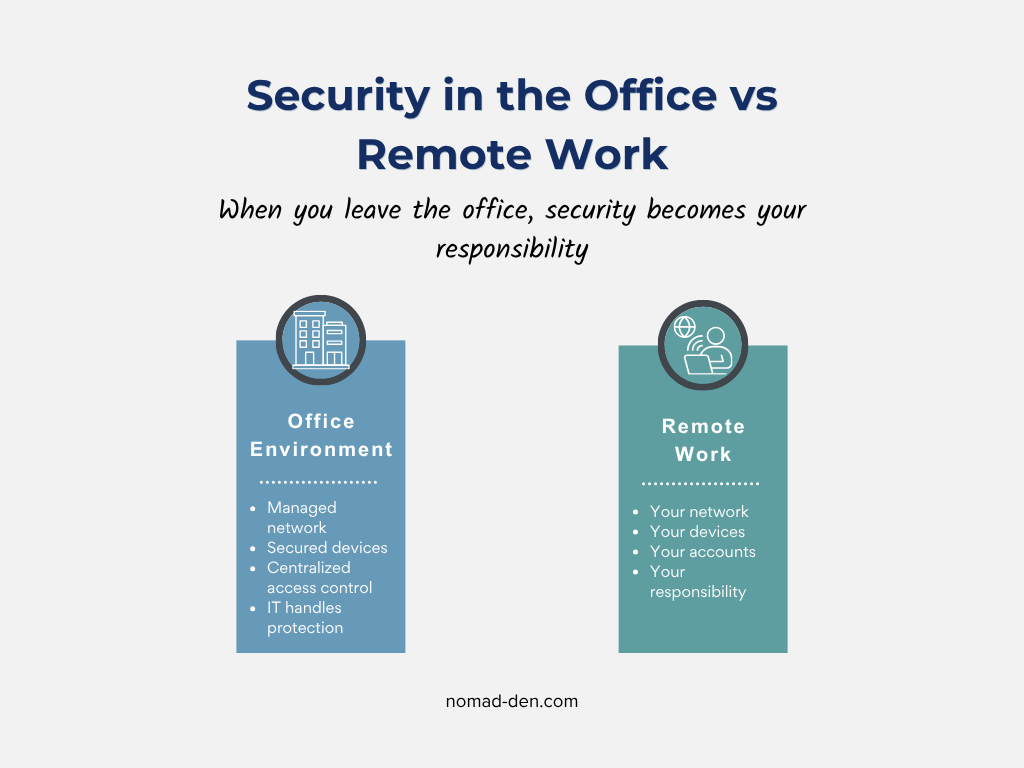
In a traditional office, security is handled for you. To protect their systems and data, companies invest in network protection, device security, and access control systems. Most employees never think about it because it’s handled at the organizational level, and it would be irresponsible for any company operating online not to have those systems in place.
How Security Changes When You Work Remotely
When you work remotely, you inherently carry more responsibility, whether you’re still an employee or running your own business. You’re no longer just doing the work. You’re responsible for securing it. That means your devices, accounts, data, and connections are now yours to protect, not your employer’s.
Your attack surface increases as you work online, and without the right precautions, that creates real vulnerabilities. The most common entry points are the ones most people overlook: weak passwords, unprotected public networks, and phishing attempts disguised as legitimate work communication.
When you leave the office, you don’t leave risk behind. You inherit it.
What “Increased Attack Surface” Actually Means
Every tool you add, account you create, and platform you log into becomes a potential entry point. That’s what “attack surface” actually means in practice; the more you work online, the more exposure you create:
- accounts → can be accessed
- tools → can be exploited
- logins → can be compromised
- data → can be stolen
Understanding where your vulnerabilities are is the first step toward actually protecting them. Most security breaches don’t happen because of sophisticated attacks, they happen because of unprotected accounts, weak passwords, and unencrypted connections that could have been secured with basic tools.
Common Remote Work Scams to Avoid
If money is involved online, scams will follow. This is especially true in remote work. It’s up to you to protect your assets and stay aware of potential threats. The most common ones targeting remote workers right now include:
- Fake job listings asking for upfront payment
- Fake clients who disappear after work is done
- Phishing emails pretending to be legitimate platforms
- Too-good-to-be-true offers promising fast, easy income
Take your time and verify sources before committing to anything. If an offer feels too good to be true or a client is pushing you to move fast, that pressure is usually the scam itself. Learn more about the most common remote work scams and how to spot them before they cost you.
How to Choose Your Remote Work Path
Don’t try to do everything at once. If you need income quickly, freelancing or services is usually the fastest starting point. If you want more stability, remote employment gives you structure without requiring you to build something from scratch. And if your goal is scalability and long-term independence, a digital business is worth the slower build. There’s no perfect path, only the one you commit to and develop over time.
Freelancing is one of the fastest ways to start earning online. See the top roles and platforms to get started.
Simple Starter Plan
If you’re just getting started, keep it simple and focused:
- Choose one path
- Learn one skill
- Use a small set of tools
- Secure your accounts immediately
- Take consistent action
Most people stall not because the path is too hard, but because they overcomplicate the beginning. Simple, consistent action beats a perfect plan that never gets started.
Frequently Asked Questions
Final Thoughts
Remote work isn’t complicated, but it does require intention. The people who struggle aren’t usually lacking talent or opportunity, they’re lacking direction. They start too broad, chase too many tools, and skip the security basics until something forces them to pay attention.
The framework in this guide is simple for a reason: pick a path, build one skill at a time, protect what you’re building, and take consistent action. That’s not a shortcut. It’s just what actually works.
Most people trying to figure out remote work are overcomplicating the starting line. You don’t need a perfect setup. You need a clear direction and the discipline to follow through on it. Do that consistently, and you’ll be in a stronger position than most.
Some links in this post may be affiliate links. I may earn a commission at no extra cost to you. Learn more here.
Go Deeper: Build Your Remote Work Skills
How to Build a Steady Income as a Freelancer: Protect What You Earn First
Steady freelance income starts with protecting what you’ve already earned, not just chasing more of…

When to Start Outsourcing: How to Vet Your First Virtual Assistant (or Freelancer)
Outsourcing makes sense the moment a task is both teachable and consistently the thing standing…

Freelancing vs. Remote Work: What’s the Difference?
Freelancing and remote work are not the same thing, even though people use the terms…
Freelance Business Tools: Getting Paid and Staying Protected
Most freelance tool summaries and comparison posts point you toward the same handful of project…
Digital Nomad Visas in 2026: Requirements, Costs, and How to Apply Safely
A digital nomad visa is a temporary residency permit that lets you legally live in…
What Is a VPN? How It Works, What It Protects, and What It Doesn’t
A VPN, or virtual private network, is a service that encrypts your internet connection and…